Last updated: October 2026
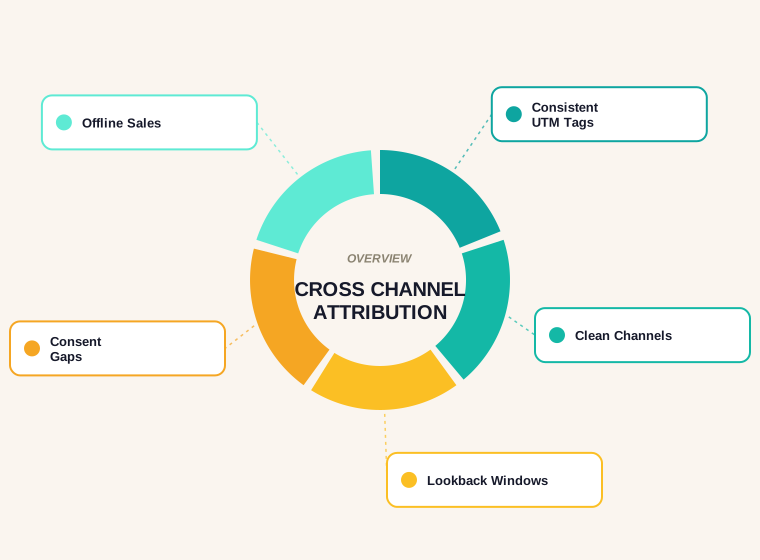
Cross channel attribution is the practice of deciding which of your marketing channels deserve credit when a visitor takes an action that matters, such as sending an enquiry, booking a call or buying something. Almost nobody converts on their first visit. A person might see a social post, search your brand a week later, open an email, and only then fill in the form. If your reports hand all the credit to the last click in that chain, the channels that did the early work look useless and get their budgets cut.
This guide is written for small and mid-size marketing teams that have Google Analytics 4 and not much else. It covers what the tool actually offers today, where the numbers come from, what consent banners do to them, and how to build a measurement setup you can run for free without pretending the result is exact.
What Cross Channel Attribution Actually Means
Attribution is the act of assigning credit for a result to the touchpoints that led to it. Google describes it as assigning credit for important user actions to different ads, clicks and other factors along a user's path. The word "cross-channel" simply means the credit is shared across more than one channel, such as organic search, paid search, email, social and referral traffic, instead of being measured inside each platform separately.
The problem it solves is double counting and blind spots. Every ad platform reports its own conversions using its own rules, and those reports rarely add up to the number of real customers. A single analytics view that sees all channels with one set of rules is the only way to compare them fairly, even if that view is imperfect.
It helps to be clear about what attribution cannot do. It cannot prove that a channel caused a sale. It describes which tracked touchpoints were present before a conversion, and then applies a rule or an algorithm to split the credit. Treat it as a structured way to ask better questions, not as a verdict.
Why Last-Click Reporting Misleads
Last-click reporting gives one hundred percent of the credit to the final touchpoint before the conversion. That is easy to understand and easy to audit, which is why it survives. It is also biased towards channels that people use at the end of a decision: branded search, direct visits and email links to people who already know you.
Consider a service business that publishes a useful guide, shares it on social media and runs a small paid search campaign. Someone reads the guide, leaves, and returns three days later by typing the company name into a search box. Under last click, branded search or direct traffic gets the sale. The guide that introduced the brand gets nothing, so the content budget looks wasteful.
The opposite mistake exists too. A first-touch view would reward whichever channel happened to introduce the visitor and ignore the email or retargeting that closed the sale. Neither view is wrong in what it counts. Each one is incomplete, which is why comparing more than one view is more useful than hunting for the correct one.
The Attribution Models Google Analytics 4 Offers Today
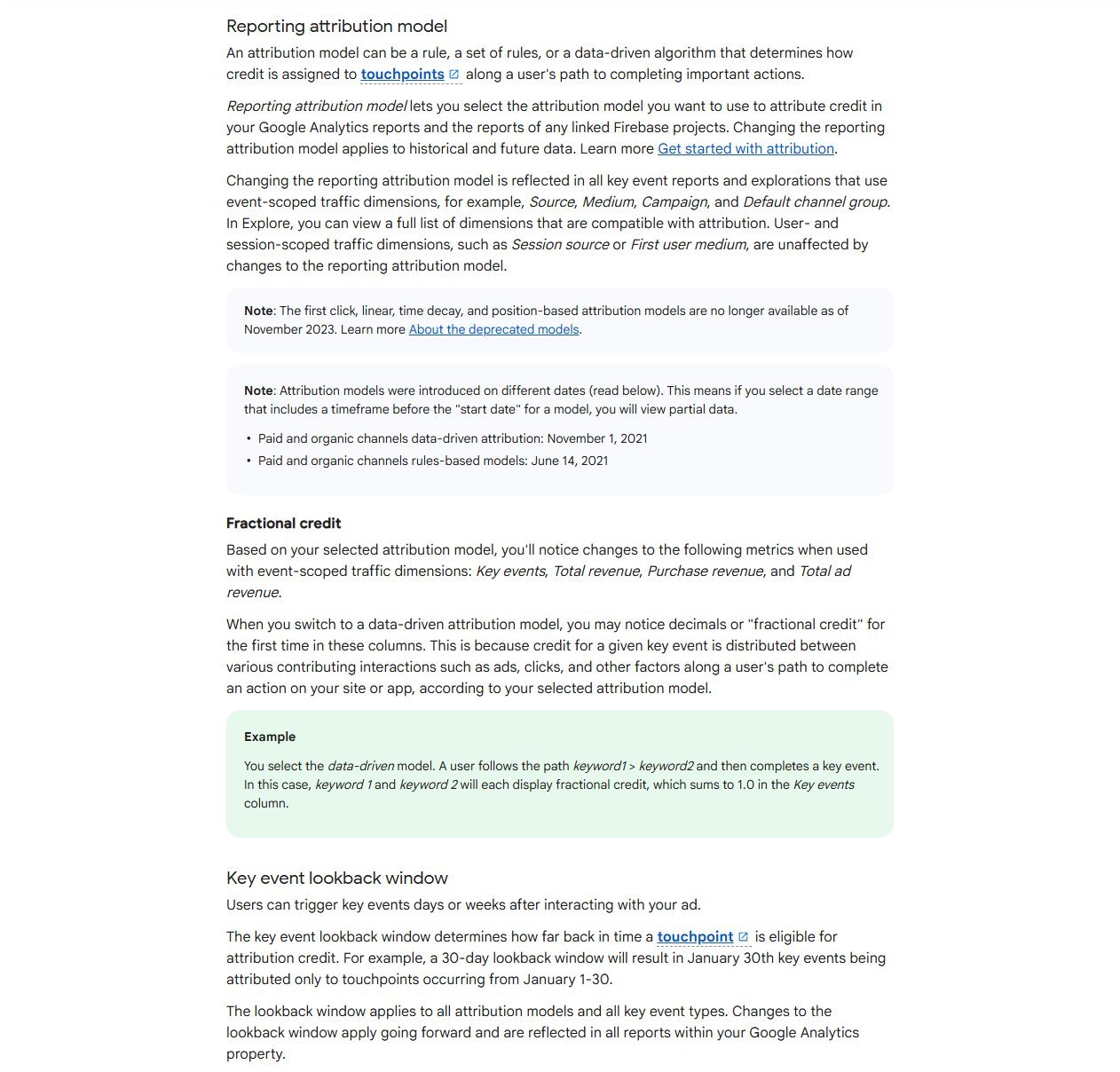
Many older tutorials list six or seven models. That is out of date. Google's attribution settings page states that the first click, linear, time decay and position-based models are no longer available as of November 2023. Reporting in GA4 now rests on three choices:
- Data-driven attribution uses machine learning to distribute credit across the touchpoints on a path, based on how paths that convert differ from paths that do not.
- Paid and organic channels last click gives all credit to the last channel the user interacted with, whether paid or organic.
- Google paid channels last click gives all credit to the last Google Ads channel the user interacted with.
You select the reporting model under Admin, then Data display, then Events, then Attribution settings. Google notes that changing the reporting attribution model applies to historical and future data, so you can switch and compare without losing anything. Its own attribution settings documentation also explains that models can produce fractional credit, so you may see decimals in key event columns once data-driven attribution is in use.
A practical consequence: because most of the rule-based models are gone, "which of the seven models is best" is no longer a useful question. The useful comparison is between a data-driven view and a last-click view, and the gap between them tells you which channels tend to assist rather than close.
Where to Read Attribution in GA4 Reports
Attribution reporting lives under the Advertising section of Google Analytics. The attribution models report, which many people still call model comparison, lets you view key events and revenue by channel under different models side by side. The default channel group is the standard breakdown, and you can switch the view to source and medium or to campaign when you want more detail.
The attribution paths report, formerly called conversion paths, shows the sequence of channels users went through before a key event. Its visualisation splits each path into an initiating, assisting and closing portion, so you can see which channels tend to open journeys and which tend to finish them. The table beside it includes days to key event and touchpoints to key event, which is useful for judging how long your sales cycle really is.
Two habits make these reports more trustworthy. First, pick a date range that matches at least one full buying cycle, not the last seven days. Second, keep your key event list short. If every scroll and every button click is marked as a key event, the credit gets spread across actions that have nothing to do with revenue.
UTM Tagging Is the Foundation
Attribution can only split credit among channels it can recognise. For traffic you do not control, such as links in emails, social posts, newsletters and partner pages, recognition depends on the campaign parameters you add to the URL. If those are missing or inconsistent, visits show up as direct or as a catch-all, and no model can repair that afterwards.
Google's guidance on collecting campaign data with custom URLs says to always use utm_source, utm_medium and utm_campaign, and warns that missing parameters lead to (not set) values in reports. It also notes that values are case-sensitive, so Meta and meta count as different values. That single detail quietly splits a lot of reports in half.
- Write the rules down once. A one-page naming sheet with allowed values for source and medium removes most disagreements.
- Use lowercase everywhere. Pick hyphens or underscores for spaces and never mix them.
- Keep medium values boring. Values such as email, social, cpc and referral map cleanly to channels. Creative medium names fall into the wrong group.
- Never tag internal links. Adding campaign parameters to links between your own pages starts a new session and replaces the real source.
- Tag everything you control outside your site, including email buttons, bio links, QR codes and PDF links.
If you do not want to build links by hand, our free UTM builder creates consistent campaign URLs so everyone on the team follows the same pattern.
Channel Grouping Hygiene
GA4 sorts traffic into channels such as Organic Search, Paid Search, Email and Paid Social using its default channel group. Google says those definitions are not case sensitive and cannot be edited, which means the only way to get a visit into the right bucket is to feed it values the rules recognise. A campaign tagged with a made-up medium may land in Unassigned or in Referral.
Check this once a quarter. Open the traffic acquisition report, look at the Unassigned and Referral rows, and expand them by source and medium. You will usually find a handful of tagging mistakes that account for most of the mess. If you need a grouping that reflects how your business thinks about channels, GA4 supports custom channel groups, which you can build on top of the default without altering it.
Also be careful with self-referrals. Payment processors, booking tools and login pages hosted on another domain can send people back to your site and appear as the last touchpoint. Adding those domains to the unwanted referrals list stops a checkout provider from taking credit for a sale your newsletter produced.
Conversion Windows and Why They Change the Answer
A lookback window sets how far back from a conversion a touchpoint can still earn credit. Google's attribution settings page gives defaults of 30 days for acquisition key events and 90 days for all other key events, with a shorter 7-day option for acquisition and 30 or 60 days for the rest. Changes to the window apply going forward, not retroactively.
Match the window to how people actually buy from you. A restaurant booking has a short cycle, so a long window mostly adds noise. A business that sells to committees can take months, and a short window will quietly erase the channels that started the conversation. If you do not know your cycle, the days to key event column in the attribution paths report gives you a first answer.
Whatever you choose, keep it fixed for a while. Changing the window every month makes trends impossible to read and turns a measurement tool into a source of arguments.
Cookie Consent, Modelled Data and What Is Missing
Consent banners change what you can see. When visitors decline analytics cookies, Google Analytics cannot follow them across visits, so their journeys appear in your reports with gaps or not at all. Cross-channel views suffer most, because they depend on connecting several visits from the same person.
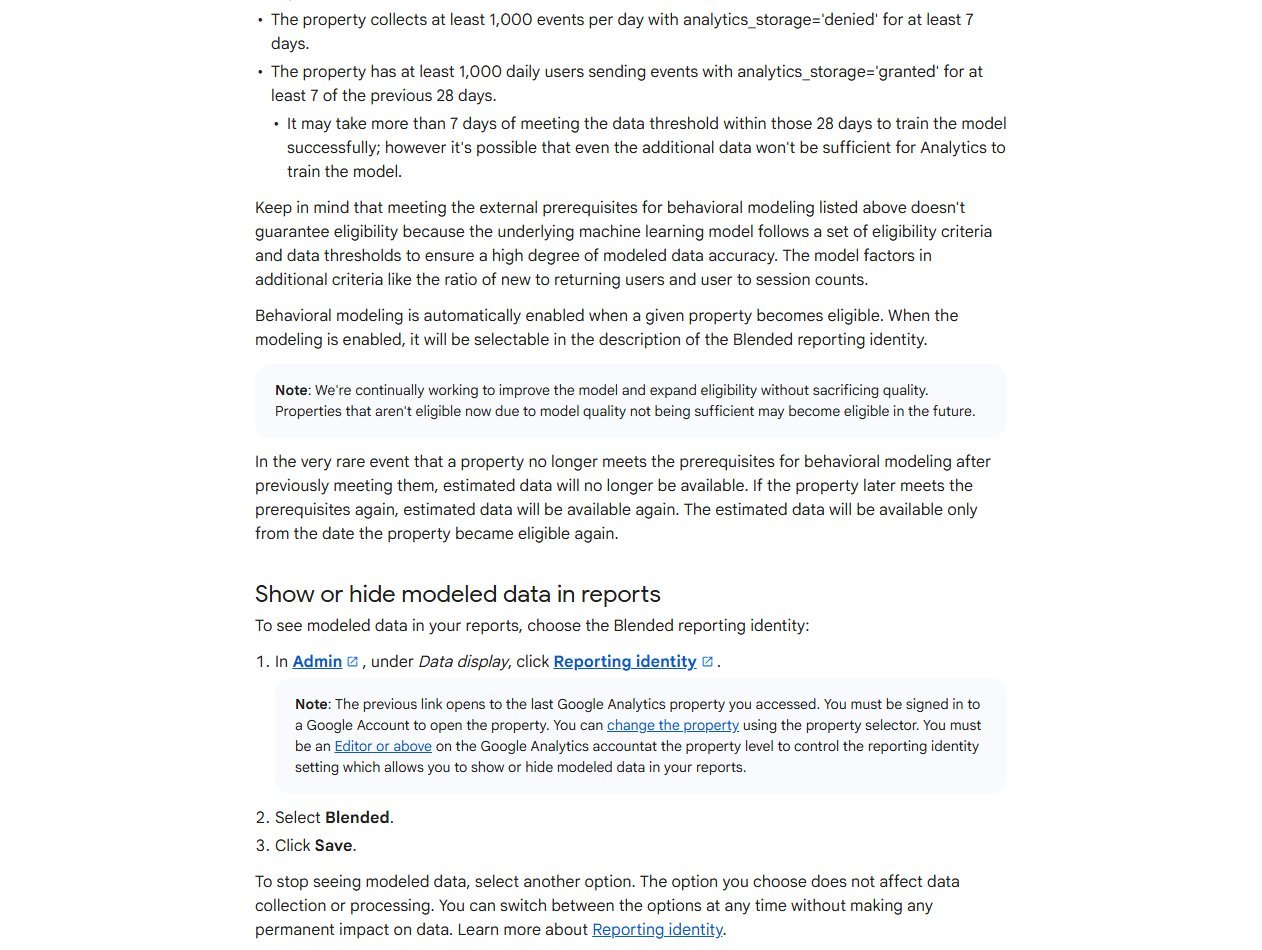
Google's help article on behavioral modeling for consent mode explains the workaround. When a property qualifies, Analytics uses machine learning to estimate the behaviour of users who decline cookies, based on similar users who accept them. Eligibility has conditions. The property needs at least 1,000 events per day with analytics storage denied for at least seven days, and at least 1,000 daily users with it granted for at least seven of the previous 28 days. Meeting those numbers does not guarantee eligibility, and the modelled data is shown only when the Blended reporting identity is selected.
Many small sites will not reach those thresholds. That is fine, but it means you should assume your attribution data under-reports people who decline tracking, and you should not compare it to platform dashboards expecting a match. If you advertise in regions with strict consent rules, the gap will be larger. Set up consent mode correctly regardless, because it is a legal and a measurement question at once, and have your legal adviser review the banner wording.
Offline and Phone Conversions
For many local and service businesses the real conversion happens off the website: a phone call, a visit to a shop or a signed quote. GA4 cannot see those unless you send them in. Google's Measurement Protocol documentation describes sending events directly to Analytics servers to record server-to-server and offline interactions, and states that it is meant to augment, not replace, normal tag-based collection.
A simple approach for a small team works without development. Ask every new enquirer how they found you and record the answer in your CRM or even a spreadsheet, next to the landing page and campaign from the form submission. Where you use call tracking, record the call with the same campaign name you used in the URL. At month end, compare the sales your records attribute to each channel with what GA4 says. The differences are exactly where your online-only view is blind.
If you do have developer help, the more robust route is to pass a stored identifier from the form into your CRM, then send a qualified lead or closed sale event back to Analytics when it happens. That lets attribution credit the original channels for an outcome that is closer to revenue than a form fill.
A Simple Measurement Setup With No Budget
You can get most of the benefit of cross channel attribution using only free tools and a few disciplined habits.
- Choose three to five key events that reflect real business value, such as a quote request, a booked call or a purchase.
- Agree a UTM naming sheet and put every external campaign link through it.
- Keep the reporting model on data-driven and use the attribution models report to compare it with last click each month.
- Add a "how did you hear about us" field to your contact form and phone script, and record the answers.
- Review the attribution paths report quarterly to see which channels open journeys and which close them.
- Keep one dashboard or one spreadsheet where the monthly numbers are logged, so changes are visible over time.
The landing pages those campaigns point to matter as much as the tagging. If visitors arrive and cannot find what they were promised, no attribution model will make the channel look good. Our on-page SEO checklist is a quick way to check that the pages you send traffic to are clear and complete.
How to Read the Results Without Over-Trusting Any Model
Every model is an assumption about how credit works. Data-driven attribution looks scientific, but it can only learn from the paths it observes, and in a small property there may be too few of them to learn from. Last click is transparent but ignores everything before the final step. Neither tells you what would have happened if you had turned a channel off.
A workable way to read the numbers is to look for agreement. If a channel looks good under both data-driven and last click, it is probably doing real work. If it looks good under data-driven but weak under last click, it is likely an assisting channel, and cutting it could damage the channels that close. If it only looks good under last click, check whether it is simply the place people end up, as with branded search or direct traffic.
Look at direction and size, not decimals. A shift of a few percentage points between months is noise. A consistent pattern across three months deserves a decision. And when a budget choice is large, run a simple test, such as pausing a channel in one region or for a few weeks, and watch what happens to total enquiries, not only to that channel's reported conversions.
The same caution applies to organic search. If you are weighing an investment in search work, our guide on what an SEO audit costs explains how to scope that spend before you try to measure its return.
Common Cross Channel Attribution Mistakes
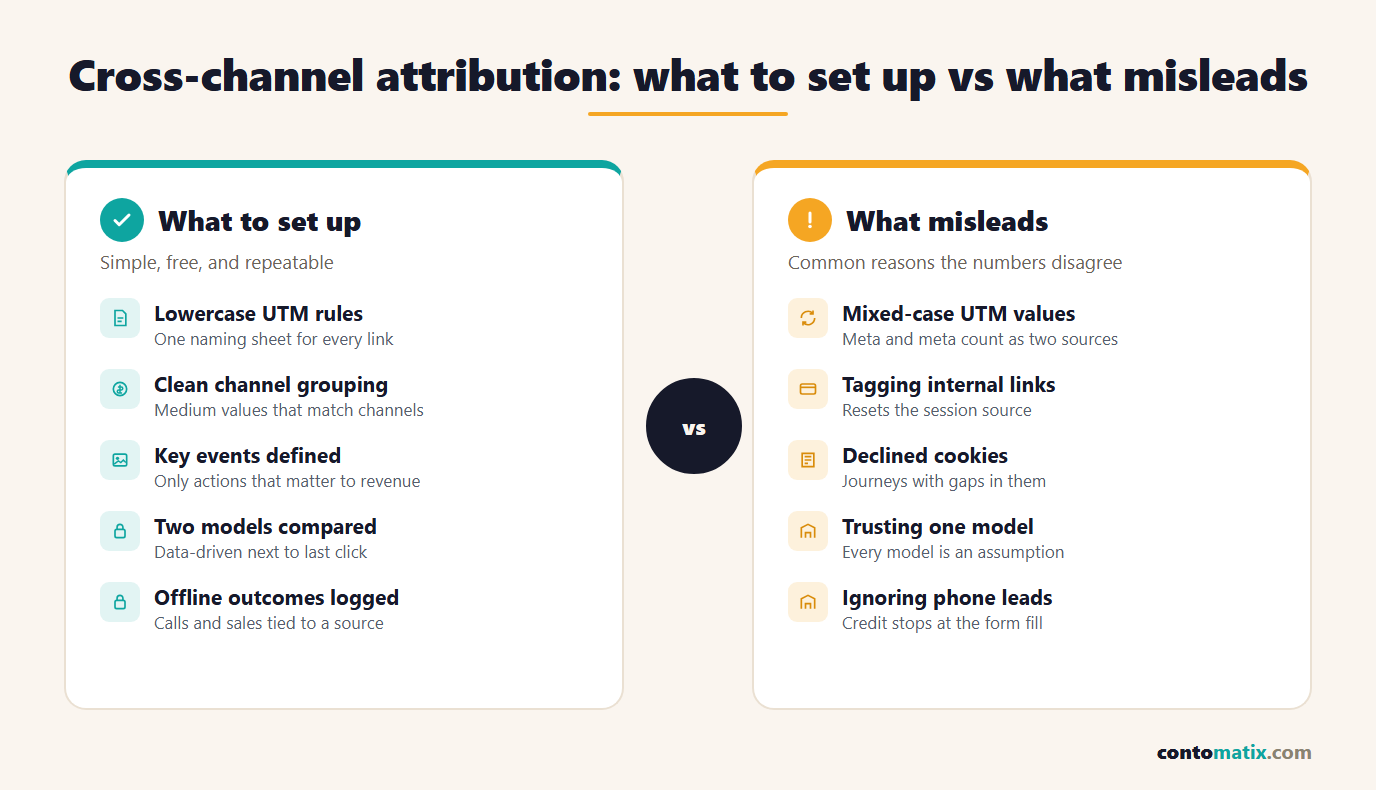
- Tagging internal links. It overwrites the original source and inflates whichever campaign name you used.
- Mixing letter case in UTM values. One campaign becomes two or three rows.
- Counting every click as a key event. Credit spreads over actions that do not matter.
- Comparing GA4 to ad platform numbers and expecting a match. They use different rules, windows and data, so differences are normal.
- Judging a channel on a short date range. Journeys can be longer than your report.
- Ignoring consent and modelled data. Missing journeys look like low performance.
- Changing settings constantly. New windows and models every month make trends meaningless.
- Stopping at the form fill. If sales happen by phone or in person, credit never reaches the channel that earned it.
A 30-Day Cross Channel Attribution Checklist
Week 1: decide what you are measuring.
- List the three to five outcomes that matter and mark them as key events.
- Check each one fires once per real action, not on every page reload.
- Write the UTM naming sheet and share it with everyone who publishes links.
Week 2: clean up the inputs.
- Re-tag live email, social and partner links using the sheet.
- Remove campaign parameters from any internal links.
- Review the Unassigned and Referral rows in traffic acquisition and fix the causes.
Week 3: set models and windows.
- Confirm the reporting attribution model and the lookback windows, and record them.
- Review your consent banner and consent mode setup with your adviser.
- Add a "how did you hear about us" question to forms and phone scripts.
Week 4: read and decide.
- Compare data-driven and last click in the attribution models report.
- Open the attribution paths report and note the average days to key event.
- Reconcile offline sales with channels, write down one decision, and schedule the next review.
If you would rather have someone else audit the tagging and reporting, Contomatix can review a measurement setup as part of a wider marketing and SEO engagement.
Quick Recap
- Cross channel attribution splits credit among the tracked touchpoints that led to a key event. It describes, it does not prove.
- Last click favours channels used at the end of a decision, so comparing it with data-driven reporting gives a fairer picture.
- GA4 now offers three models; first click, linear, time decay and position-based ended in November 2023.
- Consistent lowercase UTM tags and clean mediums are the foundation. Tag external links, never internal ones.
- Lookback windows default to 30 days for acquisition and 90 days for other key events, so match them to your buying cycle and then leave them alone.
- Declined cookies create gaps. Modelled data helps only when a property meets Google's thresholds.
- Offline outcomes need a manual or imported link back to the original channel.
- Read for agreement across models and across months, and test big decisions before acting.
Frequently Asked Questions
What is cross channel attribution in simple terms?
It is the process of sharing credit for a conversion between all the marketing channels a person used on the way, such as search, email and social, instead of giving it only to the last one.
Which attribution models does GA4 still support?
Google's attribution settings list data-driven attribution, paid and organic channels last click, and Google paid channels last click. The first click, linear, time decay and position-based models were retired in November 2023.
How do I measure cross channel attribution for free?
Use GA4 with consistent UTM tags, a short list of key events and the attribution models and attribution paths reports. Add a "how did you hear about us" field to capture what analytics cannot see.
Why does GA4 show different conversions from my ad platform?
Each platform applies its own attribution rules, lookback windows and tracking limits. GA4 compares all channels under one set of rules, so totals rarely match exactly and should not be forced to.
Is data-driven attribution better than last click?
Not automatically. It spreads credit across touchpoints, which is more informative, but it needs enough converting paths to learn from. Comparing it with last click is more useful than choosing a winner.
What lookback window should I use?
Choose one that matches your sales cycle. GA4 defaults to 30 days for acquisition key events and 90 days for others. Check days to key event in the attribution paths report, then keep the setting stable.
How do UTM parameters affect attribution?
They tell Analytics which source, medium and campaign sent a visit. Missing or inconsistent values cause traffic to land in the wrong channel or show as not set, and values are case-sensitive.
Should I add UTM parameters to internal links?
No. Campaign parameters on links between your own pages can start a new session and replace the original source, which corrupts the attribution you are trying to measure.
How does cookie consent affect cross channel attribution?
Visitors who decline analytics cookies cannot be tracked across visits, so their journeys have gaps. Behavioral modeling can estimate some of this, but only when a property meets Google's data thresholds.
How do I attribute phone calls and in-store sales?
Record the source at the moment of the call or sale, tie it to the campaign used in the original link, and compare it with GA4 monthly. With developer help, you can send those outcomes to Analytics as events.