Last updated: September 2026
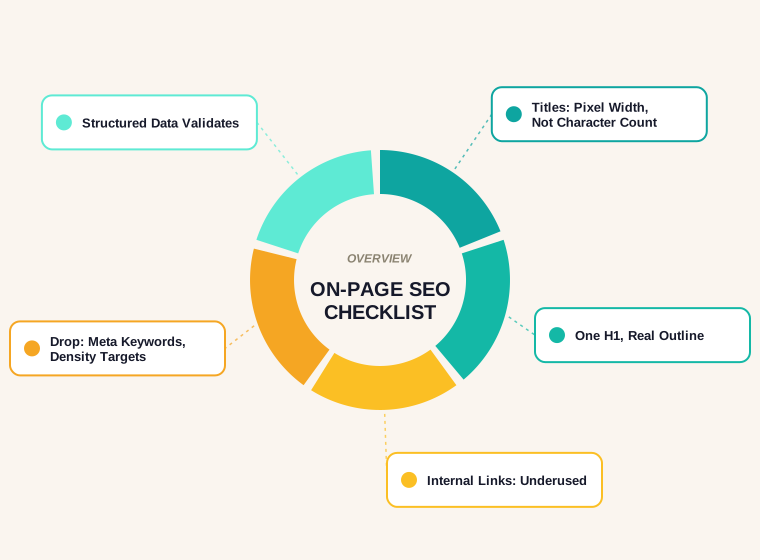
Most versions of an on-page SEO checklist circulating online are ten years old with the dates changed. Half the items are cosmetic, and the items that actually matter are usually buried below meta keyword tags and other advice Google stopped using before some of today's SEOs started their careers.
This is the version we actually run against a page: what Google documents directly, what still moves rankings, and what to stop wasting time on. It covers titles, descriptions, headings, URLs, internal links, images, content quality and structured data, in the order we would actually check them on a real page.
What On-Page SEO Actually Covers
On-page SEO is everything you control directly on a single page, as distinct from off-page factors like backlinks or technical factors like crawlability across the whole site. A page can have a perfect backlink profile and still underperform because the title does not match what people search for, or the content does not answer the question it ranks for. This checklist is specifically the on-page layer: what to fix on the page itself, one element at a time.
Title Tags: Written for the Click, Not the Crawler
Google is direct about how much control you actually have here.
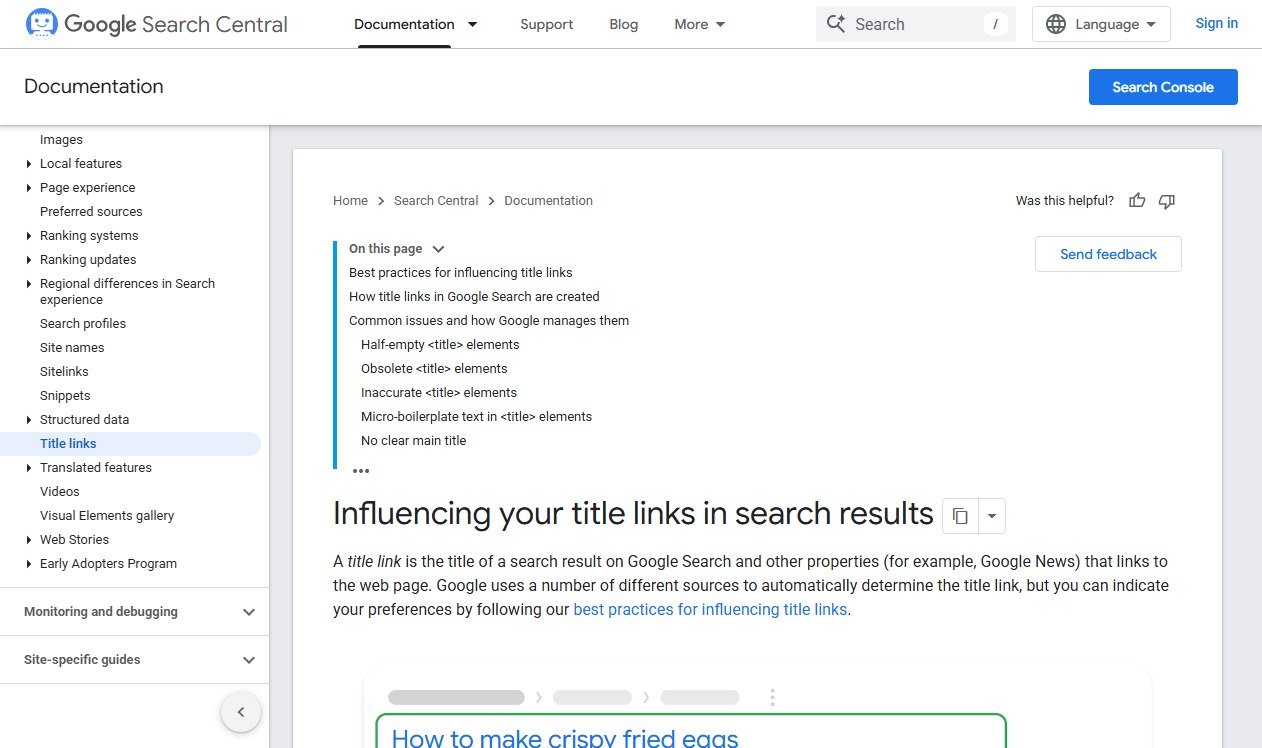
Google's documentation on title links states there is no character limit on the <title> element, but that Google truncates the displayed title as needed, typically to fit the device width. The same page lists exactly when Google decides to rewrite a title rather than use yours: half-empty titles, obsolete information, inaccurate descriptions, repeated boilerplate text across many pages, and an unclear main title on the page itself.
- One unique title per page, never a template with only the last word changed.
- The primary keyword near the front, phrased the way a person would search, not stuffed.
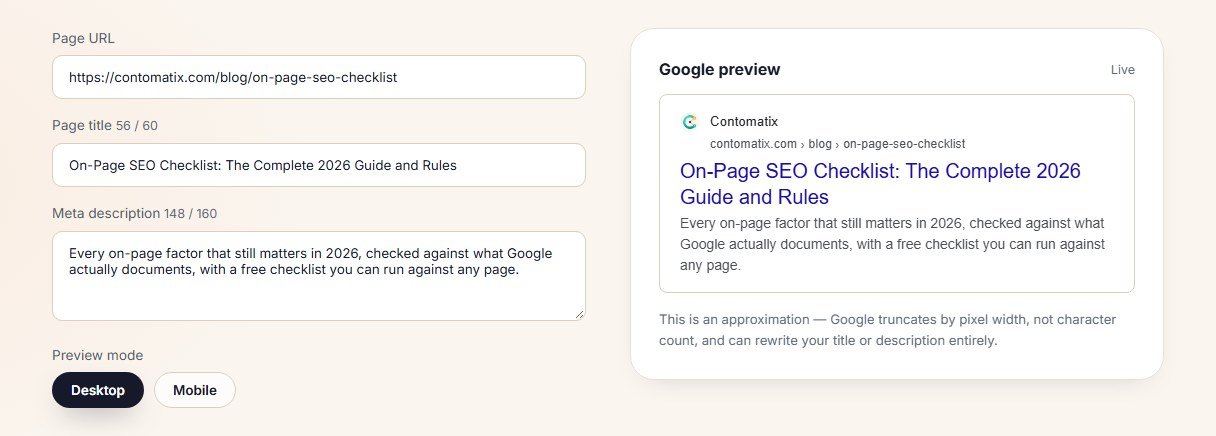
- 55–60 characters as a practical target, since Google measures in pixels rather than characters and wider capital letters truncate sooner than a title full of lowercase.
- Avoid vague titles like "Home" or "Services" that give Google a reason to rewrite it for you.
Check the result rather than trusting the character count. Our free SERP snippet preview tool shows exactly how a title and description will render before you publish.
Meta Descriptions: A Pitch, Not a Ranking Factor
Meta descriptions do not influence rankings directly, and never have. What they influence is click-through rate, which is worth optimising for its own sake.
- 120–158 characters is a safe practical range before truncation on desktop; mobile cuts off sooner.
- State the specific value of the page — what the visitor gets, not a restatement of the title.
- Write one per page. A missing description means Google pulls a snippet from the page content instead, which is unpredictable and often unflattering.
Headings: One H1, a Real Structure Underneath
This is the item most checklists get backwards by treating every heading as equally important.
- Exactly one H1 per page, describing the page's actual topic, not the site's name.
- H2s that describe a genuine section, in an order a reader could follow without seeing the body text.
- No heading level skipped for styling. If an H3 is used because it looks smaller, that is a CSS decision wearing an SEO tag it does not deserve.
A useful test: read only the headings on a page, top to bottom. If they form a coherent outline of the content, the structure is doing its job.
URL Structure
- Short, readable, and descriptive — words that describe the page, not a database ID or a string of parameters.
- Hyphens between words, never underscores, which Google does not reliably treat as word separators.
- Lowercase, consistently. Mixed-case URLs create accidental duplicates on servers that treat them as different paths.
- Stable once published. Changing a URL after it has earned rankings and links means either a 301 redirect done properly, or a slow rebuild of everything the old URL had earned.
Internal Linking: The Most Underused Item on Any Checklist
Internal links are the cheapest, most controllable signal on this entire list, and most sites do almost nothing deliberate with them.
- Every important page reachable within three clicks from the homepage.
- Descriptive anchor text that reflects the destination page's actual topic, not "click here" or "read more".
- New content linked from at least two existing, relevant pages at the time of publishing, not left to be discovered eventually.
- No orphaned pages — anything worth publishing is worth linking to from somewhere.
If you are not sure which pages are under-linked, our website SEO audit guide covers how to find them using Search Console data rather than guessing.
Images: Weight and Description, Both
- Descriptive alt text that would make sense read aloud by a screen reader, not a keyword phrase stuffed into an attribute.
- Compressed and correctly sized for where they display, not a 4000px source image scaled down by CSS.
- Explicit width and height attributes, which prevents layout shift while the image loads and directly affects Core Web Vitals.
- A modern format such as WebP, with a fallback for older browsers where needed.
Content Quality Signals
The hardest section to reduce to a checklist, because it resists a checklist by nature. Google's own guidance on creating helpful, reliable content frames the test as writing for people first, not for search engines, and asking whether someone would leave the page feeling they had learned enough about the topic to achieve their goal. What survives translating that into a checklist:
- The page answers the query completely, without forcing a second search to fill the gap.
- Claims are specific and checkable, not vague enough to apply to any competitor's page too.
- The content matches the format the results page has already decided on — a list where lists rank, a tool where tools rank, a guide where guides rank.
- Nothing is duplicated from another page on the same site, competing with itself for the same query.
Canonical Tags: Solving a Problem You May Not Have Yet
A canonical tag tells Google which version of a page is the one to index when several URLs could serve the same content — a common issue with parameter-heavy ecommerce filters, printer-friendly versions, or http and https both resolving. Every page should carry a self-referencing canonical by default, pointing at its own URL, so the default state is always correct even before a duplication problem exists. Getting this wrong is one of the more damaging on-page mistakes, and it deserves its own guide rather than a single checklist line; see our canonical and hreflang guide for the specific failure patterns.
Mobile Rendering: Checked, Not Assumed
- Text readable without pinching to zoom, at a legible default size.
- Tap targets spaced apart enough that a thumb does not hit the wrong link.
- No horizontal scroll on a standard phone width.
- The same content on mobile and desktop. Google indexes primarily from the mobile version of a page, so content hidden or removed on mobile is effectively invisible to indexing, not just to mobile visitors.
Structured Data
Schema markup does not move rankings directly, but it can change how a result looks, and a richer result earns more clicks at the same position.
- Article or BlogPosting schema on blog content, with author and date fields accurate.
- FAQ schema only where the content genuinely is a set of distinct questions and answers, not retrofitted onto ordinary paragraphs.
- Validated, not just present. Invalid markup is worse than none, since it can trigger a manual review of the page's eligibility for rich results.
Our free schema markup generator produces valid markup for the common types in under a minute.
The One-Page Checklist
| Element | Check |
|---|---|
| Title tag | Unique, keyword near the front, checked in a SERP preview tool |
| Meta description | 120–158 characters, states specific value, unique per page |
| H1 | Exactly one, describes the page topic |
| Heading structure | H2s and H3s form a genuine, readable outline |
| URL | Short, hyphenated, lowercase, stable |
| Internal links | Linked from at least two relevant pages at publish time |
| Images | Compressed, alt text, width/height set, modern format |
| Content | Fully answers the query, matches the ranking format, no internal duplication |
| Structured data | Present where genuinely applicable, validated |
How to Prioritise When Time Is Limited
Nobody fixes an entire site's on-page SEO in one sitting. If you can only tackle a handful of pages this week, work in this order.
- Pages that already rank on page two. A title and content fix here is the fastest route to a visible ranking change, because the page has already proven it can compete.
- Your highest-traffic pages with weak titles or descriptions. Improving click-through on a page that already gets impressions is pure upside with no ranking risk.
- Pages with duplicate or near-duplicate titles, which usually indicates a template problem affecting many pages at once rather than a one-off.
- New content going out this month. Cheaper to get right at launch than to retrofit later.
Everything else on this checklist can wait for a slower, more thorough pass. These four categories are where a small amount of effort produces a disproportionate result.
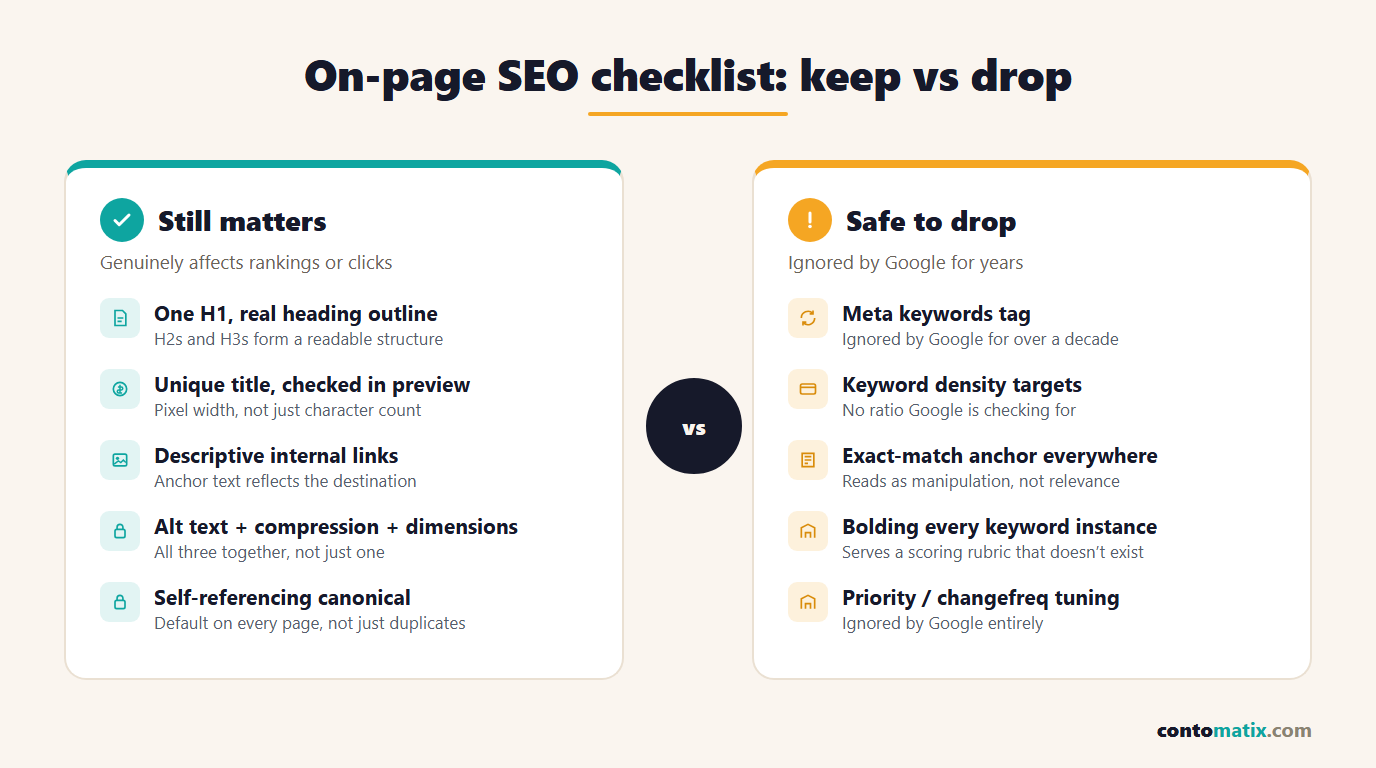
What to Leave Off a 2026 Checklist
- Meta keywords tag. Ignored by Google for well over a decade.
- Keyword density targets. There is no ratio Google is checking for; write naturally and cover the topic completely instead.
- Exact-match anchor text everywhere. A pattern of identical anchor text across many links reads as manipulation rather than relevance.
- Bolding the keyword every time it appears. Emphasis should serve the reader, not a scoring rubric that does not exist.
Quick Recap
- Title tags have no hard limit but truncate by pixel width; check the actual render rather than counting characters alone.
- Meta descriptions do not affect rankings directly but drive click-through rate, so write them to earn the click.
- One H1, a genuine heading outline, and short stable URLs.
- Internal linking is the cheapest lever most sites underuse.
- Images need compression, alt text and explicit dimensions together, not just one of the three.
- Structured data changes how a result looks, not whether it ranks — and must validate to help at all.
- Drop meta keywords, density targets and exact-match anchor spam from any checklist still carrying them.
- When time is short, start with page-two rankings, weak titles on high-traffic pages, duplicate title templates, and anything about to be published.
Frequently Asked Questions
What is on-page SEO?
The set of elements controlled directly on a page that affect how well it can rank and how likely a searcher is to click it: titles, meta descriptions, headings, URLs, internal links, images, content and structured data.
What is the ideal title tag length in 2026?
Google sets no hard character limit and truncates by pixel width, typically around 600 pixels on desktop. A practical target is 55 to 60 characters, checked against an actual SERP preview rather than a character counter alone.
Do meta descriptions affect Google rankings?
Not directly. They influence click-through rate from the results page, which is a real business outcome even though it is not a ranking signal Google states it uses.
How many H1 tags should a page have?
One. It should describe the specific topic of that page, not the site's brand name, with H2s and H3s beneath it forming a genuine, readable outline of the content.
Does keyword density matter for on-page SEO?
No. There is no target ratio Google checks for. Cover the topic completely and use natural language instead of counting keyword occurrences.
Is structured data an on-page SEO ranking factor?
Not a direct ranking factor, but it can make a result eligible for a richer appearance in search, which improves click-through rate at the same position. It must validate correctly to have any effect.
How important are internal links for on-page SEO?
Very, and most sites underuse them. Every important page should be reachable within a few clicks of the homepage and linked from other genuinely relevant pages, ideally at the moment new content is published.
Should URLs include the target keyword?
It helps readability and relevance, but the priority is a short, stable, hyphenated, lowercase URL. Changing an existing URL to insert a keyword is rarely worth the redirect risk on a page that already ranks.
What image optimisation actually matters for SEO?
Compression and correct sizing for real load-time savings, descriptive alt text for accessibility and image search, and explicit width and height attributes to prevent layout shift, which is measured directly in Core Web Vitals.
Is the meta keywords tag still worth using?
No. Google has ignored it for well over a decade. Including it does no harm but provides no benefit and is a sign a checklist has not been updated in a long time.