Last updated: August 2026
A client asked us last month how a much smaller competitor kept showing up everywhere on Instagram with what looked like a paid campaign budget the client couldn't match. The answer took two minutes to find, and it didn't cost anything to look up. Meta Ad Library is a free, public database of every active ad running across Facebook and Instagram, and it's one of the most underused research tools available to a small business trying to understand what's actually working for competitors.
Here's what it actually shows, how to use it properly, and where its real limits are.
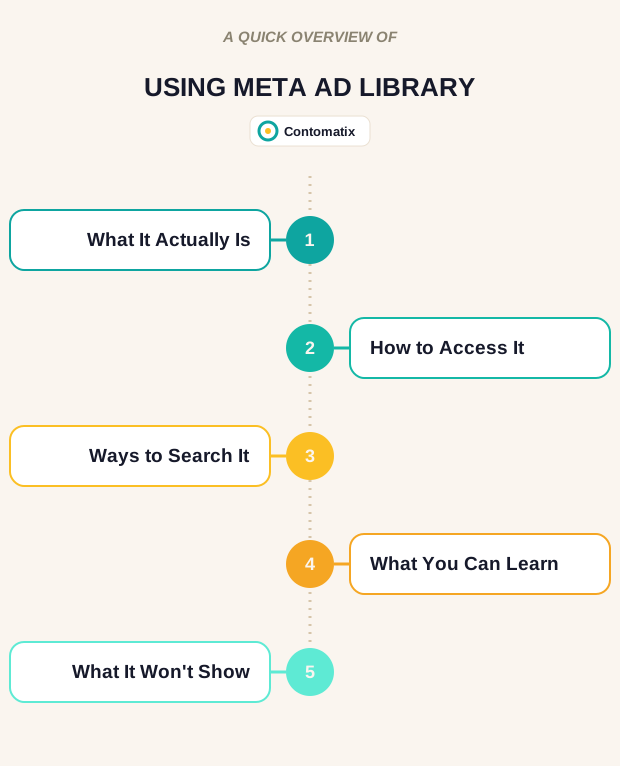
What Meta Ad Library Actually Is
Meta Ad Library is a public archive of active and recently active ads across Meta's platforms. It was originally built to increase transparency around political and issue-based advertising, but it now covers every advertiser on the platform, and anyone can browse it without a Meta account or login. That's the part most business owners don't realize — you don't need to be running ads yourself to see exactly what your competitors are running, and no login or paid subscription of any kind stands between you and a full look at what's currently live.
How to Access It
The most direct route is Meta's own Ad Library, which loads straight to a public search interface. Alternatively, you can go to a competitor's Facebook Page, click "About," then "Page Transparency" — if that page is currently running ads, a "Go to Ad Library" button links directly to their live campaigns. That second route is useful when you already know exactly which page you want to check rather than searching broadly.
Three Ways to Search It
The tool supports three practical search approaches, and each answers a different question:
- By advertiser name: pulls every active and inactive campaign from a specific brand you already know, useful for tracking a direct competitor over time.
- By product type or category: surfaces brands you may not have been watching yet, useful for discovering who else is actively advertising in your space.
- By keyword: shows how different advertisers are messaging around a specific term or seasonal offer, useful for spotting patterns across an entire category rather than one competitor.
What You Can Actually Learn From It
Once you're looking at a set of results, the library shows the ad creative itself — images, video, carousel formats, copy — along with how long a given ad has been running and which platforms it's appearing on. An ad that's been live for months is a reasonably strong signal that it's performing well enough for the advertiser to keep funding it; a campaign that disappears after a few days usually means it wasn't working. Filtering by media type or date range lets you narrow in on, say, every video ad a competitor launched around a specific holiday.
What It Won't Show You
The library has real limits worth knowing before you rely on it too heavily. It shows creative and copy, not performance — there's no click-through rate, no conversion data, and in most cases no spend figures. It also only shows ads that are currently active or recently active; a campaign a competitor paused last month is gone from the archive entirely, even if it ran successfully for a year. Treat it as a window into what competitors are testing right now, not a full performance history of what's worked for them.
How to Actually Use This for Your Own Strategy
The practical value isn't in copying a competitor's ad outright — it's in spotting patterns across several of them at once. If three competitors in your space are all running video testimonials instead of static product shots, that's a real signal worth testing yourself. If everyone's messaging leans on the same seasonal offer structure, that tells you what your audience is already primed to respond to, which you can then differentiate against rather than blindly copy.
This kind of competitive research also feeds directly into content strategy, not just paid ads. The messaging angles and offers competitors are testing paid budget behind are often a strong signal for which topics and value propositions are worth building organic content around too — a connection worth keeping in mind if you're weighing how paid and organic search complement each other.
A Simple Way to Build a Watchlist
Rather than checking the library once and moving on, a short recurring habit gets more value out of it. Pick three to five direct competitors, search each by name once a month, and note what's new since the last check — a fresh offer, a different creative format, a messaging shift. Over a few months, that log turns into a genuinely useful record of how your competitive landscape is actually moving, instead of a one-time snapshot that goes stale within weeks.
It's also worth checking the library before launching your own new campaign, not just for ongoing monitoring. A quick search for your product category can surface whether several competitors already tried a similar offer or angle recently — useful context before committing budget to something that may have already been tested and abandoned by someone else in your space.
A Practical Framework for Reading a Competitor's Ad Set
Scrolling through a competitor's active ads without a structure tends to produce vague impressions rather than usable insight. A more useful approach is to look at the same set of questions across every ad in the results:
- What's the hook in the first line or first frame? A pattern across several ads — a question, a bold claim, a specific number — tells you what's resonating enough to keep testing.
- What format dominates? If most active ads are short-form video rather than static images, that's a signal about what the platform's algorithm and the audience are currently rewarding for that category.
- What's the offer structure? A percentage discount, a bundled deal, a free consultation — noting the pattern across competitors shows what your audience has likely already been primed to expect.
- How long has each ad been running? Group the results into "long-running" and "recently launched" rather than treating them as one undifferentiated list — the long-running ones are the stronger signal of what's actually working.
- What does the landing page destination look like, where visible? Some ad previews link through to a landing page, which shows the full funnel a competitor built around that specific offer, not just the ad creative in isolation.
Running through this same checklist for every competitor search turns a casual browse into a genuinely comparable dataset, even without any paid analytics tool involved.
Combining Meta Ad Library With Other Free Research Tools
Meta Ad Library covers one channel, and pairing it with a couple of other free tools rounds out the picture considerably. Checking a competitor's own website for on-page messaging shows whether their organic positioning matches what they're paying to promote, or whether the two diverge in a way worth noting. A basic search of the competitor's brand name plus terms like "review" or "complaints" surfaces how customers actually talk about them, which often reveals gaps between the marketing message and the real customer experience — gaps a smaller competitor can sometimes address directly in their own messaging. None of this requires a paid subscription to get genuinely useful competitive context before building a campaign of your own.
Using Meta Ad Library Before Entering a New Market or Season
Beyond ongoing competitor tracking, the library is genuinely useful at specific decision points. Before entering a new geographic market, searching by product category filtered to that region shows who's already advertising there and what messaging they're leaning on, which helps calibrate expectations before committing budget to an unfamiliar audience. Before a seasonal push — a holiday sale, a back-to-school campaign, an end-of-year promotion — checking what similar businesses ran during the same period last year (where those ads are still findable) or are already running this year gives a useful sense of how saturated a particular offer angle already is, and whether a genuinely different angle might cut through more effectively than following the same pattern everyone else is using.
A Note on Interpreting Ad Volume Correctly
It's worth resisting the temptation to equate a large number of active ads with unlimited budget or guaranteed success. Some advertisers run dozens of small creative variations simultaneously specifically to test which one performs best, which can look like a much bigger campaign than it actually is in terms of total spend. A single competitor running one ad for six months straight is often a stronger signal of a proven, profitable campaign than a competitor running twenty short-lived variations that each disappear within days. Reading volume and duration together, rather than volume alone, gives a more accurate read on what's actually working for the businesses you're researching.
Turning Findings Into a Short Written Brief
Research that stays in a browser tab rarely gets acted on. After a Meta Ad Library session, a short written summary — three or four bullet points on the patterns observed, the strongest recurring hook or offer angle, and one specific idea worth testing — turns a browsing session into something that can actually be handed to whoever writes the next campaign or content piece. That habit is what separates genuinely useful competitive research from an interesting but ultimately unused half hour of scrolling.
Frequently Asked Questions
What is the Meta Ad Library?
It's a free, public database showing every active ad running across Facebook and Instagram. Anyone can search it without a Meta account or login.
How do I find a specific competitor's ads?
Search their brand name directly in the Ad Library, or go to their Facebook Page, click "About," then "Page Transparency" and follow the "Go to Ad Library" link if they're currently running ads.
Does Meta Ad Library show how much competitors are spending on ads?
No. It shows the ad creative, copy, and how long an ad has been running, but not click-through rate, conversion data, or spend figures in most cases.
Can I see ads that are no longer running?
Only in limited cases. Most non-political ads disappear from the library once they go inactive, so a paused campaign from last month typically won't show up anymore, even if it ran successfully for a long stretch beforehand.
Is a long-running ad a good sign it's working?
Generally yes. If a campaign has stayed live for months, that's a reasonable indicator it's performing well enough for the advertiser to keep funding it.
Can I search by product category instead of a specific brand?
Yes. Searching by product type or category surfaces every advertiser currently running ads in that space, which is useful for discovering competitors you weren't already tracking.
Is Meta Ad Library only useful for paid ad strategy?
No. The messaging angles and offers competitors invest paid budget behind are often a useful signal for organic content topics too, not just for planning your own ad campaigns. Treat it as one input alongside keyword research and customer conversations, not a replacement for either.
Do I need a business account to use Meta Ad Library?
No. It's fully public — you don't need a Meta account, a business page, or to be running ads yourself to browse it.
Disclaimer: This article is for informational purposes only. Meta Ad Library's features and data availability may change over time.
Related Reading
- Want to build these research skills from scratch? See where to learn digital marketing in Lagos.
Contomatix builds SEO and content strategies informed by real competitive research, not guesswork. Want help turning competitor insights into an actual growth plan?
Get a free strategy review →