Last updated: September 2026
A freelancer we spoke with while researching this piece pays for four different SEO subscriptions and uses maybe sixty percent of any one of them. That is the normal state of affairs for most people shopping this category: the tools overlap by design, the pricing pages are built to obscure the real monthly cost until checkout, and almost every "comparison" article online is written by someone who gets a commission if you click through. This one isn't. What follows is a list of the best SEO tools 2026 has on offer, checked directly against each vendor's own pricing page this month, with the caps and compromises left in rather than smoothed over.
Nine tools made the cut, spanning all-in-one suites, a backlink specialist, a local-SEO platform, a dedicated rank tracker, and the one tool everyone already has and few people use properly. Every entry below includes at least one genuine limitation, because a buyer's guide that only lists strengths is really just a sales page wearing a different font.
Best SEO Tools 2026: How We Actually Evaluated These Nine Platforms
Pricing came straight from each vendor's current pricing page, fetched in September 2026, with two exceptions noted where the vendor's own page doesn't render pricing outside its app — those two are sourced from Capterra's plan listings instead, and flagged as such. Superlative claims that show up constantly in this category — "the most accurate backlink index," "the gold standard for keyword research" — are treated as marketing copy unless a vendor or an independent source can point to a specific, checkable number behind them. Where no such number exists, we say so instead of repeating the claim.
We also didn't rank these tools against each other on a single scale, because a $0 crawler and a $449-a-month enterprise suite aren't competing for the same buyer. Instead, each tool is evaluated against what it's actually built to do, with an honest note on who it's a poor fit for.
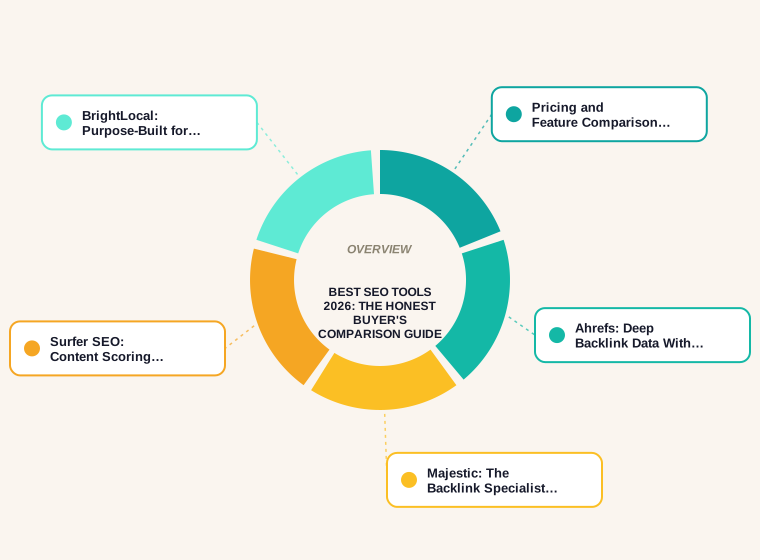
Pricing and Feature Comparison at a Glance
Prices verified as of September 2026, entry-tier monthly rate unless noted. Annual billing typically knocks 15–20% off the figures below.
| Tool | Best for | Entry price | Free tier? | Biggest limitation |
|---|---|---|---|---|
| Semrush | All-in-one research | $139.95/mo | Limited | Entry plan caps at 500 keywords/day |
| Ahrefs | Backlink research | $29/mo (Starter) | Limited | Big jump from Lite to Standard |
| Moz Pro | Generalist / beginners | $49/mo | No | Only 150 keyword queries/mo on Standard |
| Majestic | Backlink-only specialist | $49.99/mo | No | No keyword tracking or audits |
| Screaming Frog | Technical crawling | $279/yr | 500 URLs | Desktop only, no cloud dashboard |
| Google Search Console | Real click/impression data | Free | Yes, fully | Only 16 months of history |
| Surfer SEO | Content optimization | $49/mo | No | No backlink or technical audit data |
| BrightLocal | Local & multi-location SEO | $39/mo | 14-day trial only | Cost multiplies fast per location |
| AccuRanker | Dedicated rank tracking | $224/mo | No | Rank tracking only, nothing else |
Semrush: The Widest Feature Set, at a Wide-Feature-Set Price
Semrush bundles keyword research, site auditing, backlink analytics, PPC competitive data, and social tracking into one dashboard, and its Keyword Magic Tool is genuinely one of the more comprehensive keyword databases we've used. We're not going to call it "the gold standard," though — there's no independently published, apples-to-apples comparison of keyword-database size or freshness across vendors, so any claim that one tool's database is definitively the best is really just that vendor describing itself.
The entry SEO plan lists at $139.95/month billed monthly (roughly $117/month if you commit annually), verified directly on Semrush's pricing page in September 2026. That plan covers 5 projects and 500 tracked keywords per day, which is thin for an agency running more than a handful of client accounts — and the newer AI-search-tracking features only unlock on the Starter tier and above, so the headline price understates what most teams end up paying. New users also report a real learning curve across Semrush's 55-plus report types; it rewards people who set aside time to learn it and can overwhelm someone who just wants a quick audit.
Ahrefs: Deep Backlink Data With a Steep Middle Tier
Ahrefs built its reputation on backlink data, and Site Explorer remains one of the more thorough tools for competitor link analysis and content-gap research. Its own marketing describes an aggressively frequent crawler, but — same caveat as above — there's no independent benchmark ranking crawler freshness across Ahrefs, Semrush, and Majestic side by side, so treat "most accurate backlink index" as a vendor description, not a measured fact.
Pricing, verified directly on Ahrefs' pricing page: a limited Starter plan at $29/month, then Lite at $129/month, Standard at $249/month, Advanced at $449/month, and Enterprise from $1,499/month on an annual commitment. The real friction point is the gap between Lite and Standard — Lite's project and keyword-tracking caps are tight enough that many serious users end up paying nearly double within their first few months just to get workable limits. A single user seat is included on Lite, with extra seats at $40/month each, which adds up fast for a small team.
Moz Pro: A Reasonable Generalist That's Lost Ground on Backlinks
Moz Pro was one of the first all-in-one SEO suites and is still one of the friendlier entry points for someone new to the category, with a cleaner interface than Semrush or Ahrefs and a genuinely useful on-page grader. Moz's own pricing page didn't render its plan costs through a standard fetch, so the figures here come from Moz Pro's Capterra pricing listing, checked in September 2026: Starter at $49/month, Standard at $99/month, Medium at $179/month, and Large at $299/month.
The honest trade-off is that Moz's link index, Link Explorer, has fallen behind Ahrefs and Majestic on raw crawl frequency by most independent user accounts, so teams that lean heavily on backlink analysis tend to pair Moz with a specialist tool rather than rely on it alone. The Standard plan's 150 keyword queries a month is also thin next to Semrush's daily-tracking model — fine for a single small site, tight for anyone managing several.
Majestic: The Backlink Specialist That Does Only One Thing
Majestic doesn't do keyword research, content grading, or technical audits at all — it's a link-intelligence tool, full stop, built around its Trust Flow and Citation Flow metrics and one of the deepest historical link indexes in the category. That focus is also its limitation: almost nobody runs Majestic as a solo tool, which makes it an add-on cost layered on top of whatever suite already handles the rest of your workflow.
Pricing, verified directly on Majestic's pricing page: Lite at $49.99/month (1 million analysis units, 5,000 rows per search), Pro at $99.99/month (20 million analysis units, 30,000 rows per search), and an API plan at $399.99/month for teams building link data into their own tools. The interface itself feels dated next to Ahrefs' newer UI, and single-user access on Lite and Pro means agencies typically need the API tier just for multi-seat access.
Screaming Frog: Still the Fastest Way to Find What's Actually Broken
Screaming Frog SEO Spider is a desktop crawler, not a cloud dashboard, and that's exactly why technical SEOs still reach for it first — a full-site crawl for redirect chains, duplicate titles, or broken internal links runs locally and doesn't wait on a queue. The free version caps out at 500 URLs, which covers most small-business sites; the paid license runs $279/year for unlimited crawling, verified directly on Screaming Frog's pricing page. It holds a 4.9-out-of-5 rating from 134 reviews on Capterra as of this check, among the highest of any tool in this list.
The catch: it has no keyword data, no backlink index, and no cloud collaboration features, so it's never a standalone answer — it's the crawler you run alongside whichever suite handles research and tracking. Non-technical marketers also tend to find the raw data tables intimidating without someone to help interpret them.
Google Search Console: Free, and the One Data Source Nobody Else Has
Search Console is the only tool on this list that shows what Google itself recorded — actual clicks, impressions, and average position tied to your real search traffic, confirmed as a free product directly on Google's Search Console overview page. No paid tool can substitute for that, because everything else on this list is estimating traffic and rankings, not reporting them.
Its limits are just as real: query and page data is aggregated and sometimes rounded in ways that hide long-tail detail, history only goes back roughly 16 months, there's no competitor visibility of any kind, and it can't tell you where you rank for a keyword you haven't already earned impressions for. Every serious SEO tool stack includes Search Console; none of them treat it as sufficient on its own.
Surfer SEO: Content Scoring That Can Also Steer You Wrong
Surfer analyzes the top-ranking pages for a target keyword and scores your draft against patterns in that set — word count ranges, heading structure, related terms — which is genuinely useful for briefing writers who don't live in SEO data all day. Pricing, verified directly on Surfer's pricing page: Discovery at $49/month (120 documents), Standard at $99/month (360 documents), Pro at $182/month (360 documents plus 50 tracked AI prompts), and Peace of Mind at $299/month for near-unlimited use.
The trade-off worth stating plainly: Surfer's score is a correlation model, not a ranking guarantee, and writers who chase a perfect score by literally matching every suggested term can end up with mechanical, over-optimized copy that reads worse than an unscored draft. It also does nothing for backlinks or technical issues — it's purely a content-side tool, and treating a high Surfer score as proof of SEO quality is a mistake we see agencies make regularly.
BrightLocal: Purpose-Built for Local and Multi-Location SEO
BrightLocal is the tool on this list actually built for local search rather than treating it as an afterthought — local rank tracking by exact map grid, citation audits, Google Business Profile monitoring, and review management all live in one place. Pricing, sourced from BrightLocal's Capterra pricing listing in September 2026 (BrightLocal's own site gates per-plan pricing behind an interactive calculator that didn't render through a standard fetch): Track at $39/month, Manage at $49/month, and Grow at $59/month for a single location.
That per-location price is the catch. Multi-location and franchise pricing isn't published as a fixed table on BrightLocal's own site, and rather than guess at a multiplier, we'd tell a multi-location buyer to get a direct quote before assuming the single-location rate scales cleanly. For anyone whose work isn't locally anchored — ecommerce, SaaS, national content publishers — BrightLocal has almost nothing to offer.
AccuRanker: A Dedicated Rank Tracker for Teams That Outgrew Their Suite's Tracking
Every all-in-one suite on this list tracks rankings, but AccuRanker exists because some teams need that one function done faster and in more granular detail than a suite's built-in tracker allows — daily updates, unlimited users and domains on every tier, and reporting built for agencies handing data to clients. Pricing, verified directly on AccuRanker's pricing page: Professional at $224/month for 2,000–5,000 tracked keywords, Expert at $764/month for 10,000–25,000 keywords, and custom Enterprise pricing above that.
The obvious limitation is that AccuRanker does exactly one job. There's no keyword research, no backlink data, no content grading — it's a bolt-on purchase for a team that already has the rest of its stack sorted and specifically wants faster, more granular rank data, and the cost per tracked keyword climbs quickly if your keyword list is large.
Integration Depth: GA4, WordPress, and Zapier Compatibility
Feature lists rarely mention how well a tool actually plugs into the rest of a marketing stack, which matters more than it sounds like once you're pulling data into a shared dashboard every week. Semrush and Surfer both publish official WordPress plugins, letting on-page recommendations surface directly in the editor rather than a separate tab. Screaming Frog connects directly to the Google Search Console and Google Analytics APIs inside the desktop app itself, plus Majestic and Moz APIs for pulling link metrics into a crawl report without exporting anything by hand.
BrightLocal and AccuRanker both offer Zapier connections for pushing ranking and review data into a CRM or Slack channel, and AccuRanker adds a native Looker Studio connector on its higher tiers for teams building their own reporting dashboards. Ahrefs and Majestic are comparatively closed here — both are largely used through their own web apps or API, with far less in the way of pre-built, no-code connections than Semrush or BrightLocal offer. If your team lives in Zapier or a custom dashboard, that's worth weighing before price.
How to Evaluate SEO Tool ROI (Without Guessing)
"Accelerates growth" isn't a number, and most vendor pages stop right there. A more honest way to size up whether a tool is worth its subscription is to run three concrete checks before you buy, not after.
Time saved, priced at your real hourly rate. A manual technical audit of a 200-page site might take a freelancer three to four hours by hand; Screaming Frog does the equivalent crawl in minutes. At a $60–$100/hour freelance rate, that's $180–$400 of labor recovered in a single audit — against a $279/year license, the payback is close to immediate if you run even one audit a month.
Cost per tracked keyword against expected traffic value. If AccuRanker's Professional tier costs $224/month for up to 5,000 keywords, that's roughly $0.045 per keyword per month. Compare that to the estimated monthly traffic value of ranking improvements on your highest-value 500 keywords; if that value doesn't clear the tool's cost by a healthy multiple, the plan is oversized for your keyword list.
Payback period. Divide the monthly tool cost by the monthly value of hours saved plus any directly attributable traffic gain. A tool that costs $150/month and saves ten hours of manual work at $75/hour has already paid for itself five times over before counting a single ranking improvement — which is a far more defensible number than "accelerates growth."
Which SEO Tool Fits Your Situation
Solo freelancer or single-site owner: Start free. Google Search Console plus the free tier of Screaming Frog covers technical basics and real performance data at zero cost. Add one paid tool once you outgrow that — Surfer's $49/month Discovery plan if content is the bottleneck, or Ahrefs' $29/month Starter plan if backlink research matters more. Skip Semrush and full-price Ahrefs tiers until you're managing more than one or two client sites; the entry pricing doesn't make sense for a single-site budget.
Small agency (roughly 3–15 clients): This is where an all-in-one suite earns its keep. Semrush's SEO plan or Ahrefs' Lite/Standard tier becomes the shared research hub, a Screaming Frog license covers technical audits across every client site for one flat annual fee, and BrightLocal is worth adding the moment even one client is a local or multi-location business — trying to force local rank tracking into a generalist suite wastes time neither the agency nor the client is paying for.
Enterprise or in-house team managing many domains: Ahrefs Advanced or Enterprise plus Majestic Pro for cross-checking backlink data against a second index is a defensible combination when link-based decisions carry real budget behind them. Layer AccuRanker on top once keyword-tracking volume outgrows what any suite's built-in tracker handles gracefully, and keep Moz Pro in the mix only if the team specifically values its on-page grading over what Semrush or Surfer already provide — running three overlapping all-in-one suites at once is the most common way we see SEO budgets get wasted.
Related Reading
- For the crawlability and indexing issues a tool like Screaming Frog is built to catch, see our guide to choosing a technical SEO agency.
- For getting real value out of a Surfer-style content score without writing mechanical copy, see our SEO content writing guide.
- If you're weighing whether these tools make more sense in-house or handed to an outside team, see our SEO agency vs. freelancer cost comparison.
If it helps, we also wrote about Ahrefs alternatives: tools that cover backlink and keyword data at different price points.
Related reading: our guide to AI-powered SEO tools covers what AI features in SEO software actually do.
Frequently Asked Questions
What is the single best SEO tool for someone just starting out?
Google Search Console, because it's free and shows real data about your own site rather than estimates. Pair it with Screaming Frog's free tier for technical checks before spending anything on a paid suite. Most beginners buy a $100+/month platform before they've exhausted what the free tools can already tell them.
Do I need both Ahrefs and Semrush, or is one enough?
For most teams, one is enough. Ahrefs edges ahead on backlink-specific research; Semrush covers a broader range of report types including PPC and social data. Running both mainly makes sense for agencies cross-verifying backlink data for high-stakes link-building decisions, where a second index catches what the first one misses.
Is Google Search Console really enough on its own?
No. It's essential but incomplete — it can't show competitor data, can't tell you where you'd rank for a keyword you don't already have impressions for, and only retains around 16 months of history. Treat it as the free foundation every stack should include, not a replacement for a research or tracking tool.
How much should a small business realistically budget for SEO tools each month?
Somewhere between $0 and $150/month covers most single-site small businesses: free Search Console and Screaming Frog, plus one paid tool such as Surfer's Discovery plan or Ahrefs' Starter tier. Budgets above that usually mean managing multiple sites or clients, which shifts the calculation toward an all-in-one suite.
What's the actual difference between Moz Pro and Majestic?
Moz Pro is a generalist suite — keyword tracking, site audits, on-page grading, and its own link index all in one place. Majestic does one thing, backlink intelligence, and does it with a deeper historical index than Moz's Link Explorer, but offers no keyword research or auditing features at all.
Is Screaming Frog worth paying for over the free version?
Once a site passes 500 URLs, yes — the $279/year license removes that cap and unlocks scheduling, JavaScript rendering, and API connections to Search Console, Analytics, Majestic, and Moz. For a single small site under the URL limit, the free version genuinely covers most of what you'd need.
Which SEO tool is best for a business with multiple physical locations?
BrightLocal, by a wide margin. It's the only tool in this comparison purpose-built for per-location rank tracking, citation consistency, and review management. General-purpose suites like Semrush or Ahrefs can track keywords by city but don't offer the location-level citation and listing management BrightLocal specializes in.
If my all-in-one suite already tracks rankings, why would I pay for AccuRanker too?
Mainly speed and granularity. Suite-level tracking often updates weekly and averages across broader keyword sets; AccuRanker updates daily with more precise location and device segmentation. It's worth the extra cost once ranking volatility on high-value keywords needs to be caught within a day, not a week.
How often does SEO tool pricing actually change?
More often than most buyers expect. Several vendors in this comparison have restructured plan names or limits within the past year alone. Always check a tool's current pricing page directly before budgeting, rather than trusting a comparison article's numbers past a few months old — including this one.
Can Surfer SEO or similar content-scoring tools replace a human writer?
No. Surfer scores structural patterns against top-ranking pages; it has no way to judge whether the writing is accurate, well-argued, or original. Treat it as a briefing and editing aid for a writer, not a replacement for one — content optimized purely to a score often reads mechanically to actual readers.
What's the biggest mistake teams make when buying SEO tools?
Buying overlapping all-in-one suites instead of one suite plus targeted specialists. Semrush, Ahrefs, and Moz Pro all cover keyword research, site audits, and backlink data to varying degrees — paying for two or three of them at once usually means paying twice for the same feature rather than filling an actual gap.


