Last updated: August 2026
Searching for a WordPress SEO consultant usually starts after one of two things happens: a redesign or plugin change quietly tanked rankings that took years to build, or growth has stalled and nobody on the team can tell whether the problem is the platform, the content, or something structural. WordPress powers over 40% of all websites, which also means WordPress-specific SEO problems — plugin conflicts, bloated page builders, duplicate content from tags and archives — are some of the most common and most fixable issues in SEO.
This guide covers what WordPress SEO consulting actually involves in 2026, the platform-specific problems that don't show up on a generic SEO checklist, and how to tell whether an issue needs a consultant or just an afternoon with the right plugin settings.
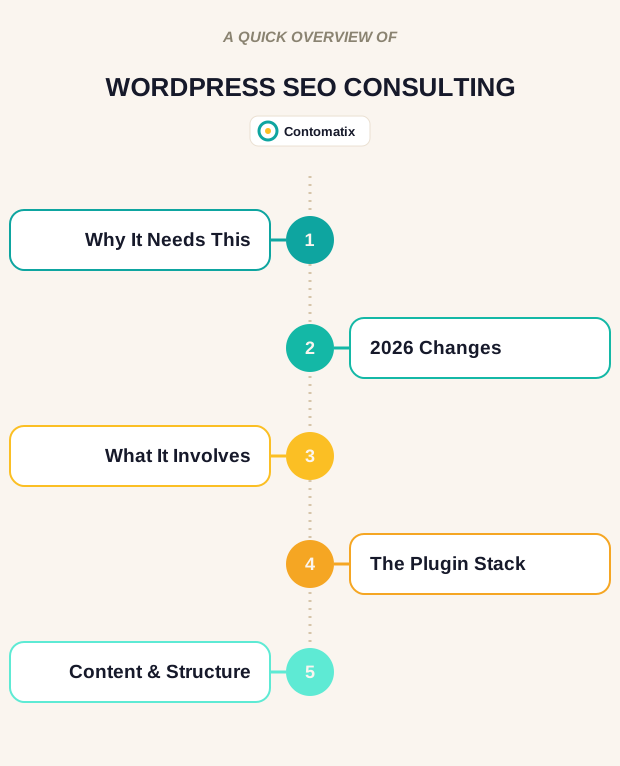
Why WordPress Needs Platform-Specific SEO Attention
WordPress is genuinely good for SEO at its core — clean permalink structures, easy content publishing, broad plugin support. The problems that bring people to a WordPress SEO expert almost never come from WordPress itself; they come from how a site was built on top of it.
The most common pattern: a page builder plugin (Elementor, Divi, WPBakery) generates bloated HTML and loads its own CSS/JS framework on every page, even pages that don't use its features — directly hurting Core Web Vitals. Close behind that: WordPress auto-generates archive pages for every tag, category, and author, and without proper handling, that's a large volume of thin, near-duplicate content quietly competing with the real pages for the same keywords.
A third recurring issue is plugin stacking — sites running two or three SEO plugins at once (a holdover from switching plugins without fully removing the old one), each injecting its own meta tags and schema, sometimes contradicting each other on the same page.
What's Changed for WordPress SEO in 2026
Core Web Vitals are stricter to satisfy on WordPress specifically now that Google increasingly weighs real-user field data over lab scores, and WordPress's plugin-heavy ecosystem makes it easy to quietly regress performance with a single update. A theme or plugin update that adds 200KB of unused CSS can undo months of on-page work without anyone noticing until traffic drops.
AI-generated answers are also now a real part of how WordPress content gets discovered — a searcher's query increasingly gets resolved by a synthesized answer above the traditional results, and the sites cited tend to have clean, well-structured content rather than page-builder markup soup. We've covered how to structure content for that shift in our guide to answer engine optimization.

What WordPress SEO Consulting Actually Involves
- Plugin audit — identifying conflicting SEO plugins, bloated page builders, and unused plugins still loading assets on every page
- Archive and taxonomy cleanup — noindexing or consolidating thin tag/category/author pages that compete with real content
- Core Web Vitals fixes specific to the theme and builder in use — not generic advice, but changes tied to what's actually slowing the site down
- Proper on-page SEO — title tags, header structure, internal linking, and schema markup implemented once, correctly, not duplicated across plugins
- A content and link building plan built around what the platform can actually support technically
The Plugin Stack That Actually Matters
One properly configured SEO plugin (Yoast, Rank Math, or SEOPress) is enough — running more than one is the single most common self-inflicted WordPress SEO problem, since they conflict over meta tags, sitemaps, and schema output. Beyond that, a caching plugin and an image optimization plugin do more for Core Web Vitals than most paid SEO plugin add-ons.
Page builders deserve specific scrutiny. A builder isn't inherently bad for SEO, but every builder ships its own CSS/JS framework, and most sites never audit whether that framework is actually needed on every page it loads on. A WordPress SEO consultant's first technical pass is usually just measuring what's loading where, and cutting what isn't earning its weight.

Content and Structure on WordPress
WordPress's default structure (posts, pages, categories, tags) maps reasonably well to good SEO practice, but most sites never deliberately design their taxonomy — categories and tags get added ad hoc over years, producing overlapping, thin archive pages. A proper keyword research pass early on prevents this by mapping content to a taxonomy structure from the start, rather than cleaning up years of drift later.
Internal linking is also easier to get systematically right on WordPress than on most platforms, since related-posts and category-archive templates already exist — the missing piece is usually just deliberate anchor-text strategy rather than the plugin's default "related posts" widget.
Common WordPress SEO Mistakes
- Running multiple SEO plugins at once, producing conflicting meta tags and duplicate schema
- Leaving default tag and author archives indexable, creating thin content that competes with real pages
- Page builder bloat — loading a full builder framework on pages that don't use builder-specific features
- Ignoring image optimization — WordPress media libraries fill up with unoptimized uploads over years, and it compounds page weight silently
- Switching themes or builders without a redirect and content audit plan, breaking URLs that were already ranking
DIY vs. Hiring a WordPress SEO Consultant
A site owner comfortable in the WordPress admin can handle plugin consolidation, basic Core Web Vitals fixes, and taxonomy cleanup with a weekend and a checklist. Where it's worth bringing in a consultant is diagnosing why a specific redesign or migration caused a ranking drop — that requires comparing before/after crawl data and isolating which specific change caused it, which is slow and error-prone without experience doing it repeatedly.
Our agency versus freelancer comparison covers what to expect from paid help once a WordPress site's problems go beyond a weekend fix.
Is a WordPress SEO Consultant Worth It?
For a site that's already indexed and getting some organic traffic, a focused technical audit is usually the highest-leverage single purchase available — it's a one-time cost against an ongoing platform-specific drag that otherwise never gets fixed because it's invisible day-to-day. For a new WordPress site, getting the plugin stack and taxonomy right from the start is far cheaper than untangling it two years in.
A Pre-Consultant Technical Checklist You Can Run Yourself
Before paying for a consultation, a site owner can rule out a surprising number of common problems in an afternoon:
- List every active plugin and flag anything that touches SEO, meta tags, sitemaps, or schema. If more than one does, that's likely your first real problem.
- Run the homepage and two or three key pages through a page-speed testing tool and note anything flagged as render-blocking or unused CSS/JS — a common fingerprint of an unaudited page builder.
- Search "site:yourdomain.com" in Google and scroll through a few pages of results. A large number of tag, author, or date-archive URLs showing up here is a sign of unmanaged taxonomy pages competing with your real content.
- Run your homepage through a free schema validator and check for duplicated or conflicting schema blocks, which often happen when two plugins are both trying to output the same markup.
- Check your XML sitemap for any URLs that 404, redirect, or point to pages you don't want indexed.
None of this requires special access beyond your own WordPress admin and a browser. If this checklist turns up nothing significant, you likely have a content or authority problem rather than a technical one, and a consultant's time is better spent elsewhere.
How to Evaluate a WordPress SEO Consultant
A generalist SEO consultant and a WordPress specialist will often give overlapping advice, but the questions below tend to separate someone who actually works inside WordPress regularly from someone reciting general best practices:
- "Which of my current plugins would you remove, and why?" A specific, reasoned answer beats a vague "we'll review your plugin stack."
- "Do you test changes on a staging site first?" Making structural or plugin changes directly on a live site is a real risk, and a consultant who doesn't mention staging as standard practice is a yellow flag.
- "How have you handled a theme or builder migration before?" This is one of the highest-risk moments for a WordPress site's rankings, and a consultant with real experience will talk about redirect mapping and before/after crawl comparisons unprompted.
- "What's your process for finding thin archive pages?" Listen for a specific method — a crawl tool, a manual taxonomy review — rather than a generic assurance that it'll be "handled."
WordPress-Specific Technical Debt That Accumulates Over Time
Even a well-built WordPress site tends to collect a specific kind of clutter the longer it's actively maintained:
- Redirect chains from years of URL changes, plugin swaps, and permalink structure edits, where one redirect points to another redirect instead of the final destination.
- Orphaned media attachment pages — WordPress can generate a standalone page for every uploaded image, and left unmanaged, these accumulate into a large volume of near-empty, thin pages.
- Unoptimized images from years of uploads before compression or modern formats were a standard part of the workflow, quietly adding to total page weight sitewide.
- Old theme and plugin CSS/JS left loading after a theme change, when old assets were never fully removed from the codebase.
None of these individually tanks a site, but they compound. A periodic technical audit — annually at minimum, more often for a high-traffic site — catches this kind of drift before it becomes a large, expensive cleanup project.
Where Security and SEO Overlap on WordPress
WordPress's popularity makes it a common target, and a compromised site can quietly damage SEO long before it's obvious to the site owner. Injected spam links, hidden pages built by malware to target unrelated keywords, or a defaced page that gets cached by search engines before anyone notices are all real, recurring problems on outdated or poorly maintained WordPress installs.
A few habits reduce this risk meaningfully: keeping the core install, theme, and plugins updated rather than running outdated versions for convenience, removing plugins and themes that are installed but inactive rather than leaving them as a dormant attack surface, and using strong, unique admin credentials rather than reused passwords. A web application firewall and a reputable security plugin add another layer, but they're not a substitute for basic update hygiene.
If rankings or traffic drop suddenly and unexpectedly, a security check should be part of the diagnostic process alongside the usual technical and content review — not an afterthought considered only once everything else has been ruled out.
For more on this topic, see Wix SEO specialists, which looks at what Wix sites can and cannot do for search.
Do I need a WordPress-specific SEO consultant, or does a general SEO consultant work?
A general SEO consultant can handle strategy and content, but platform-specific problems — plugin conflicts, page builder bloat, taxonomy structure — are diagnosed faster by someone who works inside WordPress regularly.
How many SEO plugins should a WordPress site run?
One. Running more than one is the most common self-inflicted WordPress SEO problem, since they conflict over meta tags, sitemaps and schema output.
Do page builders like Elementor hurt SEO?
Not inherently, but every builder loads its own CSS/JS framework on every page it's active on, which can meaningfully hurt Core Web Vitals if left unaudited.
Should tag and author archive pages be indexed?
Usually not, unless they're deliberately curated. Left on WordPress defaults, they tend to create thin, near-duplicate content that competes with real pages.
How much does WordPress SEO consulting cost?
A focused technical audit is typically a one-time cost rather than an ongoing retainer, priced by site size and the scope of issues found during an initial crawl.
Can a WordPress site recover from a bad redesign?
Yes, in most cases — recovery involves comparing pre- and post-redesign crawl data to isolate exactly what changed, then fixing redirects, markup, and content structure accordingly.
Related Reading
- Expanding into new markets raises different issues; our international SEO consultant guide covers domain structure and hreflang.
Contomatix builds the on-page, link building and content foundation that actually moves rankings — not just a checklist audit. Want a free review of where your site stands right now?
Get a free audit →

