Last updated: October 2026
Hiring a Wix SEO specialist sounds like it should be straightforward, but the platform changes what you are actually paying for. Wix handles a surprising amount of technical SEO on its own, which means a good specialist's value sits in a different place than it would on a hand-coded site or a heavily customized WordPress build. A bad one will charge you to "fix" things Wix already does, or to promise things nobody can promise.
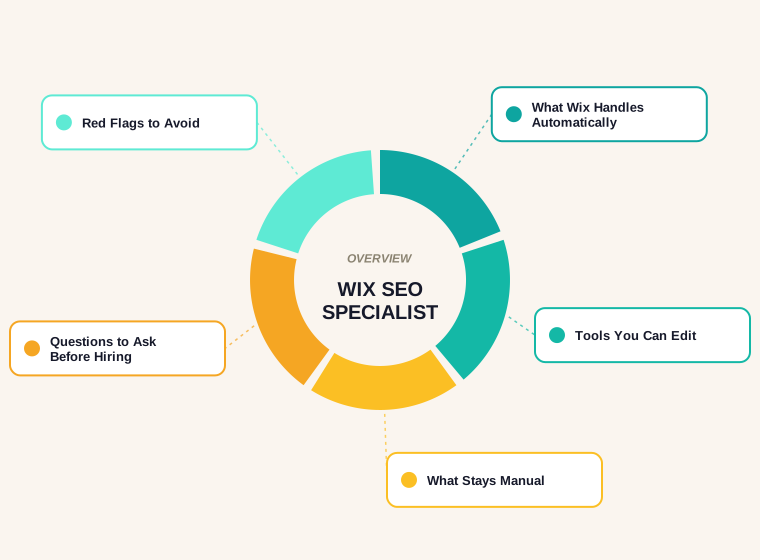
This guide separates the work Wix says it does automatically from the work that still needs a person, explains which Wix tools a specialist should be using, and lays out the questions and warning signs that Google's own guidance suggests checking before you sign anything.
Why a Wix Site Needs a Different Kind of Specialist
On many platforms, a large part of an SEO's early work is technical: fixing how pages render, building a sitemap, sorting out redirects, repairing broken markup. Wix positions itself as taking much of that off the table, so a specialist who arrives with a long technical clean-up proposal for a Wix site deserves some scrutiny. The remaining work, such as search targeting, page content, links, local presence and measurement, is the same as anywhere else and is where most results come from.
That gives you a useful filter. A specialist worth hiring can tell you, specifically, what Wix covers for you and what it doesn't, and shapes the proposal around the gap.
It also helps to be clear about who the specialist is working for. A provider paid per hour has little reason to tell you a job is already done by the platform, while one paid on outcomes has every reason to. Neither model is wrong, but the pricing structure shapes what gets recommended, so it is worth asking how a proposal was priced before judging what is in it.
What Wix Says It Handles Automatically
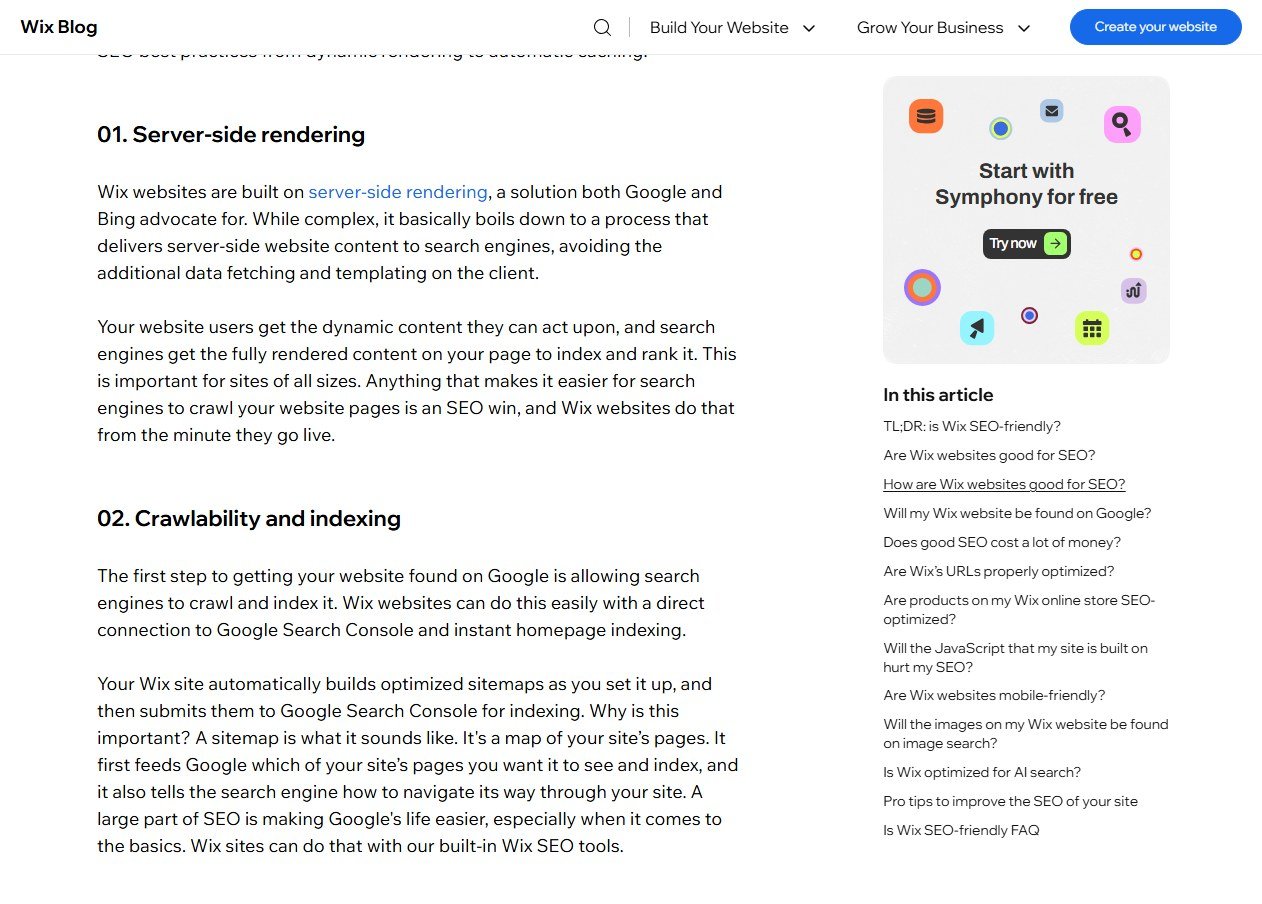
Wix describes its own technical SEO features in its article Is Wix SEO-friendly?. The claims below are Wix's, from its own marketing, so treat them as the platform's description of itself rather than independent testing.
- Server-side rendering. Wix says its sites are built on server-side rendering, which delivers fully rendered content to search engines instead of making them process it on the client.
- Sitemaps. A site builds optimized sitemaps automatically and submits them to Google Search Console.
- Search Console connection. A direct integration through the setup checklist, including instant homepage indexing.
- Automatic redirects. When URLs change on certain page types, Wix says it sets up redirects.
- Image handling. Automatic conversion to WebP and compression, plus lazy loading.
None of this is something a specialist needs to be paid to switch on. If a proposal lists "creating an XML sitemap" as a billable deliverable for a Wix site, ask why.
The Tools a Wix Specialist Should Actually Be Using
The same Wix article lists several tools that give a specialist real control over the site. These are the ones that matter in practice:
- Editable titles and meta descriptions for each page, so the targeting can be set per page. How those tags behave in results is covered in our guide to meta tags best practices.
- A customizable robots.txt file, for controlling what crawlers may fetch.
- Bulk 301 redirects, with error and loop detection, which matters most when a site moves to Wix or restructures its URLs.
- Custom structured data, with schema markup for types such as how-to, FAQ, product and local business.
- Bulk SEO settings at folder level, which saves time on sites with many similar pages.
A specialist who has worked on Wix before will know where each of these lives and what the limits are. A generalist learning the platform at your expense may not.
Migrating to Wix: Where Most of the Risk Is
If the site is moving to Wix from another platform, the highest-stakes task is not on the list of features at all. Every old URL that had traffic or links needs to go to its closest new equivalent with a 301 redirect, and the redirect map needs to be checked after launch. Lost redirects are the most common reason a migration costs rankings.
The practical sign of a competent specialist here is a redirect plan built from a crawl of the old site, not from memory, and a post-launch check of the old URLs. Wix's bulk redirect tool makes the implementation easier; it doesn't make the plan for you.
What Stays Manual on Any Platform
Whatever Wix automates, a handful of jobs are the same on every platform and make up most of the real work.
- Search targeting. Deciding which searches each page should win, based on what customers actually type, not on the page titles you happen to have.
- Page content. Writing pages that answer the question properly. No platform feature can substitute for this.
- Internal linking and structure. Making sure important pages are linked from places that matter.
- Local presence. For a business with a location or service area, the Google Business Profile and citations, covered in our local SEO for small business guide.
- Measurement. Using Search Console data to see what is working and what isn't.
What Google Says to Ask Before You Hire
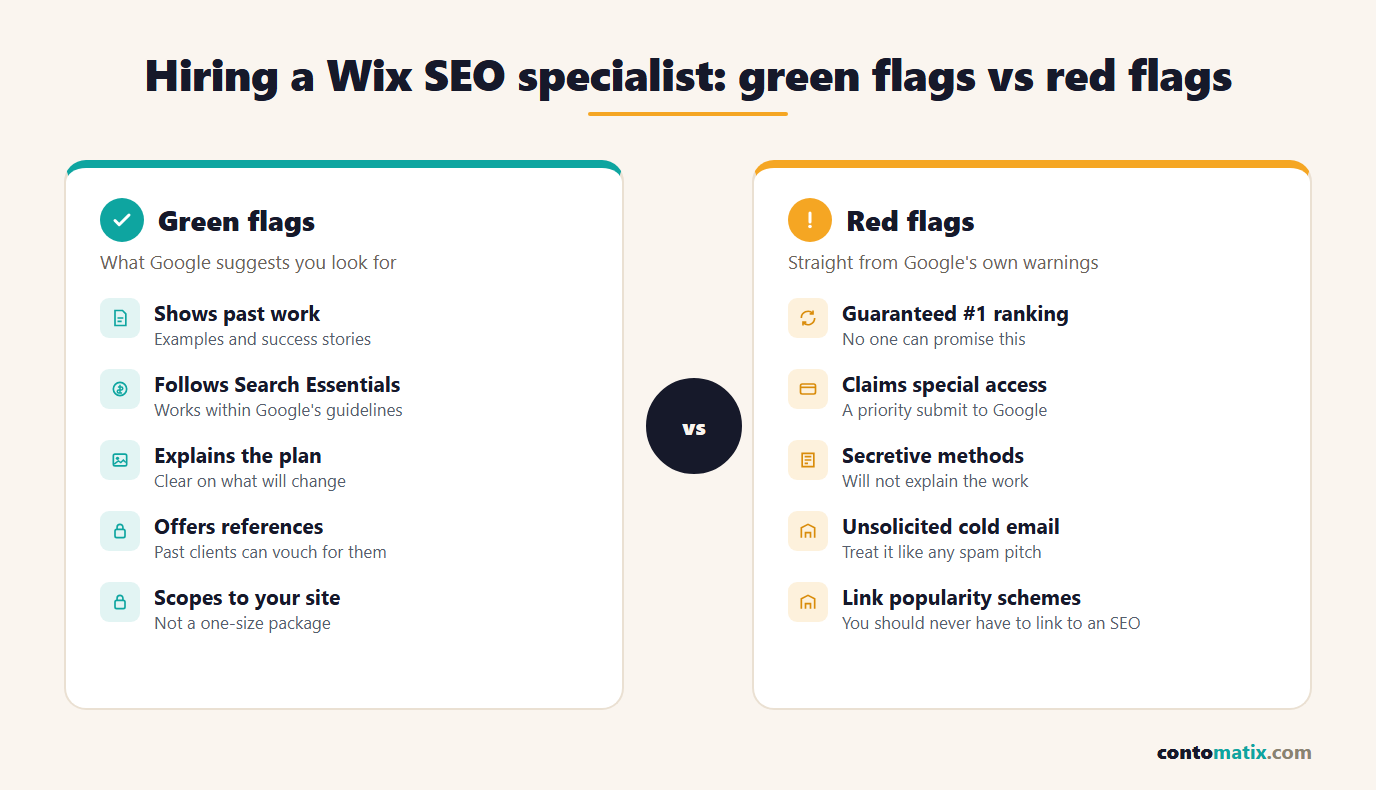
Google publishes guidance for people hiring an SEO. The page Do you need an SEO? suggests interviewing candidates with questions such as "Can you show me examples of your previous work and share some success stories?" and "Do you follow the Google Search Essentials?" It also advises checking references by asking past clients whether the SEO provided useful service, was easy to work with and produced positive results.
It lists what a good SEO can provide, including a review of your site's content or structure, technical advice on development, content development and keyword research. That list is a useful template for a proposal. Each line item in a quote should map to something on it.
Red Flags, in Google's Own Words
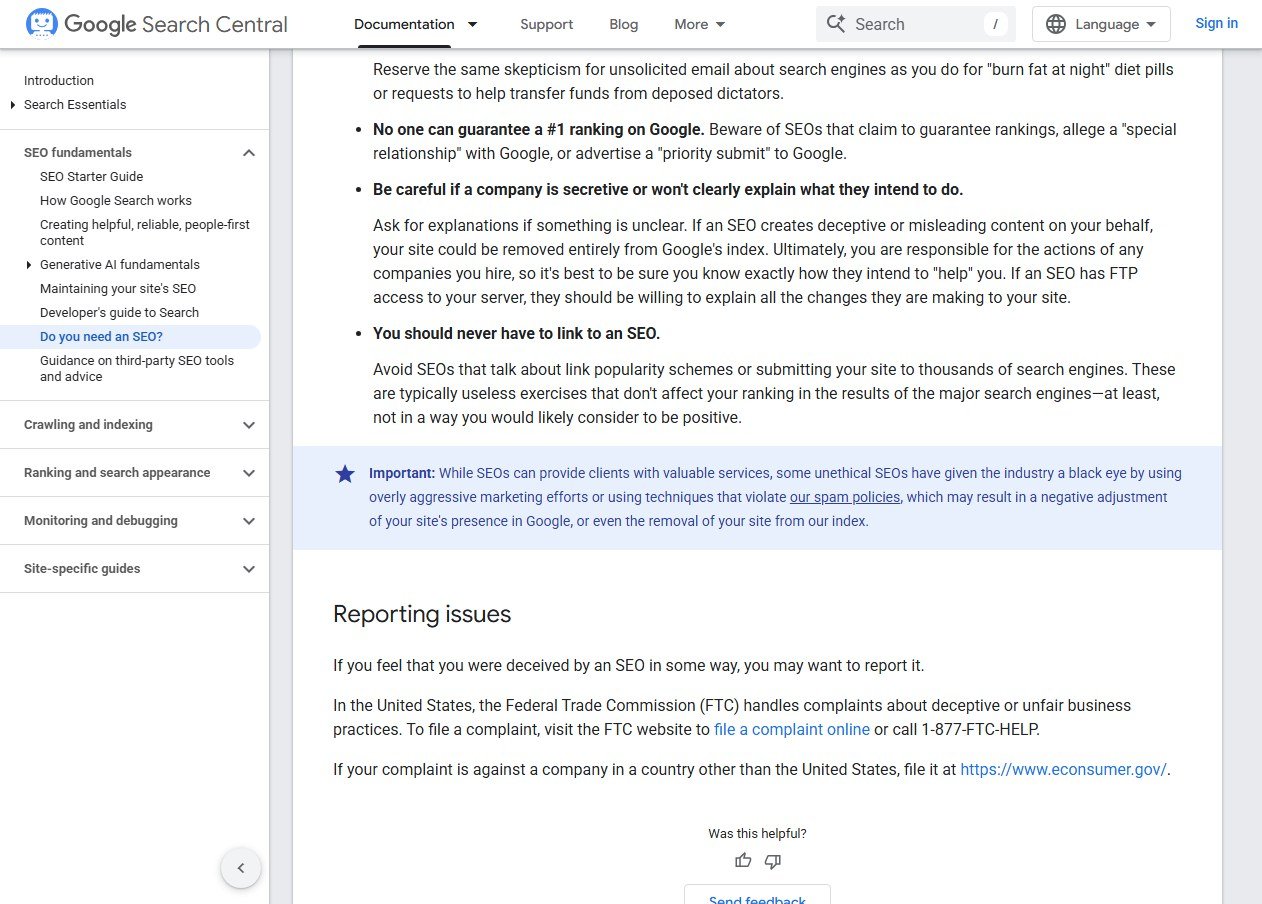
The same page is blunt about what to avoid, and every item applies to Wix specialists as much as anyone.
- Guaranteed rankings. "No one can guarantee a #1 ranking on Google." Be wary of anyone who claims a guarantee, a "special relationship" with Google or a "priority submit".
- Secrecy. Be careful if a company is secretive or won't clearly explain what they intend to do. Google adds that you are ultimately responsible for the actions of any company you hire.
- Link schemes. You should never have to link to an SEO, and you should avoid anyone who talks about link popularity schemes.
- Cold outreach. Google advises being wary of firms that email you out of the blue.
Google also warns that some SEOs use techniques that violate its spam policies, which can lead to a negative adjustment of your site's presence or even removal from the index. On a small business site, that risk is far larger than the fee.
What a Fair Scope Looks Like
A sensible engagement on a Wix site usually has a clear first phase and an ongoing phase, and the proposal should say which is which.
| Phase | What it covers | Output you should see |
|---|---|---|
| Audit | Search Console review, page-by-page targeting, content gaps, existing redirects | A prioritized list, not a generic report |
| Setup | Titles, descriptions, structured data, redirects, robots.txt only if needed | A change log you can read |
| Content | New or rewritten pages for the searches that matter | Pages tied to named target searches |
| Ongoing | Measurement, content updates, local presence | A short monthly report with decisions in it |
Our guide to SEO agency vs freelancer goes through how the choice of provider changes the cost and the risk.
Can You Do It Yourself on Wix?
Often, for the basics, yes. Because Wix describes its setup checklist and built-in tools as handling the technical foundations, a site owner who is willing to learn can handle titles, descriptions, page content and a Google Business Profile without outside help. The case for hiring grows when the site is large, when it is being migrated, when competition is heavy, or when the owner doesn't have the hours to keep up with content and measurement.
Where Wix Sites Usually Lose Ground
Because the foundations are covered, the problems that tend to appear on small-business Wix sites are almost always about what was put on the pages, not how the pages were built.
- Generic page titles. Pages left with the default or a vague label, such as "Home" or "Services", give search engines and searchers nothing to match against.
- One page for everything. A single services page that lists every offering can't rank for any of them as well as a dedicated page for each could.
- Thin or copied text. Template text left in place, or descriptions lifted from suppliers, gives Google no reason to prefer the page.
- No measurement. The site is never checked in Search Console, so nobody knows which pages get impressions or what people searched for.
- Orphaned pages. Pages created for a campaign and never linked from the main navigation or other content.
Each of those is fixable by an owner or a specialist without touching a line of code, which is the main reason a Wix site is a good candidate for a content-led engagement rather than a technical one.
Local Businesses on Wix
Many Wix sites belong to businesses that serve a local area, such as salons, tradespeople, studios and clinics. For these, the website is only half of the picture. The Google Business Profile, accurate details across directories and a steady flow of genuine reviews do much of the work of getting found nearby, and the site's job is to confirm what the profile promises with dedicated service and location pages. A specialist who spends the whole budget on the website and ignores the profile is leaving the larger lever untouched.
What to Expect in the First 90 Days
Honest providers describe a timeline rather than a result. The first month is mostly audit and setup: a review of what Search Console shows, a plan for which page targets which search, and the title, description and structured-data changes. The second month is content, which is the slowest part to produce and the longest to pay off. By the third month there should be enough data in Search Console to show which changes are moving impressions and clicks and which aren't. Rankings for competitive searches take longer than that, and a provider who promises otherwise is repeating the claim Google specifically warns about.
A Short Checklist Before You Sign
- Ask for examples of previous work, ideally including Wix sites, and speak to a past client.
- Ask whether they follow the Google Search Essentials, and what that means for the tactics they use.
- Ask which items on the quote Wix already does automatically, and why they are still billable.
- Ask who will have access to the site and what they will change, and get a change log.
- Walk away from any guarantee of rankings or any claim of a special relationship with Google.
Quick Recap
- Wix says it handles server-side rendering, sitemaps, Search Console connection, automatic redirects on some page types and image optimization, so those shouldn't be billable extras.
- The tools a specialist should use are per-page titles and descriptions, robots.txt editing, bulk 301 redirects, custom structured data and folder-level SEO settings.
- Migrations carry the most risk, and the redirect plan should come from a crawl of the old site.
- Search targeting, content, internal links, local presence and measurement stay manual on any platform.
- Google's guidance says no one can guarantee a #1 ranking, and advises asking for past work, references and whether the SEO follows Search Essentials.
- Be wary of secrecy, cold outreach and anyone who talks about link popularity schemes.
Frequently Asked Questions
Is Wix good for SEO?
Wix describes its platform as SEO-friendly, citing server-side rendering, automatic sitemaps and a Search Console integration. Those are Wix's own claims, so the practical answer is that the technical foundation is handled, and results still depend on content, targeting and links.
What does a Wix SEO specialist do?
They set search targeting for each page, edit titles, descriptions and structured data, manage redirects, improve content, build local presence and report on results using Search Console data.
Which Wix SEO tools does a specialist use?
Per-page title and description editing, the robots.txt editor, the bulk 301 redirect manager, custom structured data and folder-level SEO settings, according to Wix's own feature list.
Can anyone guarantee a number one Google ranking?
No. Google states that no one can guarantee a #1 ranking and advises being wary of anyone who claims a guarantee, a special relationship with Google or a priority submit.
What should I ask before hiring an SEO?
Google suggests asking for examples of previous work and success stories, asking whether they follow the Google Search Essentials, and checking business references with past clients.
Do I need to pay for a sitemap on Wix?
No. Wix says sites build optimized sitemaps automatically and submit them to Google Search Console, so a billable sitemap item deserves a question.
What is the biggest risk when moving a site to Wix?
Losing the value of old URLs. Each old page with traffic or links needs a 301 redirect to its closest new equivalent, and the redirects should be tested after launch.
Should I give a specialist full access to my Wix site?
Only with a clear scope and a change log. Google notes that you are responsible for the actions of any company you hire, so you should know exactly what they intend to change.
Can I do Wix SEO myself?
For the basics, often yes, because the technical foundations are handled by the platform. Hiring makes more sense for large sites, migrations, heavy competition or when you lack the time to keep up with content and measurement.
How long does SEO take on a Wix site?
Setup and content work happen in the first couple of months, and measurable movement in Search Console usually follows later. Competitive searches take longer, and no one can guarantee a specific ranking or timeline.


