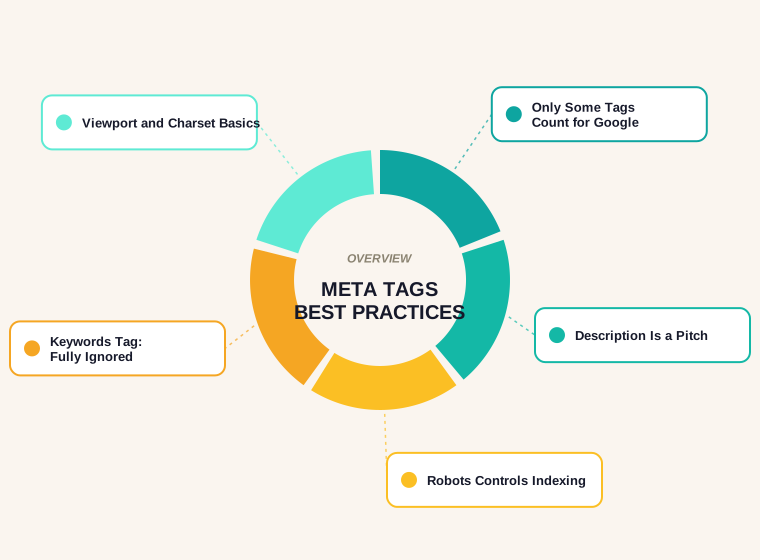
Last updated: October 2026
Most advice on meta tags best practices treats the whole <head> of a page as one pile of SEO levers. It isn't. Google reads a short, documented list of meta tags, ignores one famous tag completely, and quietly rewrites the one that gets the most attention. Knowing which is which saves a surprising amount of time, because most of the effort people spend on meta tags goes into the ones that do the least.
This guide works from Google's own documentation. It covers which tags Google supports and what each actually does, how the description tag really behaves in search results, which tags are worth setting on every page, and which ones you can stop thinking about.
What a Meta Tag Actually Is
A meta tag is a line of HTML in the page's head that carries information about the page rather than content for the visitor. Some are read by search engines, some by browsers, some by social networks and chat apps that build link previews, and some by nothing at all anymore. The same <meta> element can do very different jobs depending on its name or property attribute, which is why a copied "SEO meta tags" block from an old tutorial often contains lines that do nothing.
The useful question for any tag is not "is it standard?" but "who reads it, and what do they do with it?" For search, Google answers that question publicly, in a single documentation page, and the answer is shorter than most people expect.
The Short List Google Says It Supports
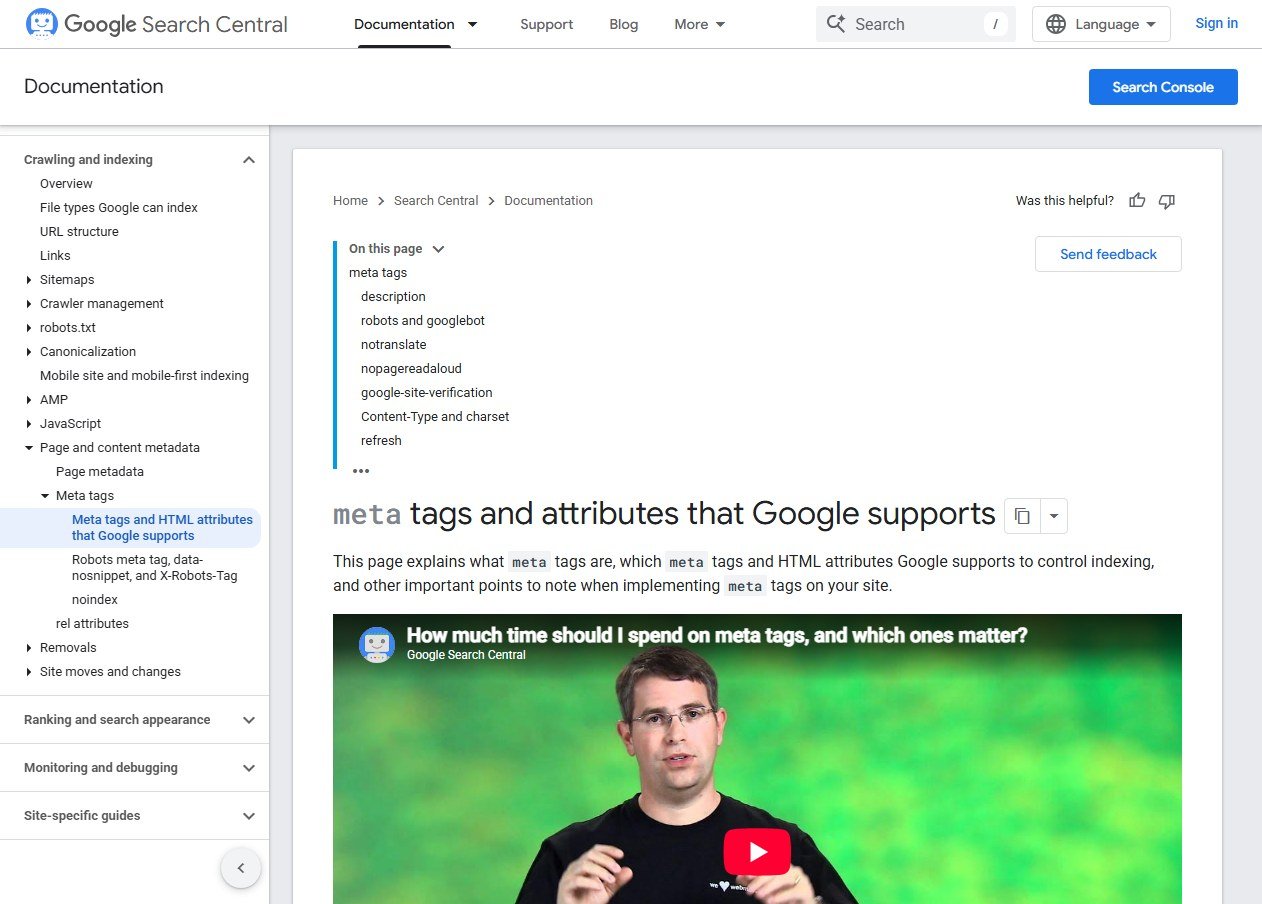
Google's page on meta tags and attributes that Google supports lists the tags it understands. Here is the working summary:
- description: a short summary of the page that Google may use in the snippet shown in results.
- robots and googlebot: control crawling, indexing and snippet behavior. The
robotstag applies to all search engines, whilegooglebotspeaks only to Google. - notranslate: stops Google offering a translated title link and snippet for the page.
- nopagereadaloud: stops Google's text-to-speech services reading the page aloud.
- google-site-verification: proves ownership of the site to Search Console.
- charset and Content-Type: declare the page's character encoding and content type.
- refresh: redirects visitors after a delay, although Google recommends a server-side 301 redirect instead.
- viewport: tells the browser how to render the page on a mobile device. Google notes that its presence indicates the page is mobile friendly.
- rating: labels pages with adult content so SafeSearch can filter them.
That is the whole list. If a tag isn't on it, Google isn't relying on it for search.
The Tag Google Ignores Completely
The meta keywords tag deserves its own section only because it refuses to die. The same documentation page says plainly: "The meta-keyword tag is not used by Google Search, and it has no effect on indexing and ranking at all." Nothing in that sentence leaves room for a partial effect.
It still turns up in templates, SEO plugins that fill it automatically and audit tools that flag it as "missing". Treat any such flag as noise. A page without a keywords tag is not behind a page with one. The only real cost of the tag is that it shows competitors a list of the terms you were targeting.
The Description Tag: A Pitch, Not a Ranking Lever
The description tag gets more attention than any other, and a lot of it is based on a wrong picture of how it works. Google's documentation on snippets says that snippets are primarily created from the page content itself, and that Google sometimes uses the meta description element when it might give users a more accurate description.
Two practical points follow from that wording. First, you can't force a description into the result; Google may build its own from the page, especially when the query matches text lower down the page better than the description does. Second, the description is not a ranking tag. Its job is to persuade the person reading the results, which makes it copywriting rather than technical SEO.
On length, Google's guidance is that there is no limit on how long a description can be, but the snippet is truncated in search results as needed, typically to fit the device width. In other words, there is no magic character count in the documentation. The sensible habit is to put the most important information first, so that wherever the cut falls, the part that does the persuading is still visible. Our free SERP snippet preview shows roughly where a title and description will be cut before you publish.
Writing Descriptions That Earn the Click
Because the description is a pitch, it benefits from the same discipline as any short advertisement.
- Lead with what the page gives the reader, not with the site name or a generic claim.
- Write one per page. A description copied across a whole site tells Google and searchers nothing about any individual page.
- Include a specific detail, such as a price range, a delivery area, a number of steps or a year, that a competitor's snippet won't have.
- Match the search intent. A page that answers a question should promise the answer, and a product page should say what is being sold.
- Avoid stuffing it with keywords. It reads as written for crawlers, and since Google may swap in its own text anyway, the effort is wasted.
The Robots Tag: Control, Not Optimization
The robots meta tag is the most powerful tag on the list, because it changes what Google does with a page rather than how the page is described. The directives most sites need are few:
- noindex keeps the page out of search results while still letting it be crawled.
- nosnippet prevents a snippet from being shown for the page at all.
- max-snippet:[number] caps how long a snippet can be.
The nosnippet and max-snippet options are both described in Google's snippet documentation. The key idea is that these tags are instructions, not suggestions about presentation, so they are worth setting deliberately on specific pages rather than sitewide by default.
One trap deserves a mention. A robots meta tag lives inside the page's HTML, so Google can only obey it if it is allowed to fetch the page. If the same URL is blocked in robots.txt, Google never sees the noindex and the page can stay indexed. The two mechanisms do different jobs, and combining them on one URL usually backfires. Our guide to the robots.txt file covers where each belongs.
Viewport and Charset: Set Once, Forget
These two tags are the least glamorous and the most universally useful. The viewport tag tells browsers how to render the page on a phone, and Google treats its presence as an indication that the page is mobile friendly. The charset declaration tells the browser how to read the characters on the page, which prevents the garbled accents and symbols that appear when a page's encoding is guessed wrongly. Both belong near the top of the head on every page, usually set once in the site template and then left alone.
Verification, Translation and the Rarely Used Tags
A few supported tags only matter in specific situations. The google-site-verification tag is added once, when you prove ownership of a site in Search Console. The notranslate tag is useful if automatically translated titles and snippets would misrepresent a page, for example one that deliberately mixes languages. The nopagereadaloud tag opts a page out of text-to-speech services, and the rating tag exists to label adult content for SafeSearch. None of these belongs in a default template. Add them to the pages that need them.
The refresh tag is the one to treat with suspicion. It sends visitors to another URL after a delay, and Google's own documentation points to a server-side 301 redirect as the better way to move a page.
Tags Google Doesn't Read but Other Platforms Do
Open Graph tags such as og:title, og:description and og:image don't appear in Google's list of supported meta tags, because they are written for social networks and messaging apps that build a link preview when a page is shared. They are still worth including, since a good preview image changes how often a shared link gets clicked. The point is to keep the two purposes separate: one set of tags for search, another for sharing, and no expectation that the second set affects rankings. Our social share preview generator builds and previews that block.
A Clean Head, Built Once
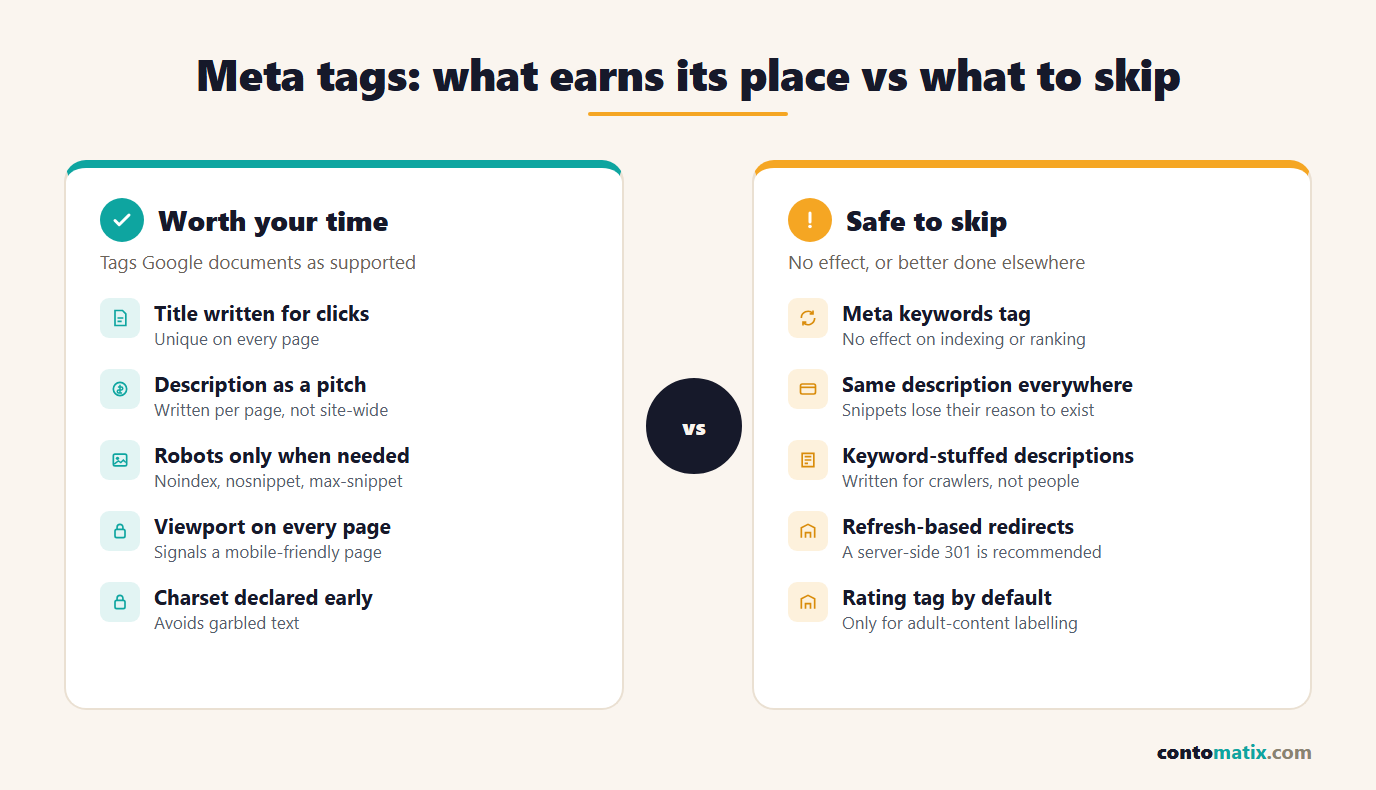
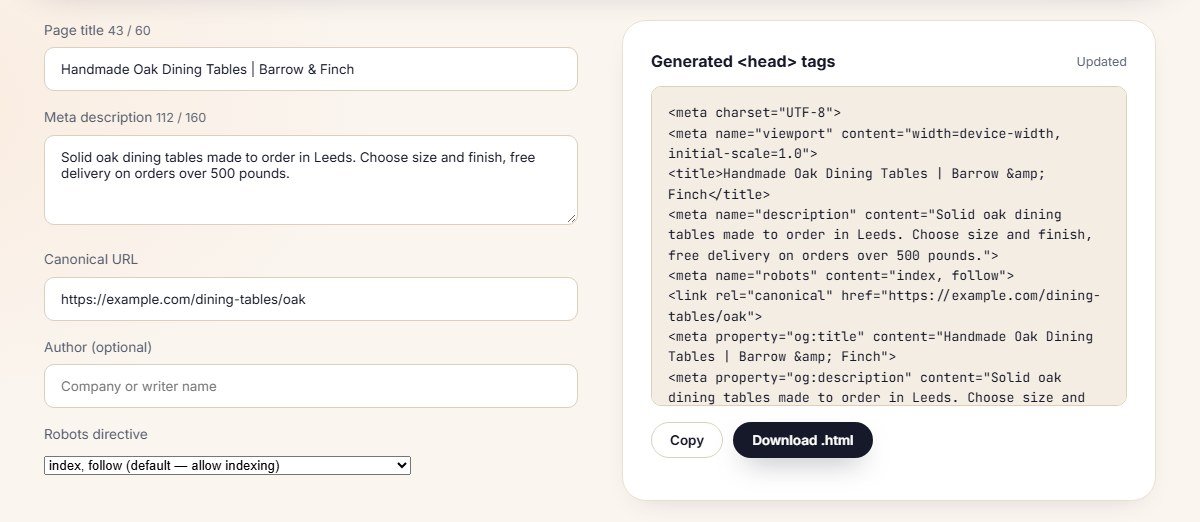
A sensible default head for most pages is short: the charset declaration, the viewport tag, a unique title, a unique description, and a robots tag only where the page needs one. Social tags and a canonical link can be added after those. Building it as a template, with fields for the page-specific values, keeps every page consistent without anyone hand-writing tags.
The free meta tag generator does exactly that. Here is a head block built from a title, a description and a canonical URL, with the character counters visible as you type.
An Audit You Can Run in Ten Minutes
You don't need a tool suite to check a site's meta tags. Take ten representative pages, such as the home page, two product or service pages, two articles and a couple of utility pages, and check them against a short list.
- Every page has its own title and its own description. Copied descriptions are the most common fault.
- No page is accidentally set to noindex. Staging settings leaking into production is a classic way to lose traffic.
- The viewport and charset tags are present and near the top of the head.
- No meta keywords tag is being maintained by hand. If a plugin writes one, switch it off and move on.
- Pages blocked in robots.txt don't depend on a robots meta tag to stay out of results.
For a wider pass over titles, headings, links and images, the full list is in our on-page SEO checklist.
Quick Recap
- Google documents a short list of supported meta tags: description, robots and googlebot, notranslate, nopagereadaloud, google-site-verification, charset and Content-Type, refresh, viewport and rating.
- The meta keywords tag has no effect on indexing or ranking at all, per Google's own documentation.
- The description tag may be used in the snippet when it describes the page better than other content, but Google builds snippets mainly from the page itself.
- There is no description length limit; the snippet is truncated to fit the device width, so put the important part first.
- The robots tag controls indexing and snippets, and it only works if the page isn't blocked in robots.txt.
- Viewport and charset belong on every page; the rarer tags belong only where needed.
- Open Graph tags serve social previews, not Google rankings.
Frequently Asked Questions
Do meta tags affect Google rankings?
Not directly in the way people often assume. The description tag influences how a result looks and whether it gets clicked, the robots tag controls indexing, and the keywords tag has no effect at all, according to Google's documentation.
Does Google use the meta keywords tag?
No. Google states that the meta-keyword tag is not used by Google Search and has no effect on indexing and ranking at all.
How long should a meta description be?
Google says there is no limit on description length, but snippets are truncated as needed, typically to fit the device width. Put the most important information first so it survives any cut.
Why does Google show a different description from the one I wrote?
Google builds snippets primarily from the page content and only sometimes uses the meta description, when it judges that to be a more accurate description of the page for that search.
Which meta tags are required on every page?
None are strictly required, but the charset, viewport, title and description are the sensible defaults. Add robots, notranslate and the other supported tags only where a page needs them.
What is the difference between the robots meta tag and robots.txt?
Robots.txt controls whether crawlers may fetch a URL; the robots meta tag controls what happens to a page that has been fetched, such as whether it is indexed. A page blocked in robots.txt can't have its meta tag read.
Do Open Graph tags help SEO?
They aren't on Google's list of supported meta tags and aren't a ranking factor. They control the preview shown when a link is shared on social networks and messaging apps.
Should I use a meta refresh to redirect a page?
Google recommends a server-side 301 redirect instead, which is more reliable and clearer to crawlers than a refresh tag.
What does the viewport tag do for SEO?
It tells browsers how to render the page on a phone, and Google treats its presence as an indication that the page is mobile friendly.
How often should I rewrite meta descriptions?
When the page changes meaningfully, or when search data shows a page ranks well but earns few clicks. A fresh description is a cheap test of whether the pitch is the problem.


