Last updated: September 2026
Most articles about keyword research tools are a list of subscriptions. This one is not, because the four sources that do the heavy lifting on our own projects are free, and two of them are already connected to your site.
What follows is what each free tool genuinely answers, where its numbers stop being trustworthy, when a paid subscription starts to earn its money, and a process that turns all of it into a thirty-keyword plan in an afternoon.
What a Keyword Research Tool Is Actually For
Three questions, in this order.
- Does anyone search this? Demand data. Rough is fine; you need the order of magnitude, not a precise number.
- What do they want when they search it? Intent. This is where most research fails, because a tool can tell you a phrase is popular and still not tell you the searcher wants a supplier, a definition or a free download.
- Can we realistically compete for it? Difficulty. Every tool models this differently and none of them can see your site's history, so treat it as a sorting aid rather than an answer.
A tool that answers one of the three well beats a suite that answers all three vaguely. That is why the stack below mixes sources rather than relying on a single dashboard.
Start With the Data You Already Own
The best keyword tool for an existing site is the report showing what it already ranks for.
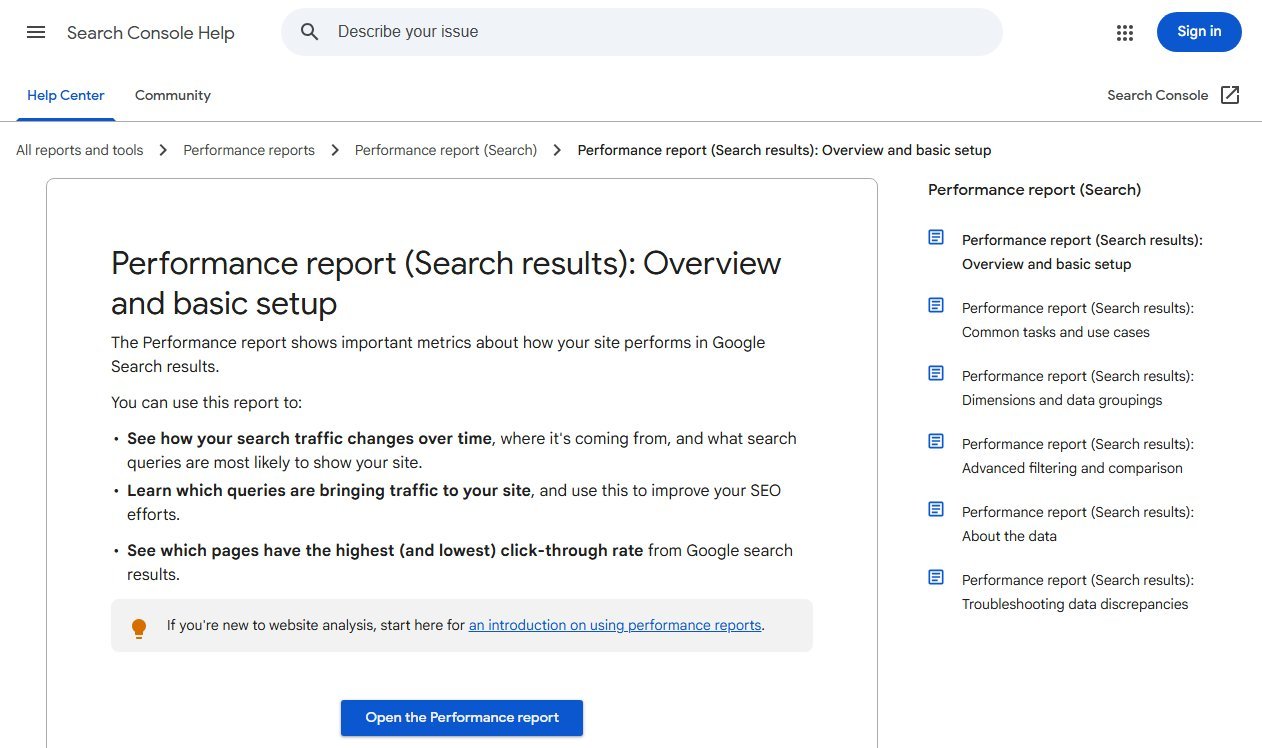
Google's documentation for the Performance report says you can use it to learn which queries bring traffic to your site and which pages have the highest and lowest click-through rate. That is real data about your site, not an estimate about the market.
Two exports are worth doing every month:
- Queries in positions 5 to 20. These are phrases Google already associates with you. Improving a page that ranks eleventh is faster than earning a new one.
- Queries with impressions but almost no clicks. Usually a title and intent mismatch rather than a ranking problem.
One more habit is worth forming: compare the last 28 days with the same period a year earlier rather than with the previous month. Month-on-month comparisons mostly measure the calendar, and a seasonal business will read a normal August as a collapse.
The catch is obvious: Search Console can only show you queries you already appear for. It is the best starting point and a poor finishing point.
Google Keyword Planner: Free, With One Catch
Keyword Planner is Google's own demand data, and it is free with any Google Ads account.
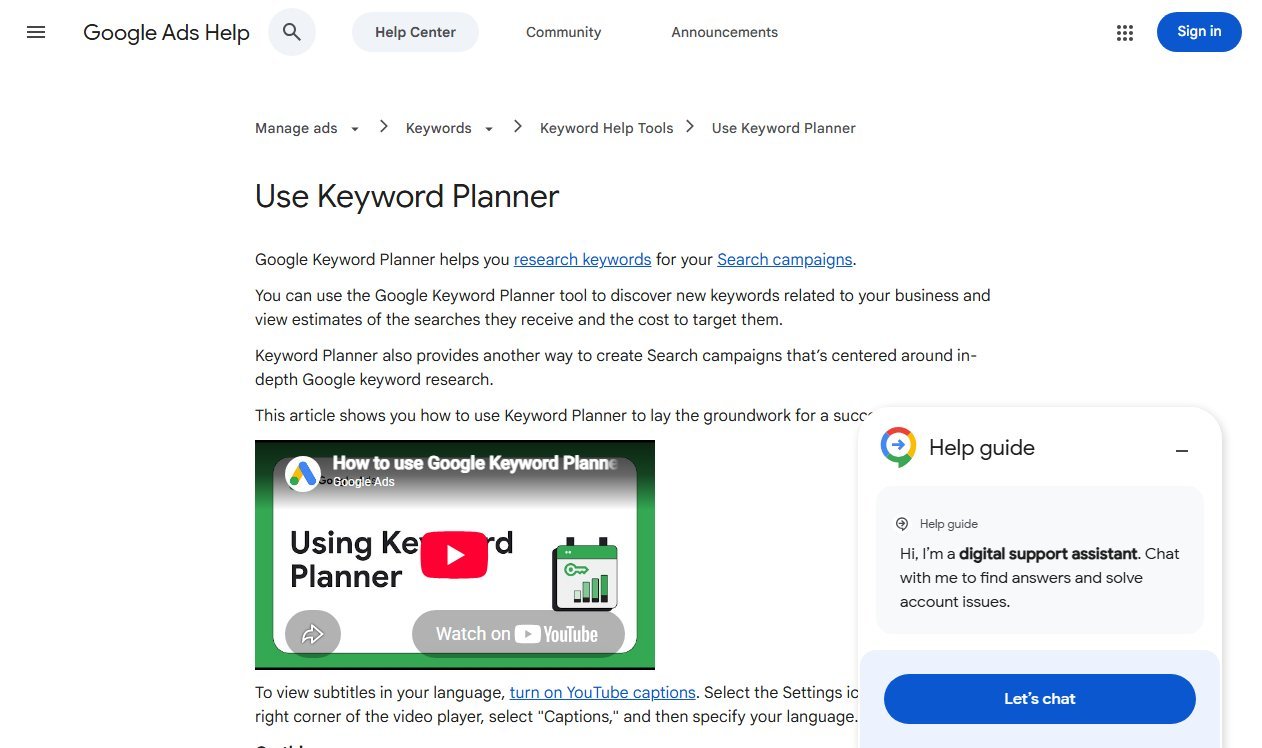
Google describes it as a way to discover new keywords and view estimates of the searches they receive. For SEO purposes that gives you two useful things: keyword ideas grouped by theme, and a sense of commercial value through the bid estimates, which are a better intent signal than most difficulty scores.
The catch is the volume data. If the account has no active ad spend, Google reports demand in wide bands rather than exact figures, so a phrase searched around 1,300 times a month and one searched nearly ten times that can appear identical. Use the bands to sort keywords into tiers, and never quote them as precise numbers in a report.
What Keyword Planner does exceptionally well is show you the vocabulary of an unfamiliar industry. Paste in five competitor URLs, take the idea list, and you have the language customers actually use.
Bing Webmaster Tools: The Underused One
Bing's keyword research tool is free, needs no ad account, and gives numbers rather than bands.
It takes a root keyword and returns related keywords, question keywords taken from what users actually asked, and a "newly discovered" set of terms that only became relevant in the last thirty days. You can filter by country, language and device, look back over six months, and see the top URLs ranking for the root term.
Two of those features have no free equivalent elsewhere. The question list is the fastest way to build an FAQ section that matches real phrasing, and the newly discovered list is the closest thing to an early warning system for a shifting market.
Its limitation is scale: Bing's search share is smaller, so treat the absolute volumes as directional and the relative differences as meaningful.
Google Trends, Autocomplete and People Also Ask
These three cost nothing and answer questions the keyword databases cannot.
- Trends settles seasonality and direction. Two phrases with the same monthly average can be on opposite trajectories, and only one of them is worth building a page around.
- Autocomplete shows live phrasing. Type your core term and read the suggestions; they are generated from real queries, not from a model.
- People Also Ask reveals the questions Google believes sit behind the query. Each expanded question is a heading candidate, and clusters of them point at the shape the page should take.
None of these gives you a number to put in a spreadsheet. All three stop you writing the right words in the wrong order.
A worked example makes the point. "Invoice template" and "invoice generator" look like the same job to a database: similar demand, similar difficulty, same topic. Read the results page for each and they are different products. One is dominated by downloadable files, the other by tools that produce a PDF in the browser. Build the wrong one and you can rank well and still convert nobody, because the visitor wanted something you did not make.
Which Free Tool Answers Which Question
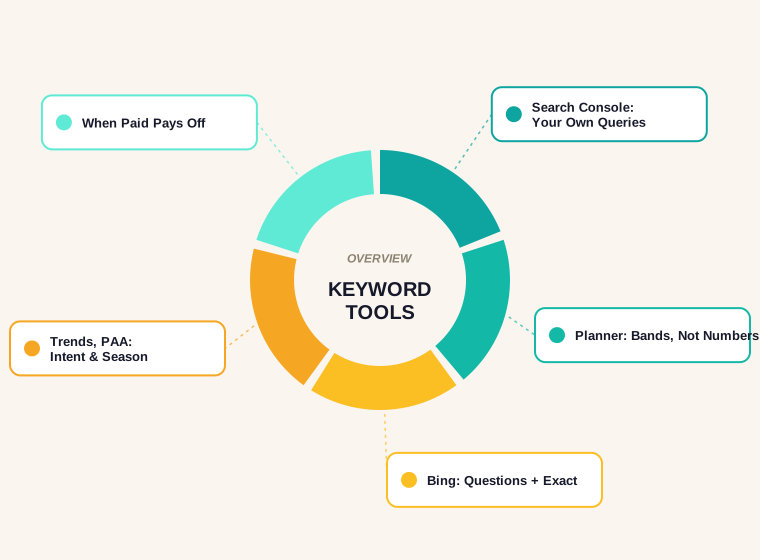
The point of a stack is that each tool covers the previous one's blind spot.
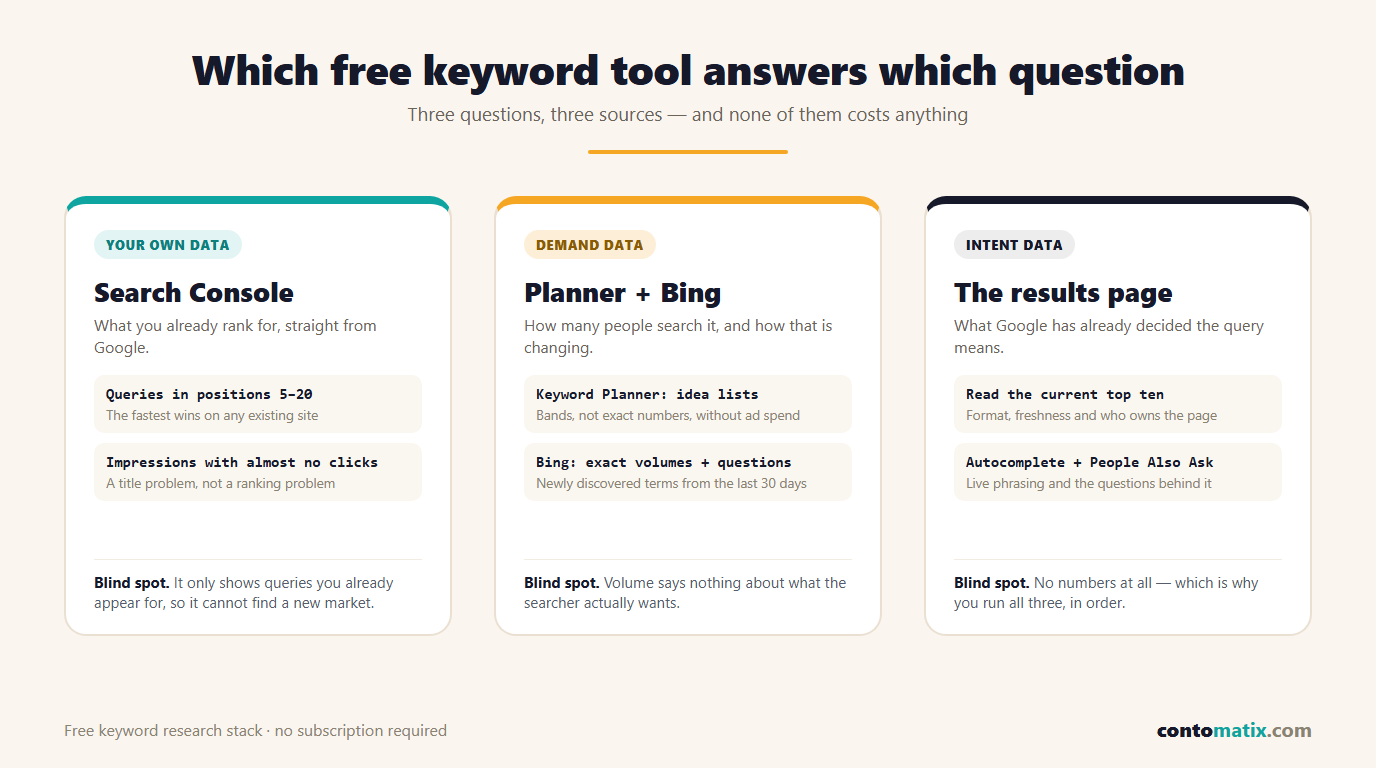
Read it as a sequence rather than a menu. Your own data tells you where you already have traction, demand data tells you how big the opportunity is, and intent data tells you what the page has to contain to deserve the click.
When a Paid Subscription Starts to Pay
We use paid tools, and we are not going to pretend the free stack does everything. Three jobs genuinely need a subscription.
- Competitor keyword lists. Seeing every phrase a rival ranks for, with positions, is the single most useful thing a paid suite does. There is no free substitute.
- Historical position tracking. Search Console gives you average position for your own site but no competitor history and no daily granularity for a specific tracked set.
- Scale. Filtering fifty thousand keyword ideas by difficulty, volume and word count takes seconds in a paid tool and hours by hand.
Everything else — finding ideas, reading intent, checking seasonality, building a plan for a small site — is covered by the free stack. For a single site publishing a few posts a month, the subscription is a convenience rather than a necessity.
If you would rather hand the whole job over, that is what our keyword research service exists for.
How to Judge a Keyword Without a Difficulty Score
Difficulty scores are models. Here is the manual check that beats them, and it takes about ninety seconds per keyword.
- Search it and read the top ten. If the first page is dominated by national brands and marketplaces, your small site is not winning it this quarter.
- Look at the format. Ten listicles means Google has decided the query wants a list. A guide will struggle no matter how good it is.
- Check the dates. Results last updated years ago are an opening. Results updated this month are a warning.
- Count the ads. Four ads above the results means commercial intent and a business willing to pay for the click.
- Ask whether you can be the best answer. Not "can we write 2,000 words", but do you have data, a tool, a process or a photograph that the current top result does not.
Once a keyword passes, test the title before you write. Our free SERP snippet preview shows whether the phrase still fits in the space Google gives you.
Building a 30-Keyword Plan in One Afternoon
This is the exact sequence we run for a new site.
- Export Search Console for the last three months and pull every query in positions 5 to 20. That is your quick-win list.
- Take five competitor URLs into Keyword Planner and export the idea list. Delete anything irrelevant; keep the vocabulary.
- Run your five core terms through Bing's tool and keep the question keywords. These become subheadings and FAQ entries.
- Check the ten strongest candidates in Trends and drop anything in visible decline.
- Cluster what survives into topics, one page per topic, with the secondary phrases listed underneath rather than given their own pages.
- Sequence by effort against likely return, put dates against the first ten, and stop researching.
The last instruction is the one people ignore. Research is comfortable; publishing is not. Thirty keywords is roughly a quarter of work for most small teams, which is far enough ahead.
Mistakes That Waste a Research Session
- Treating banded volumes as facts. A range is a tier, not a measurement.
- One page per keyword variation. Near-identical phrases belong on one page. Splitting them creates pages that compete with each other.
- Ignoring the results page. The current top ten is Google telling you what it wants. Reading it costs a minute.
- Chasing volume alone. A phrase searched 200 times by buyers is worth more than one searched 20,000 times by students.
- Researching in one sitting and never returning. A quarterly refresh against Search Console catches the queries you did not predict.
- Forgetting AI answers. Some informational queries now get answered in place, so the same volume produces fewer clicks than it did two years ago. Our AI SEO strategy guide covers how we choose topics with that in mind.
Quick Recap
- Keyword research tools exist to answer three questions: demand, intent and difficulty.
- Search Console is the strongest free source for a site that already gets traffic, especially positions 5 to 20.
- Keyword Planner is free but reports demand in wide bands without active ad spend, so use it to tier keywords rather than to quote numbers.
- Bing Webmaster Tools gives exact figures, question keywords and newly discovered terms with no ad account required.
- Trends, autocomplete and People Also Ask cost nothing and fix intent and seasonality mistakes.
- Pay for a subscription when you need competitor keyword lists, tracked history or scale.
- Judge a keyword by reading the results page, not by trusting a difficulty score.
Frequently Asked Questions
What are the best free keyword research tools?
Google Search Console for the queries you already rank for, Google Keyword Planner for demand and commercial signals, Bing Webmaster Tools for exact volumes and question keywords, and Google Trends plus autocomplete for seasonality and phrasing.
Is Google Keyword Planner free?
Yes, with a Google Ads account. Without active ad spend it reports search volume in broad ranges rather than exact numbers, which is fine for sorting keywords into tiers but not for precise reporting.
Do I need a paid SEO tool for keyword research?
Not for a small site. Paid suites earn their money on competitor keyword lists, tracked ranking history and filtering at scale. Idea generation, intent checks and planning can all be done free.
How accurate is search volume data?
Treat every figure as an estimate. Different tools model demand differently, Google bands its numbers without ad spend, and monthly averages hide seasonality. Use volume to compare keywords, not to forecast traffic.
What is keyword difficulty and should I trust it?
It is a vendor's model of how hard a keyword looks, usually based on the links pointing at the current top results. Use it to sort a long list, then check the actual results page before committing.
How do I find keyword ideas for a brand new site?
Start with competitor URLs in Keyword Planner to learn the vocabulary, run your core terms through Bing's tool for questions, and check autocomplete for live phrasing. Search Console only becomes useful once the site has impressions.
How many keywords should one page target?
One topic, several phrasings. Pick a primary keyword, list the close variants, and cover them in the same page rather than building near-duplicate pages that compete with each other.
How often should keyword research be redone?
A full pass once or twice a year, with a monthly look at Search Console to catch queries you did not plan for. Fast-moving industries need the newly discovered lists checked more often.
Can AI tools replace keyword research tools?
They are good at clustering and at drafting question lists, but they do not have search volume data of their own and will invent numbers if asked. Use them on top of real data, never instead of it.
What is the difference between keyword research and search intent?
Keyword research finds the phrases people use. Intent is what they expect to get when they use them. A page can target the right keyword and still fail because it delivers a guide where the searcher wanted a tool or a supplier.