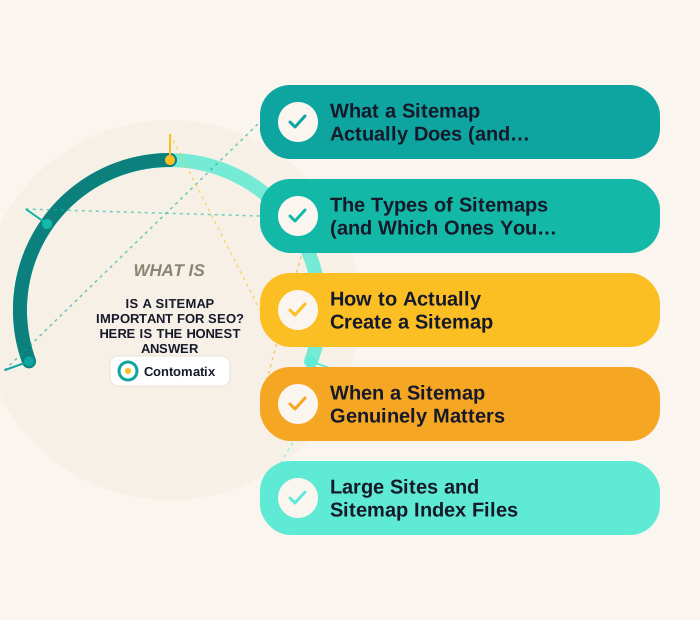
Last updated: August 2026
The honest, slightly unsatisfying answer to is a sitemap important for SEO is: it depends heavily on the size and structure of your site, and it doesn't do what a lot of people assume it does. According to Google's own developer documentation, a sitemap tells Google which canonical URLs you want crawled, but Google explicitly treats it as a hint, not a command — submitting one doesn't force crawling or indexing, and it has no direct effect on rankings. What it does do is meaningfully improve the conditions for indexing, which is a prerequisite for ranking even if it isn't a ranking factor itself.
That distinction — "helps indexing" versus "improves rankings" — trips up a lot of site owners who treat sitemap submission as a checkbox task that should produce visible ranking movement on its own. It won't, and expecting it to leads to a frustrating conclusion that sitemaps "don't work," when the more accurate takeaway is that a sitemap was never designed to do the job people are expecting from it in the first place.
This guide covers what a sitemap actually does, when it genuinely matters, when it's close to irrelevant, and the specific mistakes that make an otherwise correctly submitted sitemap useless.

Is a Sitemap Important for SEO? What It Actually Does (and Doesn't Do)
A sitemap is a file — usually XML — that lists the URLs on a site you want search engines to be aware of, along with optional metadata like when a page was last modified. Its actual job is narrow: it's a discovery mechanism, helping a search engine find pages it might otherwise miss or take longer to find through normal crawling.
What it doesn't do is just as important to understand. A sitemap doesn't force Google to index a page — a page can be listed in a sitemap and still never get indexed if Google's systems decide it's low quality, duplicate, or not worth including. It also doesn't improve rankings directly; Google has been explicit that sitemap-specific fields like priority and changefreq are ignored entirely, and lastmod is only used when it's consistently and verifiably accurate.
That lastmod caveat is worth understanding specifically, since it's a common source of a sitemap quietly losing whatever value it had. Some content management systems automatically stamp every page in a sitemap with the current date every time the sitemap regenerates, regardless of whether the underlying page content actually changed. Once Google detects that a site's lastmod values don't correlate with real content changes, it stops trusting that signal from the sitemap entirely — meaning a technically well-formed sitemap can end up providing less useful information to Google than a more carefully maintained one with accurate, meaningful timestamps.
The Types of Sitemaps (and Which Ones You Actually Need)
"Sitemap" gets used as if it means one thing, but several distinct formats exist and they serve genuinely different purposes. Most sites need one or two of these — not all of them.
- XML sitemap — the one that matters for SEO. A machine-readable list of canonical URLs written for search engines. If someone says "sitemap" without qualifying it, this is what they mean.
- HTML sitemap — a human-readable page linking to a site's main sections. Built for visitors, not crawlers. It offers a mild secondary benefit by creating internal links to deeper pages, but it isn't a substitute for an XML sitemap.
- Image sitemap — helps search engines discover images that are loaded via JavaScript or otherwise hard to find in the page source. Genuinely useful for image-heavy sites like portfolios, galleries, and ecommerce catalogues; unnecessary for most others.
- Video sitemap — supplies metadata like duration, thumbnail, and description for video content. Worth building only if video is a meaningful part of what you want found in search.
- News sitemap — for publishers approved for Google News, covering articles from roughly the last two days. Irrelevant unless you're an actual news publisher.
- RSS or Atom feed — Google accepts these as a supplementary discovery signal for recently changed content. Most CMS platforms already generate one automatically, so it's usually a free extra rather than something to build.
Two formats you can safely ignore in 2026: plain text sitemaps, which are a bare list of URLs with no metadata and no real advantage over XML, and mobile sitemaps, which only ever applied to separate m-dot mobile sites — an architecture that responsive design has almost entirely replaced.
For the overwhelming majority of sites, the correct answer is a single XML sitemap, plus an image sitemap if visual content is central to the business. Building news or video sitemaps for a site that publishes neither is effort spent on a signal nobody is reading.

A sitemap is ultimately a reflection of site structure — which is why sites planned with a clear hierarchy from the start tend to need less sitemap troubleshooting later.
How to Actually Create a Sitemap
There are three realistic routes, and the right one depends almost entirely on your platform and scale.
Your CMS probably already does it. WordPress generates a basic sitemap natively, and SEO plugins produce a more configurable one. Shopify, Squarespace, Webflow, and Wix all generate sitemaps automatically. Before building anything, check whether /sitemap.xml or /sitemap_index.xml already returns a file — a surprising number of sites build a redundant second sitemap because nobody checked first.
Online generators, with real caveats. Third-party crawler-based generators work for small static sites, but the free tiers typically cap out around 500 pages, and — more importantly — they produce a one-time snapshot. A static file generated once and never regenerated goes stale the moment you publish anything new, which is precisely the "never updating it after launch" failure covered below.
Dynamic generation, for anything at scale. Any site with meaningful page volume or publishing frequency should generate its sitemap programmatically, so it reflects the current state of the database every time it's requested. This is the only approach that stays accurate without ongoing manual work.
Whichever route you take, the output needs to be reachable at a consistent URL, referenced in robots.txt, and submitted once in Google Search Console — the exact format requirements are set out in Google's documentation on building and submitting a sitemap. A common oversight is generating a perfectly good sitemap and never adding the Sitemap: line to robots.txt, which is the mechanism other search engines rely on to find it without a manual submission.
When a Sitemap Genuinely Matters
A sitemap earns its keep in three fairly specific situations: large sites, frequently updated content, and pages that are hard to reach through normal internal linking (sometimes called orphaned pages). If you're running a small site — roughly 500 pages or fewer — where every page is reachable by following links from the homepage, Google's own guidance is that you probably don't strictly need one; the site can still get discovered and indexed naturally, just somewhat more slowly.
That "somewhat more slowly" qualifier is doing real work in that sentence, and it's worth being specific about what it actually means. For a small, well-linked site, the practical difference a sitemap makes is usually measured in days to a few weeks of faster initial discovery — genuinely useful for a new page you want indexed quickly, but not the difference between a page ranking or never ranking at all. Google's crawlers will eventually find and follow internal links regardless, so the sitemap in this case is accelerating a process that would happen anyway, not enabling something that couldn't happen without it.
Ecommerce platforms are a clear case where a sitemap matters a lot. A store with thousands of product pages, seasonal listings, and pagination is exactly the kind of structure where search engines can miss orphaned product pages entirely or struggle to work through paginated category listings without a sitemap pointing directly to each URL.
Seasonal and limited-time product pages deserve particular attention in this context. An ecommerce site that adds and removes hundreds of seasonal listings throughout the year, without those pages being prominently linked from category or navigation pages once the season passes, creates exactly the kind of orphaned-page problem a sitemap is built to solve — a page that technically exists and could rank, but that a search engine has no reliable path to discover without it being explicitly listed. Removing expired product URLs from the sitemap promptly matters just as much as adding new ones, since a sitemap full of dead or discontinued product pages sends its own confusing signal.
Large Sites and Sitemap Index Files
Every sitemap format caps out at 50MB uncompressed or 50,000 URLs, whichever limit is hit first. For a site that exceeds either limit, the standard approach is a sitemap index file — essentially a sitemap of sitemaps, listing multiple individual sitemap files so a search engine can work through all of them systematically rather than needing one impossibly large file. Dynamic sitemaps, generated automatically as content changes rather than maintained by hand, are the recommended approach for large or frequently updated sites in 2026, since manually keeping a sitemap current at that scale isn't realistic.
Organizing a sitemap index thoughtfully also gives large sites a genuinely useful diagnostic tool that a single flat sitemap doesn't. Splitting sitemaps by content type or section — one for blog posts, one for product pages, one for category pages — makes it possible to check indexing performance for each section separately in Search Console, rather than getting one blended number for the entire site. A site that notices its blog section is indexing well while its product pages are lagging behind gets that insight far more easily with a properly segmented sitemap index than with a single undifferentiated file covering everything at once.
New Sites: Where a Sitemap Helps the Most
A brand-new site with little to no existing backlink profile or crawl history has almost nothing pulling Googlebot toward it naturally. In that specific situation, a sitemap (submitted through Google Search Console) is one of the more direct ways to put your URLs in front of Google rather than waiting for organic discovery through links, which can take considerably longer for a site with no established authority yet.
New sites also benefit from a specific sequencing that's easy to overlook: verifying the site in Search Console and submitting a sitemap before a large content push, rather than after. A site that publishes fifty pages and only then thinks about Search Console setup has already lost whatever time advantage early submission would have provided for those first fifty pages — a small but avoidable delay for a business trying to establish initial visibility as quickly as possible.
Crawl Budget: The Deeper Reason Sitemaps Matter for Big Sites
Crawl budget — the finite amount of attention Googlebot allocates to crawling any given site — is the real mechanism behind why sitemaps matter more as sites grow. A well-maintained sitemap helps direct that limited crawl budget toward the pages that actually matter, rather than Googlebot spending time working through a site's link structure organically and potentially missing deep or newly added pages in the process. This is on-page SEO work that compounds with everything else — a sitemap doesn't replace the need for clean internal linking and crawlable site architecture, it supplements it. Log file analysis — reviewing server logs to see exactly which pages Googlebot actually visited and how often — is the more precise way to diagnose crawl budget waste directly, but it requires server access and technical depth that a basic sitemap check doesn't. A sitemap is the accessible, lower-effort starting point; log file analysis is the deeper diagnostic for a site that's already confirmed it has a real crawl budget problem worth investigating further. We've covered the broader crawl budget and indexing picture in more depth in our guide on technical SEO agencies, which digs into how crawl budget waste and indexing conflicts show up beyond just sitemap coverage.
Common Sitemap Mistakes That Make One Useless
- Including non-canonical or duplicate URLs — a sitemap full of parameter variations or duplicate content confuses rather than clarifies
- Listing pages blocked by robots.txt or set to noindex — a contradictory signal that wastes crawl attention on pages Google won't index anyway
- Never updating it after launch — a static sitemap that doesn't reflect new pages, removed pages, or content changes becomes actively misleading over time
- Exceeding size limits without splitting into an index file — a sitemap over 50,000 URLs or 50MB may simply fail to process correctly
- Forgetting to submit it in Google Search Console — a correctly built sitemap sitting unsubmitted provides no benefit at all
- Mixing HTTP and HTTPS URLs — inconsistent protocol references in the same sitemap create confusion about which version of a URL is actually canonical
- Auto-generated sitemaps with no manual oversight — a CMS plugin that blindly includes every page, including thin tag pages, empty category pages, or test content, dilutes the signal a sitemap is supposed to provide
How to Actually Check If Your Sitemap Is Working
Google Search Console's Sitemaps report shows whether a submitted sitemap was successfully processed and how many of its URLs were discovered versus indexed. The Page Indexing report goes a level deeper, showing specific reasons pages were excluded from the index — a genuinely useful diagnostic for understanding whether a sitemap submission is actually translating into indexed pages, rather than assuming it's working simply because it was submitted without errors.
Search Console only reports on a sitemap after Google has processed it. To catch problems before you submit, run it through a free sitemap checker that validates the XML and flags redirects, 404s and noindex URLs sitting in the file.
The specific exclusion reasons Search Console surfaces are worth reading carefully rather than skimming past. "Crawled — currently not indexed" suggests Google found the page but decided against including it, often a content quality signal rather than a technical sitemap problem. "Discovered — currently not indexed" suggests a crawl budget or prioritization issue, which is closer to what a sitemap is actually meant to help with. Treating every exclusion the same way — as if they all have the same fix — is a common mistake that leads to wasted effort resubmitting a sitemap when the actual problem is content quality on the affected pages, not discovery at all. Sorting excluded pages by reason before deciding on a fix saves considerable time compared to addressing them one by one in whatever order they happen to appear in the report.
The Bottom Line
A sitemap isn't a ranking factor, and treating it as one misunderstands what it's for. But for large sites, new sites, and sites with content that's genuinely hard to reach through normal navigation, it's a real, low-effort way to speed up discovery and reduce the odds that valuable pages get missed entirely. If you're not sure whether your site's current setup needs one — or whether an existing sitemap is actually helping — get in touch and we can take a look at your specific site structure.
The broader lesson here applies well beyond sitemaps specifically: a lot of SEO advice gets treated as universally important when it's really conditional on site size, age, and structure. A tactic that's genuinely essential for a 50,000-page ecommerce platform can be close to irrelevant for a 40-page local business site, and applying the same checklist to both without adjusting for that difference wastes effort on the small site while potentially missing the areas that would actually move the needle for it instead.
For a small local business site specifically, time spent debating sitemap configuration is usually better spent on the things that genuinely move rankings at that scale — accurate Google Business Profile information, real customer reviews, and content that actually answers what local searchers are looking for. A sitemap won't hurt, and it's easy enough to set up correctly once, but it's rarely the lever that determines whether a small site succeeds or struggles in search results.
For more on this topic, see sitemap priority, which looks at whether the priority tag matters to Google.
Does every website need a sitemap?
No — small sites (roughly 500 pages or fewer) with clean internal linking that makes every page reachable from the homepage generally don't strictly need one, though it can still speed up discovery slightly.
Does a sitemap improve Google rankings?
No, not directly. A sitemap helps with discovery and indexing, which is a prerequisite for ranking, but Google has confirmed sitemap-specific fields like priority don't factor into rankings at all.
How do I submit a sitemap to Google?
Through Google Search Console's Sitemaps report, where you submit the sitemap URL and can then monitor how many listed URLs were successfully discovered and indexed.
What's the maximum size for a sitemap file?
50MB uncompressed or 50,000 URLs, whichever limit is reached first. Larger sites need a sitemap index file that references multiple individual sitemaps.
Can a sitemap hurt my SEO?
A poorly maintained sitemap won't directly hurt rankings, but one listing non-canonical, duplicate, or noindexed pages sends confusing signals and wastes crawl budget that could go toward pages that actually matter.
Do ecommerce sites need a sitemap more than other sites?
Generally yes — large product catalogs, pagination, and frequently changing inventory make it easy for search engines to miss orphaned product pages without a sitemap directing crawlers to them.
Should I include every page on my site in the sitemap?
No — only include canonical, indexable pages you actually want ranked. Pages blocked by robots.txt, set to noindex, or that are thin duplicate content should be left out, since including them sends confusing signals and wastes crawl budget.
How often should a sitemap be updated?
It should update automatically whenever pages are added, removed, or significantly changed — dynamic, auto-generated sitemaps handle this better than manually maintained ones, especially for larger or frequently changing sites.
What are the different types of sitemaps?
The main ones are XML (for search engines, the one that matters for SEO), HTML (for human visitors), image, video, and news sitemaps for specific content types, plus RSS or Atom feeds as a supplementary discovery signal. Plain text and mobile sitemaps are effectively obsolete in 2026.
What's the difference between an XML and an HTML sitemap?
An XML sitemap is a machine-readable file listing canonical URLs for search engines. An HTML sitemap is a normal page built for visitors to navigate the site. Only the XML version does the SEO discovery job, though an HTML sitemap can add some useful internal links to deeper pages.
Do I need an image or video sitemap?
Only if that content type is genuinely central to your site. Image sitemaps help when images load via JavaScript or are otherwise hard to discover, which matters for galleries, portfolios and ecommerce catalogues. Video sitemaps are worth it only if you want video content surfaced in search.
Should I use a free online sitemap generator?
Only for small static sites. Free tiers usually cap around 500 pages, and they produce a one-time snapshot that goes stale as soon as you publish new content. Check whether your CMS already generates one first, and use dynamic generation for anything at scale.


