Last updated: September 2026
Run the same domain through three different platforms and you'll get three different authority scores, three different backlink counts, and sometimes a completely different list of which links are "toxic." Backlink analysis tools don't disagree because one of them is broken — they disagree because each one crawls a different slice of the web and scores links against its own proprietary model.
That's the part most tool roundups skip past on their way to a pricing table. Before you pick a platform, it helps to understand what these tools are actually measuring, why the numbers never quite match, and which category of tool fits your budget and the size of the problem you're trying to solve.
This guide covers what backlink analysis tools measure, why their scores diverge, real 2026 pricing, and a practical framework for choosing based on what you're actually trying to do — audit a small site yourself, manage backlinks across client accounts, or clean up a toxic link profile.
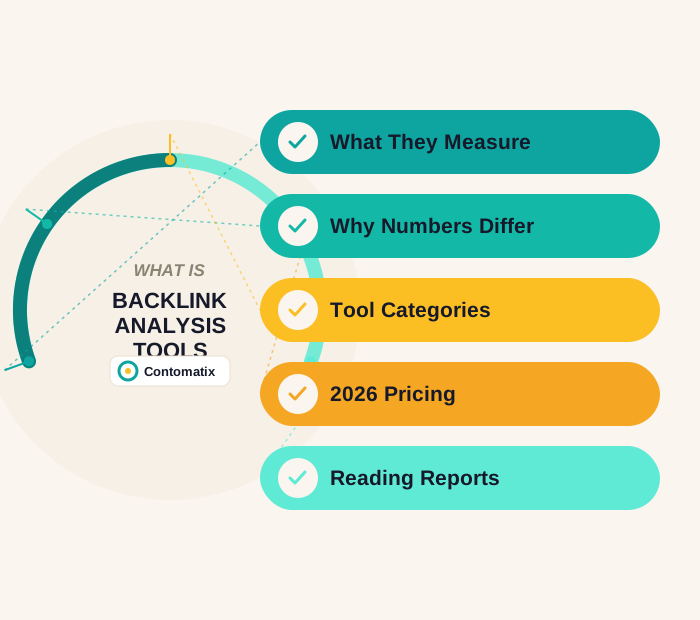
What Backlink Analysis Tools Actually Measure
Underneath the dashboards, every backlink tool is answering a handful of the same core questions, just with different data and different math:
- Referring domains — how many unique websites link to you. This matters more than raw backlink count, since 200 links from 5 domains carries far less weight than 50 links from 50 different domains.
- An authority score — a proprietary 0-100 (or similar) number estimating how much ranking power a domain or page carries, built primarily from its own link graph.
- Link quality/toxicity signals — spam score, trust metrics, or manual-looking pattern detection meant to flag links that could be actively hurting you rather than helping.
- Anchor text distribution — what wording is being used to link to you, since an unnatural concentration of exact-match commercial anchors is one of the clearer spam-pattern signals.
- New and lost links over time — velocity and churn, which matters both for spotting a negative-SEO attack and for confirming an outreach campaign is actually landing.
Why Every Tool Gives You a Different Number
This confuses more people than any single feature comparison. The three most common authority metrics — Ahrefs' Domain Rating (DR), Moz's Domain Authority (DA), and Majestic's Trust Flow (TF) — are not measuring the same thing, and none of them is "the real number."
Domain Rating (Ahrefs) scores purely on the quantity and strength of backlinks in Ahrefs' own crawl index — it doesn't factor in traffic or topical relevance at all. Domain Authority (Moz) uses a broader link-based model built to predict ranking potential, drawn from Moz's own index. Trust Flow (Majestic) starts from a manually reviewed set of trusted "seed" sites and measures how closely connected a domain is to that trusted neighborhood — a high Trust Flow relative to Citation Flow generally signals a clean, editorially earned link profile rather than a purely large one.
Because each metric draws from a different crawl of the web and a different scoring model, the same domain can show a Domain Rating of 45, a Domain Authority of 38, and a Trust Flow of 30 — all at once, all "correct" by their own tool's definition. Search Engine Journal's comparison of domain authority checkers covers this divergence in more depth if you want to see it across a wider set of tools. The practical takeaway: pick one metric as your internal benchmark for tracking progress over time, and use it consistently, rather than chasing whichever number happens to look best that week.
Backlink Tool Categories
Rather than ranking specific platforms head-to-head — the right one depends entirely on budget and what you're trying to solve — it's more useful to know which category a tool falls into:
All-in-one SEO platforms (Ahrefs, Semrush, SE Ranking) bundle backlink analysis with keyword research, site audits, and rank tracking in one subscription. These make sense once you're managing SEO as an ongoing program rather than a one-off check, since the backlink data is more useful alongside keyword and traffic context.
Budget and beginner-friendly checkers (Ubersuggest, Seobility) trade some depth of data for a much lower price and a simpler interface — a reasonable starting point for a small business tracking one or two domains without needing agency-grade reporting.
Free and native tools (Google Search Console) give you Google's own view of which sites link to you, at no cost, though with far less depth than any paid crawler — no authority score, no toxicity analysis, no competitor comparison.
Specialist link-risk tools (SEO SpyGlass, CognitiveSEO, LinkResearchTools) are built specifically around identifying and cleaning up harmful link profiles — penalty risk analysis, unnatural link detection, and disavow-file preparation are the actual product, not a bolt-on feature.
WordPress-native plugins (AIOSEO) surface basic backlink monitoring directly inside the CMS dashboard — convenient for a site owner who wants a glance at link activity without logging into a separate platform, though with far less analytical depth than a dedicated crawler.
2026 Pricing Snapshot
| Category | Example | Typical starting price |
|---|---|---|
| All-in-one platform | Ahrefs | $29/mo (Starter) – $129/mo (Lite) |
| All-in-one platform | Semrush | ~$140/mo (Pro) |
| All-in-one platform | SE Ranking | ~$103/mo (Core, billed annually) |
| All-in-one platform | Moz Pro | ~$99/mo (Standard) |
| Budget checker | Ubersuggest / Seobility | Free tier, paid from ~$30-50/mo |
| Free/native | Google Search Console | Free |
| Specialist link-risk | SEO SpyGlass / CognitiveSEO | Free tier – $130+/mo |
| WordPress plugin | AIOSEO | Free tier, paid from ~$50/yr |
Pricing shifts often — SE Ranking's own pricing page, for example, shows an entirely restructured plan tier lineup compared to what it offered in 2024 — so treat this as a starting-point comparison and confirm current pricing directly with each vendor before buying.
How to Read a Backlink Report Without Getting Fooled
- Referring domains over raw link count. A jump from 40 to 400 backlinks means little if it came from the same 5 low-quality sites repeating the link.
- Check the dofollow ratio. A profile that's almost entirely nofollow may still bring referral traffic and brand value, but it isn't doing much for rankings — know which you're actually measuring.
- Look at topical relevance, not just the authority number. A high-DR link from a completely unrelated industry carries less real value than a moderate-DR link from a genuinely relevant site, even though the score alone won't tell you that.
- Watch anchor text distribution. A natural profile skews heavily toward branded terms and naked URLs; a profile dominated by exact-match commercial keywords is a pattern worth investigating, not celebrating.
- Compare tools before disavowing anything. A link one tool flags as "toxic" often shows as perfectly healthy in another — cross-check before removing or disavowing a link that might actually be helping you.
A Simple Framework for Choosing
- Solo site owner, tight budget: start with Google Search Console (free) plus a budget checker like Ubersuggest or Seobility for competitor comparison you can't get from GSC alone.
- Agency or in-house team managing several domains: an all-in-one platform (Ahrefs, Semrush, or SE Ranking) earns its subscription cost once you need competitor tracking, historical trend data, and reporting across multiple sites.
- Recovering from a suspected penalty or toxic link attack: a specialist link-risk tool (SEO SpyGlass, CognitiveSEO, or LinkResearchTools) is worth the spend specifically for disavow-file preparation and unnatural-link detection — general-purpose platforms cover this more thinly.
- WordPress site, want a quick glance without extra logins: a plugin like AIOSEO covers basic monitoring, paired with GSC for the deeper picture.
Whichever category you land in, the tool only surfaces the data — the actual work of building a healthier backlink profile still comes down to the same fundamentals covered in our guide to automated link building: automate the research, keep a person deciding which links are actually worth having.
Red Flags a Backlink Report Should Never Ignore
- A sudden spike in referring domains you didn't build — a common sign of a negative-SEO attempt or a scraper site copying your content with a link attached.
- A cluster of new links sharing the exact same anchor text, especially an exact-match commercial keyword.
- Referring domains that share obvious footprints — identical site templates, similar "About" page language, or a narrow range of hosting IPs.
- A widening gap between your authority score and your actual organic traffic, which usually means the links are large in number but low in topical relevance.
If the bigger question behind all of this is whether backlinks are still worth the effort given how much search itself is changing, our breakdown of whether backlinks still matter for AI search covers the current data on that directly.
What a Healthy Backlink Profile Actually Looks Like
Most guidance on backlink data focuses on catching problems. It's just as useful to know what "good" looks like when a report comes back clean, so you're not chasing a perfect score that doesn't actually exist:
- Steady, gradual growth in referring domains rather than sudden spikes — natural link acquisition through content, PR, and outreach tends to arrive in a slow trickle, not a flood.
- A mostly branded and naked-URL anchor text profile, with commercial keyword anchors making up a small minority — this is closer to how people actually link to sites they genuinely reference.
- Topical clustering around your actual industry, rather than a scattershot mix of unrelated niches, which usually signals the links came from real editorial interest rather than a bulk placement service.
- A reasonable dofollow-to-nofollow ratio that includes some nofollow links — a profile that's 100% dofollow can itself look unnatural, since real-world linking (social shares, forum mentions, press coverage) naturally produces a mix.
- Links pointing to more than just your homepage — genuine editorial links tend to reference specific pages, guides, or resources, not exclusively the domain root.
None of these signals alone proves a profile is clean, and none alone proves it's spam — they're read together, over time, which is exactly why a single toxicity score from one tool shouldn't be the only input into a disavow decision.
Common Mistakes When Interpreting Backlink Data
Beyond picking the wrong tool, most of the damage from backlink analysis actually comes from misreading correct data:
- Treating authority score as a ranking guarantee. A high DR or DA correlates with ranking ability in aggregate studies, but an individual page with a lower authority score and stronger topical relevance can and does outrank a higher-authority page for a specific query.
- Comparing your score against a competitor on a different tool. Your Ahrefs DR and their self-reported Moz DA aren't the same scale — always compare within the same tool for an apples-to-apples read.
- Panicking over lost links without checking why. A dropped link is sometimes just a site redesign or a page getting deleted, not evidence that your SEO or the link itself did something wrong.
- Chasing volume targets instead of relevance. A goal like "get 50 backlinks this quarter" pushes toward whatever links are easiest to acquire, which is rarely the same as whatever links are actually valuable.
Related reading: our guide to Ahrefs alternatives covers tools that cover backlink and keyword data at different price points.
For more on this topic, see finding broken backlinks, which looks at how to recover links that point to dead pages.
Frequently Asked Questions
What is a backlink analysis tool?
A backlink analysis tool crawls the web to build an index of which sites link to a given domain, then reports metrics like referring domain count, an authority score, anchor text distribution, and link quality or toxicity signals.
Why do Ahrefs, Moz, and Semrush show different backlink numbers for the same site?
Each tool crawls its own independent index of the web and scores links using its own proprietary model — Ahrefs' Domain Rating, Moz's Domain Authority, and Semrush's Authority Score all measure related but distinct things. None of them see the entire web, so none of them agree exactly.
Which backlink checker is most accurate?
None is definitively "most accurate" since they measure different models against different crawl data. The more useful approach is picking one tool as a consistent internal benchmark and tracking relative change over time, rather than treating any single score as an absolute truth.
Is Google Search Console enough for backlink analysis?
For seeing which sites Google itself has indexed as linking to you, yes — and it's free. It won't give you an authority score, competitor comparison, or toxicity analysis, so most sites pair it with at least one paid or budget-tier tool for deeper analysis.
What is a toxic backlink?
A link that risks harming your rankings rather than helping them — typically from spam networks, link farms, or sites with no editorial standards. Tools flag these using spam-score models, but flags vary between tools, so cross-check before disavowing.
How much do backlink analysis tools cost?
Entry-level paid tools start around $15-30/month, mid-tier all-in-one platforms run roughly $100-150/month, and specialist or enterprise-grade tools can run $300-600+/month. Free tiers and Google Search Console cover basic needs at no cost.
Do I need a paid tool if I only manage one small website?
Not necessarily. Google Search Console plus a free-tier budget checker covers most of what a single small site needs. Paid platforms earn their cost once you're tracking competitors, managing multiple domains, or need historical trend data.
What's the difference between Domain Rating and Domain Authority?
Domain Rating (Ahrefs) scores purely on backlink quantity and strength within Ahrefs' index. Domain Authority (Moz) uses a broader model built specifically to predict ranking potential. They're correlated but not interchangeable, and a domain will typically show a different number on each.
Should I disavow every link a tool marks as toxic?
No. Disavowing a link that was actually helping your rankings can hurt more than leaving a genuinely toxic one in place. Cross-check flagged links across more than one tool, and reserve disavowing for links you're confident are spam, not just low-scoring.
How often should I run a backlink audit?
Quarterly is a reasonable baseline for a stable site. Increase the frequency to monthly during an active link-building campaign, or immediately if you notice a sudden, unexplained ranking drop that might trace back to a link issue.
Disclaimer: This article is for informational purposes only. Tool pricing and plan structures change frequently and should be verified directly with each vendor before purchasing. Nothing here constitutes a specific SEO recommendation for any individual site.
Contomatix reviews client backlink profiles by hand, cross-checking multiple tools rather than trusting a single toxicity score — because the tool is only as useful as the judgment applied to what it reports.
Get a free backlink profile review →

