Last updated: October 2026
An ecommerce SEO audit needs a different starting point than a generic site audit. A blog or a services site has maybe a few hundred URLs, each one deliberately written. A store with a few thousand products and a filterable category grid can generate hundreds of thousands of URLs nobody deliberately created — every color, size, and sort order combination mints a new one. That difference changes what the first layer of an audit should even be looking for.
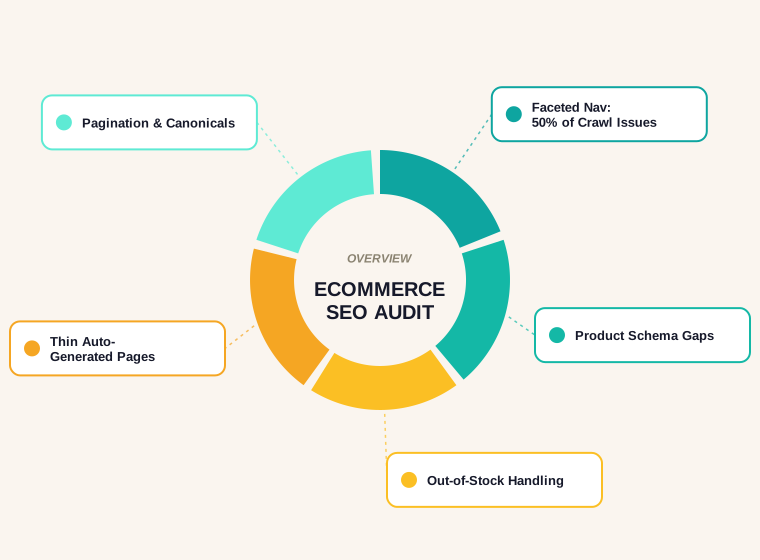
This walkthrough covers the five areas that matter most for a store specifically: faceted navigation and crawl budget, product structured data, out-of-stock handling, pagination and canonicals, and thin category content — in the order that tends to pay off fastest.
Why Generic Audits Miss What Stores Actually Need
A standard technical audit checks title tags, meta descriptions, broken links, page speed, and indexing status. All of that still applies to a store. What it misses is everything that comes from the catalog itself: the URL explosion from filters, whether product pages carry structured data Google can actually use, what happens to a page when the product sells out, and whether a thousand category pages are secretly four templates with the product grid swapped out. None of those show up on a standard checklist because they're specific to how commerce sites are built, not how content sites are built.
Layer One: Faceted Navigation and Crawl Budget
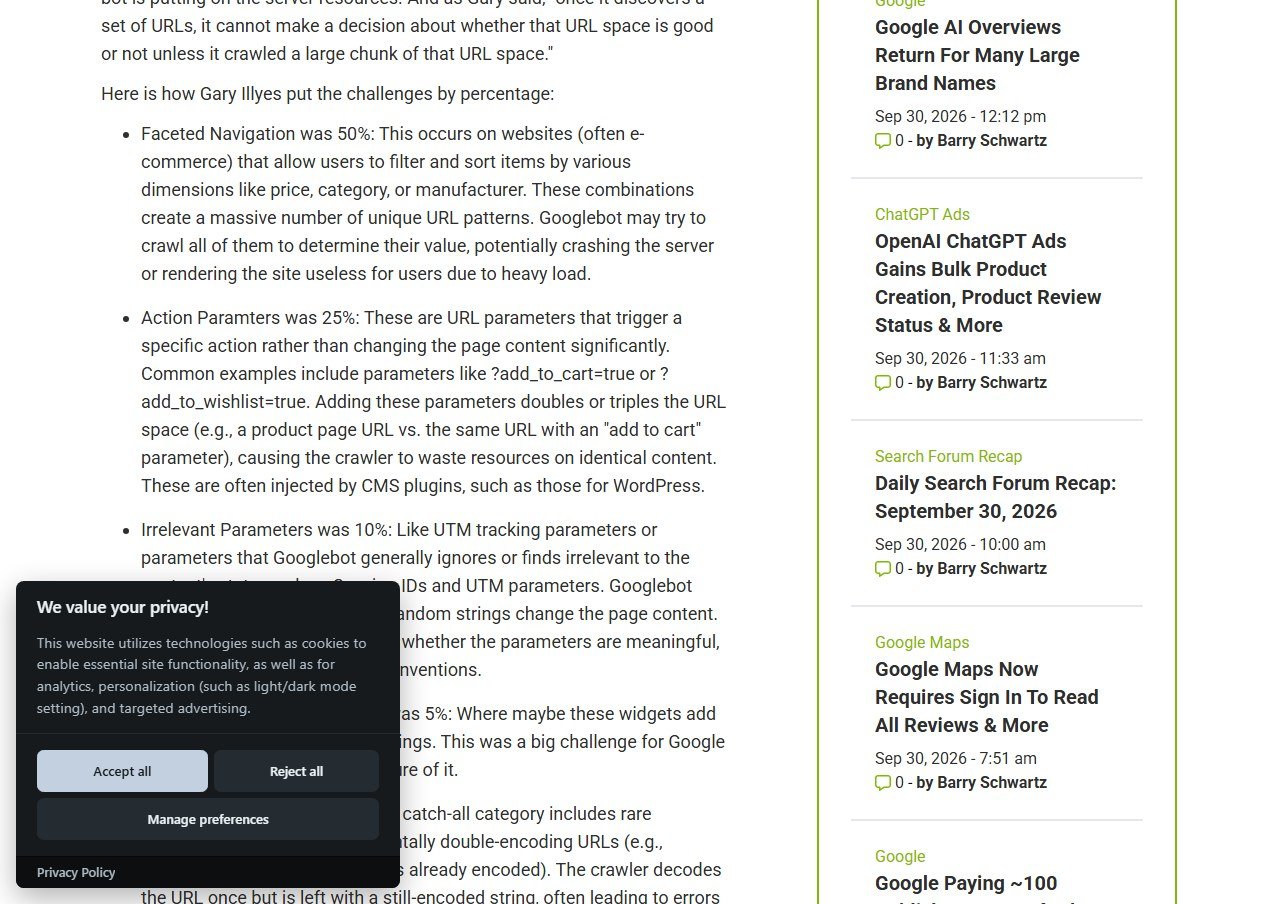
This is the single biggest technical issue in ecommerce SEO, and it isn't a guess — it's measured. On Google's Search Off the Record podcast, Search Advocate Gary Illyes broke down the causes of crawling problems Google sees reported by site owners, and gave the breakdown by percentage, reported in February 2026. Faceted navigation alone accounted for half of it, with action parameters (URLs that trigger something like an add-to-cart rather than changing page content) at another quarter.
The mechanism is straightforward once you see a real example. A single category page with color, size, price range, and sort order filters can generate thousands of unique, crawlable URLs from one underlying product grid:
/shop?color=blue&size=10
/shop?color=blue&size=10&price=0-50
/shop?color=blue&size=10&price=0-50&sort=newest
/shop?color=blue&size=11&price=0-50&sort=newest
...
Google has to crawl a meaningful chunk of that URL space before it can decide which combinations are worth keeping, and Illyes was direct about the cost of that: "once it discovers a set of URLs, it cannot make a decision about whether that URL space is good or not unless it crawled a large chunk of that URL space." That crawling happens at the expense of time Google could otherwise spend finding genuinely new pages and products.
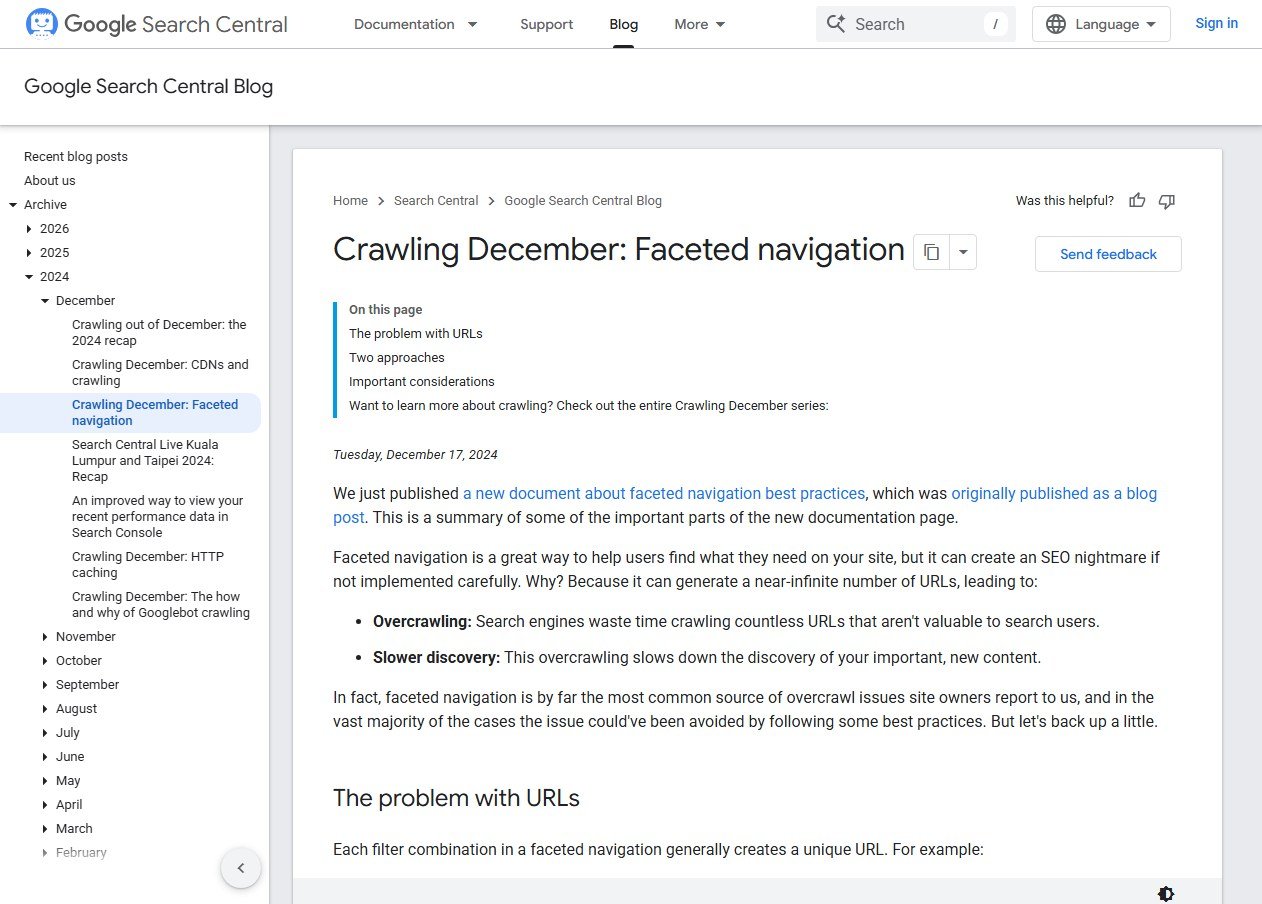
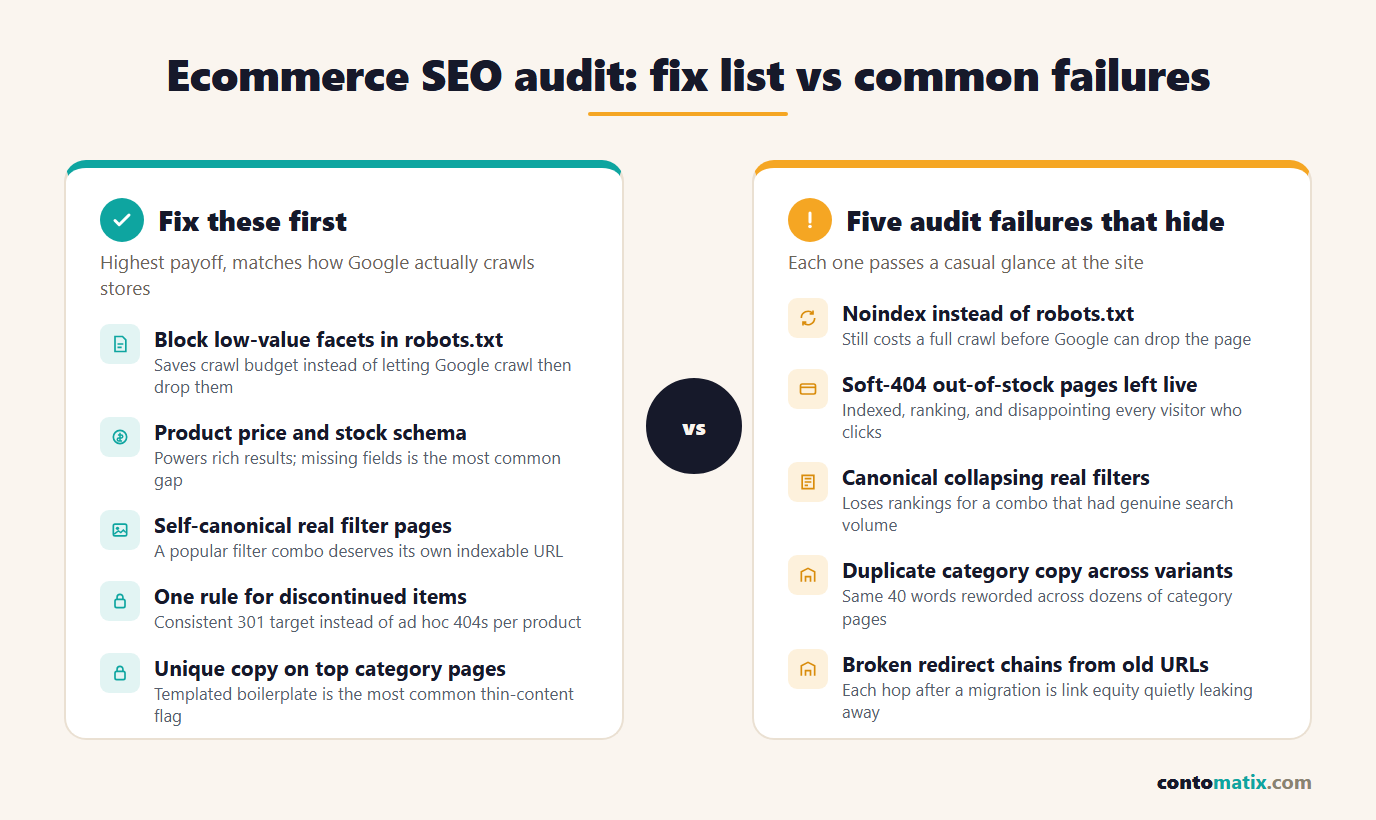
Google's own faceted navigation documentation states plainly that "faceted navigation is by far the most common source of overcrawl issues site owners report to us," and confirms the fix is robots.txt, not noindex, for filter combinations that don't need to appear in search: a noindex tag still requires a full crawl before Google can act on it, while a robots.txt disallow stops the crawl request before it happens at all. The two signals are also mutually exclusive in practice — if a URL is blocked in robots.txt, Google can't read a noindex tag sitting inside a page it was never allowed to fetch.
The audit question isn't "do we have filters" — every store does. It's which specific filter combinations have real, demonstrated search demand (worth a self-canonical, indexable URL) versus which ones exist purely for on-site navigation and should be blocked from crawling entirely.
Layer Two: Product Structured Data
Missing or incomplete Product schema is the most common gap on store product pages, and it's a direct, measurable revenue issue rather than a theoretical best practice — a product listing without price and availability markup is ineligible for the rich result treatment (price, stock status, review stars) that visibly outcompetes a plain blue link in search results. An audit here means checking each product template for three fields specifically: price (current, and on sale where relevant), availability (in stock, out of stock, pre-order), and aggregate rating where reviews exist. Templates, not individual products, are what to check — a gap here is almost always in the template rather than a one-off mistake on a single listing.
Layer Three: Out-of-Stock Handling
What happens to a product page the moment that product sells out is a decision every store makes, usually by accident rather than on purpose. Three patterns show up repeatedly in an audit:
- Left live and indexed with no stock. The page keeps ranking, keeps getting clicked, and disappoints every visitor who lands on it expecting to buy something.
- Soft-404'd — the page technically returns 200 but shows essentially no content, which Google increasingly treats as a 404 anyway while still having wasted a crawl to find that out.
- Properly handled — availability updated in the structured data immediately, with a clear path to a redirect or a related-products section if the item is permanently discontinued rather than temporarily out of stock.
The distinction between temporary and permanent matters for the fix: a temporarily out-of-stock page should usually stay live with availability updated, since it will sell again. A permanently discontinued product is a better candidate for a 301 to its replacement or category page, so the page's existing authority doesn't just evaporate. Checking this at scale across a catalog with thousands of SKUs is also where a sitemap becomes genuinely useful as a diagnostic — our free sitemap validator flags duplicate and relative URLs in bulk, which is often faster than checking product pages one at a time when something's gone wrong across a whole category.
Layer Four: Pagination and Canonical Tags
Category pages with pagination (page 2, page 3, and so on of a product grid) and category pages with filters applied both raise the same underlying question: should this specific URL be indexable, or should it canonicalize somewhere else? The audit-worthy mistake isn't having pagination or filters — it's applying one blanket rule to both. A paginated page 2 of a popular category often deserves to stay indexable on its own, since it contains genuinely different products than page 1. A filtered URL for a combination nobody searches for is a better canonical candidate, pointing back to the unfiltered category.
Treating every non-page-1, non-default-filter URL identically — either indexing all of them or canonicalizing all of them to the base category — is the pattern worth specifically checking for, since it's rarely the right call in either direction for an entire category at once.
Layer Five: Thin and Duplicated Category Content
A store with forty categories that each open with a near-identical paragraph of boilerplate ("Shop our wide selection of quality [category] at great prices") is running forty pages of content that reads as duplicate to both users and Google, even though the product grids underneath are genuinely different. This is worth checking at the template level specifically — pull up three or four category pages side by side and compare the top-of-page copy word for word, not just skim one page and assume the others differ.
Measuring Whether the Fixes Actually Worked
Each layer has a different signal to check after the fix lands, rather than just assuming it worked because the change was deployed.
- Faceted navigation: crawl stats in Search Console should show a drop in total crawl requests over the following weeks, even though nothing about the site's real page count changed — that drop is the crawl budget being freed up.
- Product schema: the Rich Results Test on a sample of product URLs should show price and availability being read correctly, and the Search Console Merchant listings or Products report (where applicable) should show a drop in item-level warnings.
- Out-of-stock handling: spot-check a handful of known sold-out products directly — the structured data should reflect reality, not whatever it said the day the page was created.
- Pagination and canonicals: the Coverage report should show fewer "duplicate, Google chose different canonical" entries for category and filtered URLs specifically.
- Category content: this one is slower to measure and shows up as a ranking or traffic change over a longer window rather than an immediate report change, since it depends on recrawling and re-evaluation rather than a technical signal flipping.
None of these require new tooling beyond what's already in Search Console — the audit's value is in knowing which report to check for which fix, rather than watching overall traffic and hoping it reflects what actually changed.
A Realistic Audit Order
These five layers aren't equally urgent, and auditing them in the wrong order wastes time on polish while the expensive problem keeps running in the background.
- Faceted navigation first. It's the layer actively costing crawl budget every single day it's unaddressed, and the fix (robots.txt rules) is usually a single file change once the decision is made about which facets matter.
- Product schema second. A template-level fix that affects every product at once, with a direct, visible payoff in how listings appear in search.
- Out-of-stock handling third. Especially urgent for stores with high product turnover, where the gap between "sold out" and "the page reflecting that" compounds daily.
- Pagination and canonicals fourth. Usually a smaller number of templates to fix than it first appears, since most categories share the same pagination component.
- Thin category content last. Real, but it's a content project rather than a technical fix, and it's the layer least likely to be actively losing crawl budget or rankings right now compared to the other four.
Running a general website SEO audit alongside this catches the baseline issues — broken links, missing meta tags, slow pages — that apply to any site regardless of whether it sells anything. The five layers above are what's specific to having a catalog, and they're the ones a generic checklist won't surface on its own.
Quick Recap
- Faceted navigation causes roughly half of all crawling issues Google sees reported, per Google's own Gary Illyes — block low-value filter combinations in robots.txt rather than noindex, which still costs a full crawl.
- Missing Product schema (price, availability, rating) is the most common gap on product templates, and it's directly tied to rich result eligibility.
- Distinguish temporarily out-of-stock (keep live, update availability) from permanently discontinued (redirect) rather than treating every sold-out product the same way.
- Pagination and filtered URLs need a case-by-case indexable-vs-canonical decision, not one blanket rule applied to every non-default URL.
- Thin, templated category copy reads as duplicate content even when the underlying product grids genuinely differ.
- Audit in order of what's actively costing crawl budget or rankings right now, not in order of what's easiest to fix.
Frequently Asked Questions
Should every filter combination be blocked from crawling?
No — filter combinations with genuine, demonstrated search demand deserve to stay indexable with their own URL. The audit is about identifying which specific combinations have that demand versus which exist purely for on-site navigation.
Why not just noindex low-value filtered pages instead of blocking them in robots.txt?
Noindex still requires Google to crawl the page before it can see and act on the tag, which costs the same crawl budget you're trying to save. Robots.txt stops the crawl request before it happens.
Does out-of-stock automatically mean the page should be removed?
No. Temporarily out-of-stock products usually keep more value staying live with availability updated, since they'll sell again. Permanently discontinued products are the better candidate for a redirect.
How much of a crawl budget problem is faceted navigation for a small store?
Smaller catalogs generate smaller URL explosions, so the absolute scale is lower, but the same mechanism applies at any size — the fix is proportionally just as straightforward to apply early rather than after the catalog grows.
What's the fastest way to check for duplicate category content?
Pull up several category pages from the same site side by side and compare the top-of-page copy directly, since templated boilerplate is usually obvious once placed next to itself rather than viewed one page at a time.
Does pagination need noindex on pages 2, 3, and beyond?
Not automatically. A paginated page with genuinely different products often deserves to stay indexable; the decision should be made per category based on whether that page is likely to satisfy a distinct search intent on its own.
Is Product schema required, or just recommended?
It's not required for a page to function, but it is required for eligibility for the rich result treatments (price, availability, ratings) that meaningfully affect click-through rate in search results.
How often should an ecommerce SEO audit be repeated?
A full audit roughly twice a year is a reasonable baseline for most stores, with the faceted navigation and out-of-stock layers worth spot-checking more frequently since they change as fast as the catalog itself does.
Can a generic website SEO audit tool catch these ecommerce-specific issues?
Partially — broken links, slow pages, and missing meta tags show up in any general audit. Faceted navigation patterns, product schema completeness, and out-of-stock handling need a catalog-aware check specifically, since they depend on how the store's templates and filters are built.
Does this apply the same way to a marketplace listing as a self-hosted store?
The underlying principles are the same, but a marketplace seller usually has far less control over templates, schema, and robots.txt than a self-hosted store, so the audit shifts toward what's actually adjustable within the platform rather than full technical control.