Last updated: October 2026
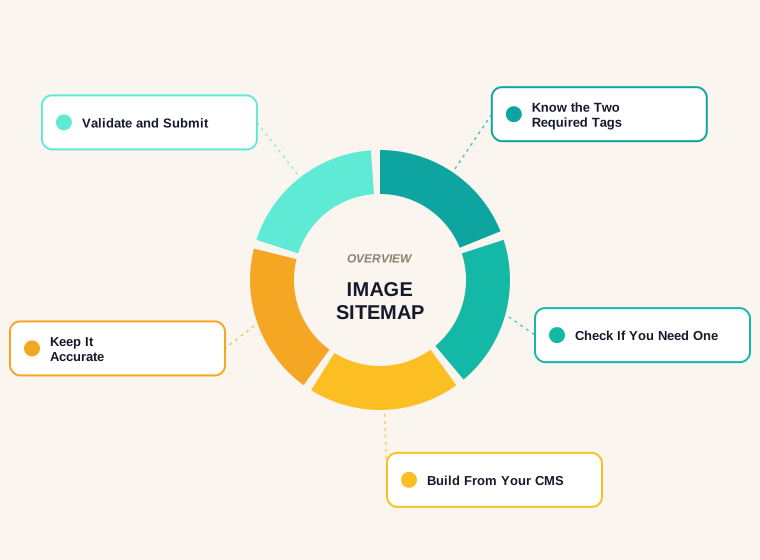
We counted 1,220 image references across 299 blog posts on this site, and our sitemap contains none of them. That gap is common. An image sitemap is an optional extra that tells Google about images it might not find on its own, and for a lot of sites it is less necessary than the guides suggest.
This guide explains which tags Google still reads, which it dropped, how to decide whether you need one, and how to build and maintain it. It uses a real file we generated from our own posts, and it covers the long-tail questions that trip people up: how to update a sitemap, what sitemap update frequency means, and why URLs that redirect or are not canonical do not belong in the file. If you are starting from the basics, read how to create a sitemap first.
What an Image Sitemap Is
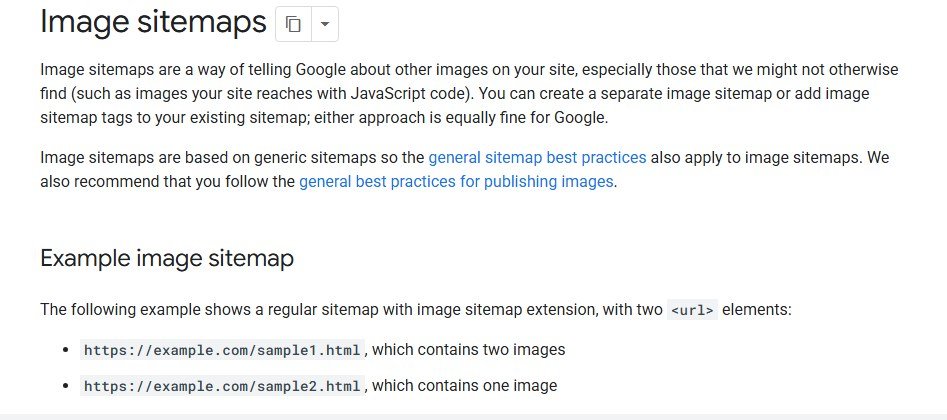
A sitemap is a file that lists the URLs you want search engines to know about. An image sitemap adds the images that belong to each page, using extra tags from Google's image extension. You can put those tags in a separate file or add them to the sitemap you already have, and Google's documentation treats both options as equally fine.
The purpose is discovery. Google can already find an image that sits in the src attribute of an img element, including one inside a picture element. What it can miss are images that are loaded by scripts or otherwise hard to reach. The sitemap hands it a direct list.
The Tags Google Still Uses
The extension needs only two tags. Everything else you may have seen in older tutorials is gone.
<image:image>wraps the information for one image.<image:loc>holds the image URL.
Google's image sitemap documentation lists image:caption, image:title, image:geo_location and image:license as removed. If a plugin still writes them it does no harm, but they carry no weight, so put the effort into the page's alt text and surrounding copy instead. Each page URL can contain up to 1,000 image entries, and images may live on another domain such as a CDN as long as that domain is verified in Search Console.
Do You Actually Need an Image Sitemap?
Often not. Google states that an image sitemap is a way to surface images it might otherwise miss, which means it is not a requirement for appearing in image results. The things that matter more are plain: the image is in an img tag and not a CSS background, the file type is supported, and the alt text describes what is in the picture.
Google's image guidance supports BMP, GIF, JPEG, PNG, WebP, SVG and AVIF in the src attribute of an img element, and it says CSS images are not indexed. For our site that is reassuring, because every one of our images is a normal img reference. An image sitemap is most useful when your images are hard to discover, for example when a gallery loads from JavaScript, when images sit behind a script-driven carousel, or when they come from a CDN domain you want reported on.
We Built One for 299 Posts
To see what a real file looks like, we generated one from our own post data. For each post we listed the page URL, then every image it uses: the hero diagram, the cover and each image inside the content. Duplicates within a post were removed, and every image URL was written as an absolute address, which the sitemap format requires.
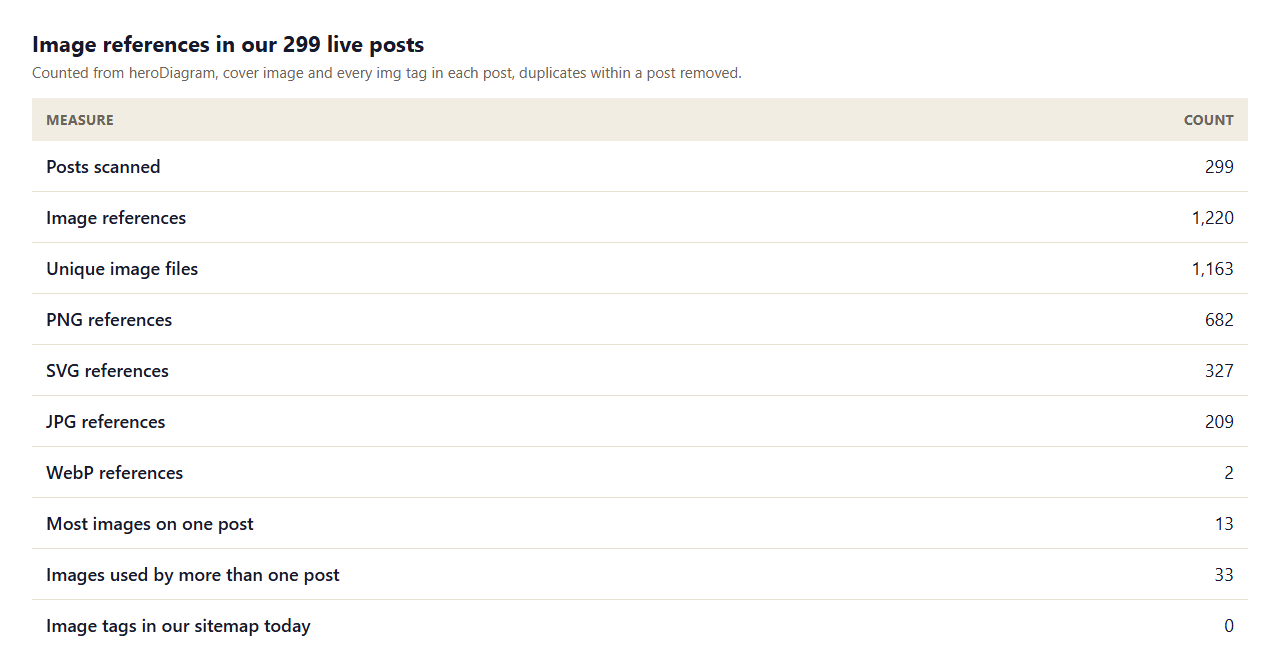
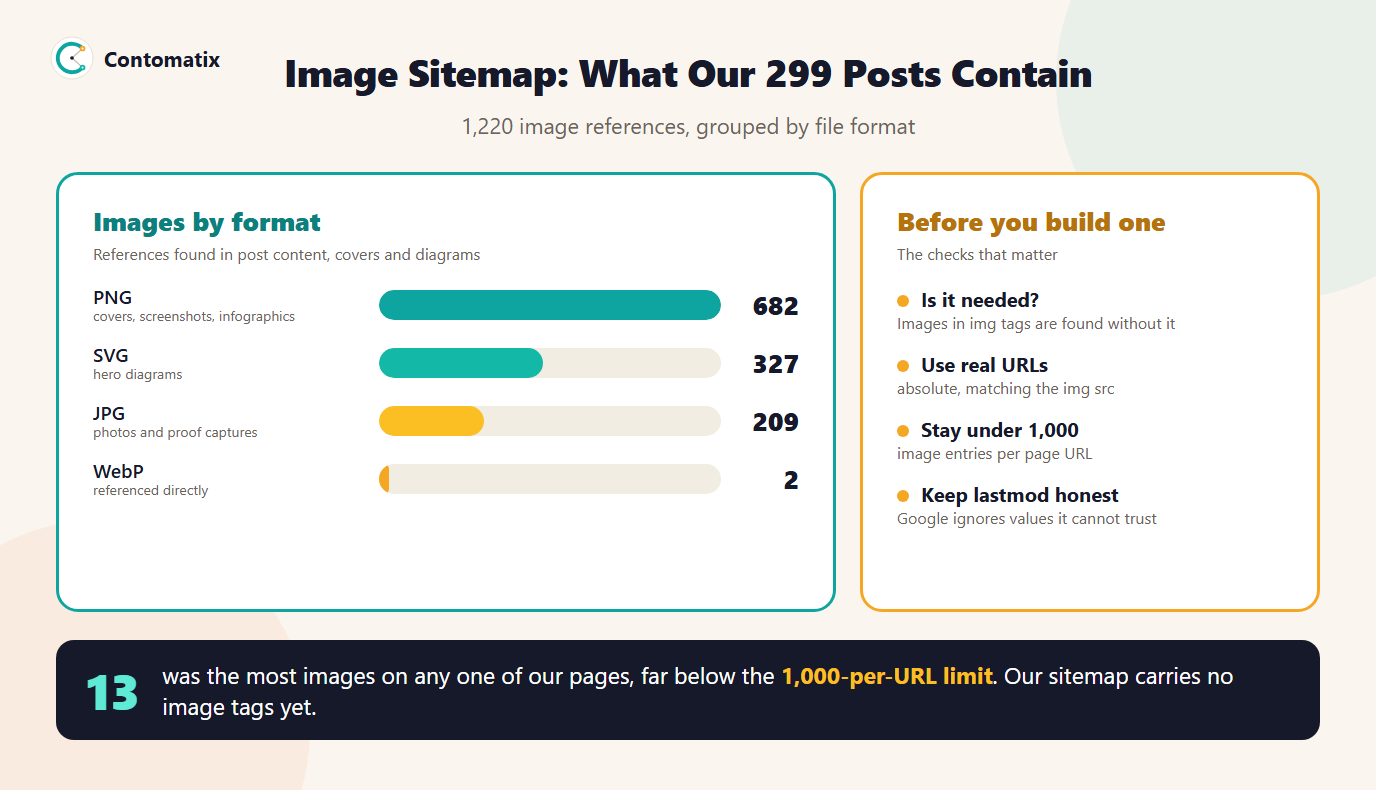
A few things stand out. The busiest page has 13 images, which is nowhere near the 1,000-per-URL limit, so a cap is not a concern for a blog. 33 image files are used by more than one post. Google's guidance for that case is to reference the same image with the same URL everywhere, which lets it cache and reuse the file. Roughly 27 percent of our references are SVG diagrams, a format Google supports.
The complete file came to about 4,500 lines, so it is a sizable but ordinary document. Our live sitemap does not contain it. We have not submitted the file, and given the section above, we do not expect it to change much for us.
An Image Sitemap Template You Can Copy
This is the whole structure for one page with two images. Add the image namespace to the root element, then repeat the url block for each page.
<?xml version="1.0" encoding="UTF-8"?>
<urlset xmlns="http://www.sitemaps.org/schemas/sitemap/0.9"
        xmlns:image="http://www.google.com/schemas/sitemap-image/1.1">
  <url>
    <loc>https://example.com/blog/my-post</loc>
    <image:image>
      <image:loc>https://example.com/images/cover.png</image:loc>
    </image:image>
    <image:image>
      <image:loc>https://example.com/images/chart.jpg</image:loc>
    </image:image>
  </url>
</urlset>
Three rules from Google's sitemap guidance apply to every line: use fully qualified absolute URLs, encode the file as UTF-8, and escape special characters such as the ampersand like any other XML.
Image Sitemap for Ecommerce Sites
An ecommerce sitemap is where image tags tend to pay off. Product pages often load galleries, zoom views and colour variants with scripts, which is exactly the situation where an image can be missed. Listing each product page with its main images gives Google a direct path to them.
- List the product page URL and its primary product images, not every thumbnail.
- Use the image URL that is actually served, which is often a CDN address. Verify that domain in Search Console.
- Keep variants that share the same image from being listed under several unrelated pages.
- Make sure each product page URL is the canonical one, because the sitemap should list the URLs you want in results.
How to Update a Sitemap When Images Change
The simplest way to keep an image sitemap right is to never edit it by hand. A dynamic sitemap is generated from your CMS or database each time it is requested, or on a schedule, so a new post or a replaced image appears without anyone touching the file. Most platforms and plugins offer this, and a short script can do the same for a custom site.
Whichever method you use, the update has to follow the real change. When an image is swapped, the file name and URL change with it, and the old URL should leave the sitemap. If it stays, you are pointing Google at a file that may no longer exist.
Sitemap Update Frequency and the lastmod Trap
Many people ask how often a sitemap should be updated, and whether to set changefreq and priority. Google ignores both of those values, so there is no benefit in tuning them. The tag that counts is lastmod, and Google says it uses it only if it is consistently and verifiably accurate, meaning it should reflect a significant change to the page and not, for instance, a copyright-date edit.
We found a real example of getting this wrong while writing this guide. Our own sitemap has 341 URLs. 299 of them are blog posts, which carry the post's publish date. The other 42, such as service, team and tool pages, are stamped with the date of the request by the code that builds the file, so they show a new date every day whether the page changed or not. That is the pattern Google says it will not trust. The fix is to use a real modified date or to leave the tag out for those pages. At the time of writing we had not yet changed it.
Errors to Check: Non-Canonical URLs, 3xx Redirects and "Sitemap Could Not Be Read"
These three problems account for most sitemap trouble.
- Non-canonical URL in the sitemap. Google says sitemaps should contain the URLs you want to appear in results, and that it generally shows canonical URLs. If a page has a canonical pointing elsewhere, list the canonical, not the duplicate. Our canonical tag checker shows what a page declares.
- 3xx redirect in the sitemap. A URL that redirects is not the page you want indexed, so the sitemap should hold the final destination. After a site move or a slug change, regenerate the file so the old addresses disappear.
- Sitemap could not be read. Search Console's Sitemaps report lists processing errors, and submitting a file is only a hint to Google. Check that the file is valid XML, saved as UTF-8, uses absolute URLs, has its ampersands escaped and can be fetched without being blocked.
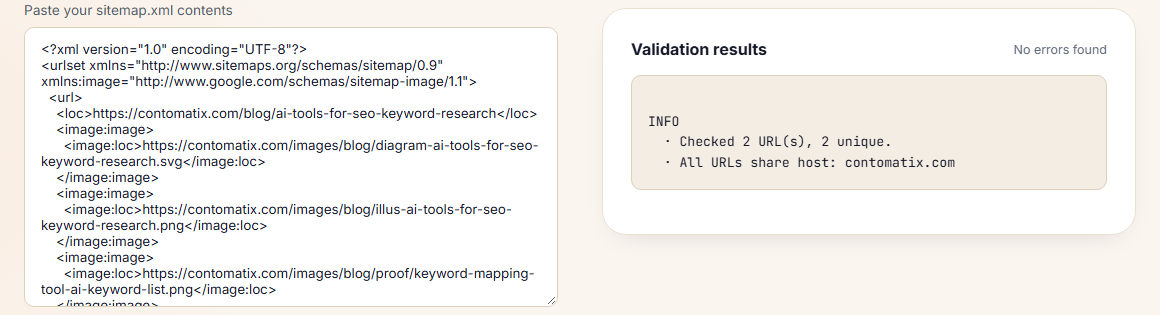
Before you submit, run the file through a validator. Our sitemap validator checks structure, URL rules and the 50,000-URL and 50 MB limits. We ran a two-page sample of our generated image sitemap through it and it reported no errors. It does not inspect the image entries themselves, so a typo in an image URL would still pass.
Where an Image Sitemap Sits in Your Sitemap Setup
You have three layouts to choose from. Add image tags to your main sitemap, keep a separate image sitemap file, or split by section and list the files in a sitemap index. A single file is easiest for a small site, and a separate file keeps a large catalogue manageable. Whichever you choose, mention the file in your robots.txt, as our guide to the robots.txt sitemap field explains.
Image Sitemap Checklist
The infographic shows what our own posts contain and the checks that matter most. The full checklist follows it.
- Confirm your images are in
imgtags with alt text before building anything. - Use absolute image URLs that match what the page serves.
- Stay under 1,000 image entries per page URL.
- Drop removed tags such as
image:captionandimage:title. - List only canonical, non-redirecting page URLs.
- Generate the file from your CMS so it updates itself.
- Keep
lastmodtruthful or leave it out. - Validate, submit in Search Console and check the Sitemaps report.
If you would like help auditing your sitemaps and image setup, Contomatix can review them as part of a technical check. Get in touch and we will take a look.
Key Takeaways
- An image sitemap is optional. Google supports it to surface images it might otherwise miss.
- Only
image:imageandimage:locare needed. Caption, title, geo location and license tags are removed. - Our 299 posts hold 1,220 image references, the busiest page has 13, and the limit is 1,000 per URL.
- Google ignores
changefreqandpriority, and trustslastmodonly when it is accurate. - List canonical, non-redirecting URLs and validate before you submit.
Frequently Asked Questions
What is an image sitemap?
It is a sitemap, or a section of one, that lists the images on each page using Google's image extension tags. It helps Google discover images it might not find through normal crawling.
Do I need an image sitemap?
Not usually. Google describes it as a way to surface images it might otherwise miss. If your images are in standard img tags, Google can already find them. It helps most for images loaded by scripts or served from a CDN.
Which image sitemap tags does Google still support?
image:image and image:loc. Google lists image:caption, image:title, image:geo_location and image:license as removed from its documentation.
How many images can one URL have in an image sitemap?
Up to 1,000 image entries per page URL, according to Google's image sitemap documentation.
Can the images be on a different domain?
Yes. Google allows image URLs from other domains, such as a CDN, and recommends verifying those domains in Search Console to see crawl errors for them.
How do I update a sitemap when I add or replace images?
Generate it from your CMS or database so it changes with your content, which is what people mean by a dynamic sitemap. Remove old image URLs when files are replaced and keep lastmod accurate.
What is the right sitemap update frequency?
There is no fixed schedule to set. Google ignores changefreq and priority, and it uses lastmod only if it is consistently accurate, so the file should simply reflect real changes when they happen.
Should redirecting or non-canonical URLs be in a sitemap?
No. List the final, canonical URLs you want in results. A 3xx redirect in the sitemap points Google at a page that is not the destination, and a non-canonical URL lists a duplicate.
Why does Search Console say my sitemap could not be read?
Check the basics: valid XML, UTF-8 encoding, absolute URLs, escaped ampersands and a file that is reachable and not blocked. The Sitemaps report in Search Console lists the processing errors it found.