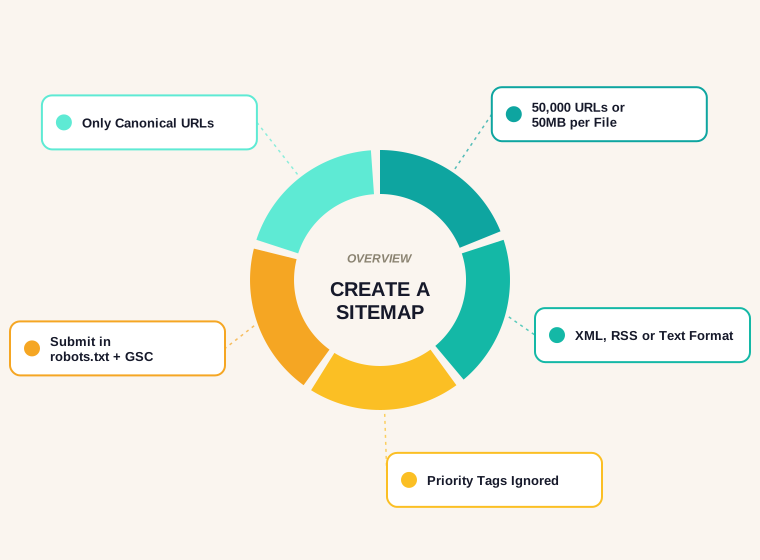
Last updated: September 2026
Knowing how to create a sitemap is one of those SEO basics everyone assumes they already have right, and a surprising number of sites get wrong in a small but costly way: the sitemap lists pages that redirect, 404, or carry a noindex tag, and a crawler ends up spending its budget re-checking dead ends instead of finding the pages that matter.
This guide covers what a sitemap is actually for, the size limits Google publishes, the three accepted formats, how to build one by hand or generate it in seconds, the extensions for images and video, and the mistakes that make a sitemap actively unhelpful rather than merely useless.
What a Sitemap Is Actually For
A sitemap is not a way to get pages indexed. It is a list of URLs you consider worth crawling, offered as a hint rather than an instruction.
Google's own documentation makes this distinction directly: even without a sitemap, Google can usually find and crawl a site by following links. A sitemap becomes useful in three specific situations.
- The site is large. Beyond a few hundred pages, internal links alone may not surface everything quickly.
- Pages are poorly linked internally. New content, orphaned pages, or a flat structure with weak cross-linking.
- The site is new or has few external links. Crawlers discover new sites more slowly without inbound signals pointing to them.
A small, well-linked site with a handful of pages gets little practical benefit from a sitemap. A five-thousand-page ecommerce catalogue gets a lot.
What Google Actually Says About Building One
The rules are published, and most sitemap problems trace back to ignoring one of them.
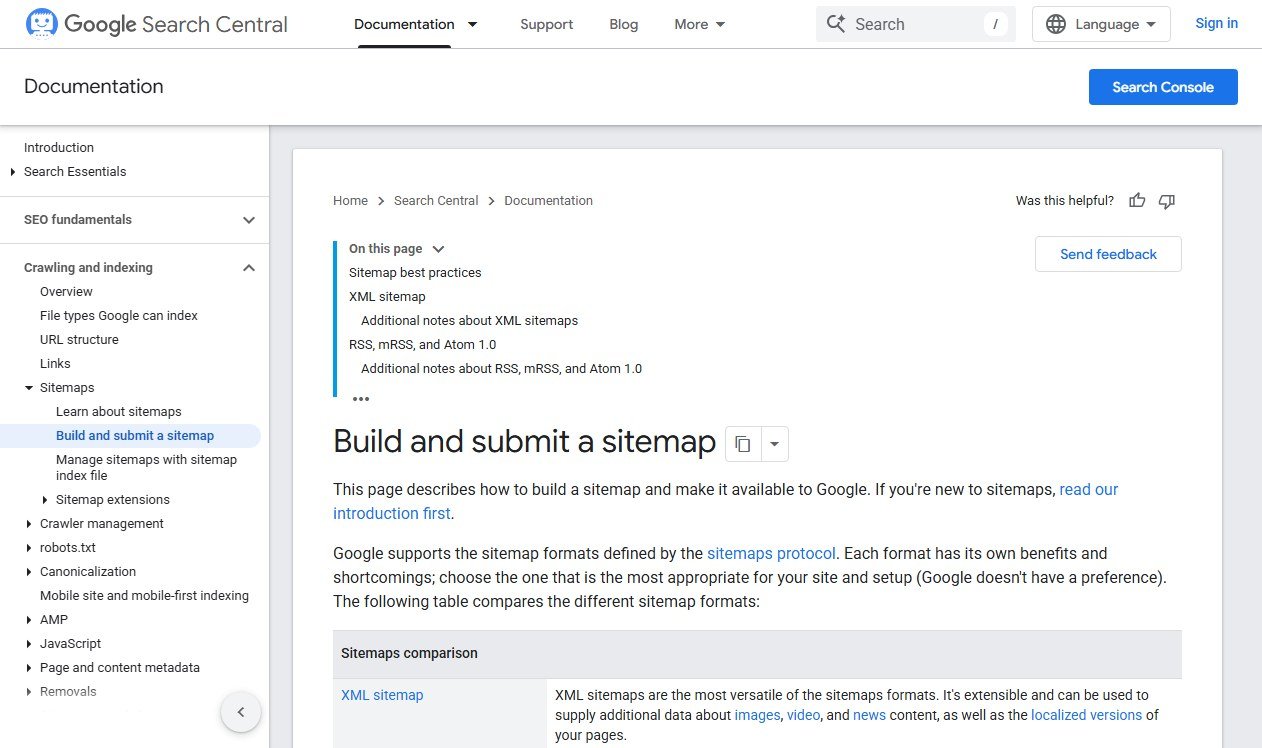
Google's documentation on building a sitemap sets three limits and one hard rule that most generators handle automatically, but that matter if you are building one by hand.
- 50,000 URLs per sitemap file, or 50MB uncompressed. Hit either limit and you need a sitemap index file linking to multiple sitemaps instead.
- URLs must be fully qualified and absolute, including the protocol.
https://example.com/page, never/page. - Google ignores
<priority>and<changefreq>values. They are accepted for compatibility with other search engines but do not influence Google's crawling.
That last point surprises people who spend time carefully tuning priority values across a site. Google reads <lastmod> instead, and only when it reflects a genuine content change rather than a template touch that reset every date to today.
The Three Formats Google Accepts
Sitemaps come in a few shapes, and Google treats them as equivalent.
| Format | Best for | Notes |
|---|---|---|
| XML sitemap | Most sites | The standard format; extensible for images, video and news |
| RSS / Atom feed | Sites whose CMS already generates one | Often auto-generated; only recently published or updated URLs need to be listed |
| Text sitemap | Very simple sites | One absolute URL per line, no markup at all |
A sitemap index file sits above any of these, listing multiple sitemap files when a site exceeds the 50,000-URL limit or is organised into logical groups such as posts, products and categories.
Generate a Sitemap Without Writing XML by Hand
For a small to mid-sized site, you do not need a script or a plugin to produce a clean sitemap. Paste your URLs into our free sitemap generator and it outputs valid XML instantly.
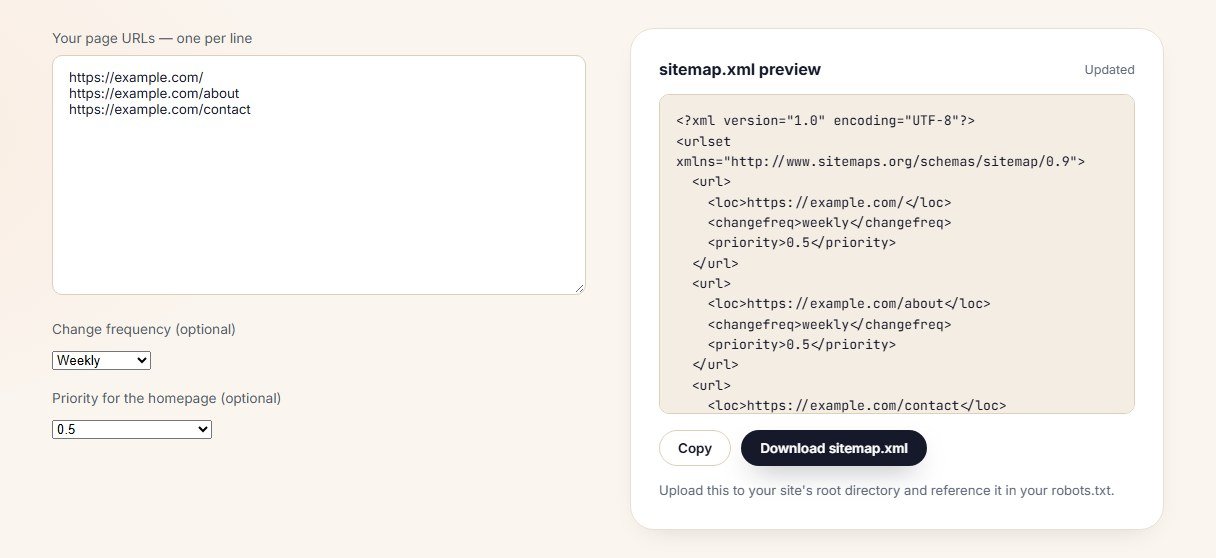
The tool adds the required XML namespace and structure automatically, which is the part most hand-written sitemaps get wrong in some small way — a missing closing tag, an unescaped ampersand in a URL, or the wrong namespace declaration.
Building One by Hand: The Minimum Valid Structure
If you want to understand what the generator produces, or you are troubleshooting an existing file, this is the smallest valid XML sitemap.
<?xml version="1.0" encoding="UTF-8"?>
<urlset xmlns="http://www.sitemaps.org/schemas/sitemap/0.9">
  <url>
    <loc>https://example.com/</loc>
    <lastmod>2026-09-27</lastmod>
  </url>
</urlset>
Only <loc> is required. <lastmod> is optional but worth including and keeping accurate, since it is the one optional tag Google actually reads. Save the file as sitemap.xml and upload it to your site's root directory, so it is reachable at https://example.com/sitemap.xml.
Submitting the Sitemap to Google
A sitemap sitting on your server does nothing until Google knows it exists. Two ways to tell it.
- Reference it in robots.txt. Add a line:
Sitemap: https://example.com/sitemap.xml. This is the method that also helps other crawlers find it. Our free robots.txt generator includes this line automatically. - Submit it in Search Console. Under Indexing → Sitemaps, enter the path and submit. This gives you a status report showing how many URLs were discovered and any errors Google found while reading the file.
Do both. The robots.txt reference means any crawler can find it; the Search Console submission gives you visibility into what Google actually did with it.
Sitemap Index Files for Larger Sites
Once a site passes roughly 50,000 URLs, or you simply want to organise sitemaps by content type, a sitemap index file lists other sitemaps rather than individual pages.
<?xml version="1.0" encoding="UTF-8"?>
<sitemapindex xmlns="http://www.sitemaps.org/schemas/sitemap/0.9">
  <sitemap>
    <loc>https://example.com/post-sitemap.xml</loc>
  </sitemap>
  <sitemap>
    <loc>https://example.com/page-sitemap.xml</loc>
  </sitemap>
</sitemapindex>
Most WordPress SEO plugins generate this structure automatically, splitting content into post-sitemap.xml, page-sitemap.xml and similar files, then wrapping them in a single sitemap_index.xml that you submit instead of the individual files.
What Belongs in a Sitemap, and What Does Not
This is where most real-world sitemaps go wrong, and it is rarely a formatting problem.
- Include: canonical URLs that return a 200 status and that you want indexed.
- Exclude: pages with a noindex tag. Listing a noindex page in a sitemap sends Google a contradictory signal and wastes crawl attention.
- Exclude: redirected URLs. If a page 301s somewhere else, list the destination, not the redirect.
- Exclude: duplicate or parameter-heavy URLs where a canonical tag already points elsewhere. List the canonical version only.
- Exclude: pages blocked by robots.txt. A sitemap entry for a page a crawler is not allowed to fetch is simply ignored, but it still clutters the file.
A sitemap full of URLs a crawler cannot or should not index is worse than a shorter, accurate one. It signals that the file is generated automatically without review, which is exactly what it usually is.
Auditing an Existing Sitemap
If a sitemap already exists, five checks catch most problems.
- Open it in a browser. If it does not render or returns an error, nothing else matters until that is fixed.
- Spot-check ten URLs. Do they all return 200? Any redirects or 404s indicate the file is stale.
- Check the Sitemaps report in Search Console. It shows discovered versus indexed counts and flags parsing errors directly.
- Compare the URL count to your actual page count. A sitemap with far more or far fewer URLs than the site has usually points to a plugin misconfiguration.
- Confirm it is referenced in robots.txt. A perfectly built sitemap that nothing points to is only as useful as whoever remembers to submit it manually.
One more habit worth building in: after any migration, redesign or URL restructure, treat the sitemap as suspect until proven otherwise. Plugins and static generators regenerate it automatically, but the old submission in Search Console can keep pointing at a stale path, and a sitemap that quietly stopped updating months ago looks identical to a healthy one until someone opens it.
Image, Video and News Sitemap Extensions
The base sitemap protocol only handles page URLs. Three optional extensions let you attach richer information to those entries, and each targets a specific surface in Google.
- Image sitemaps add
<image:image>tags inside a<url>entry, pointing at images on that page. Useful for image-heavy sites where the images themselves are not otherwise easy to discover, such as a JavaScript gallery. - Video sitemaps add structured details Google can use for video-specific search features: duration, thumbnail, and a content or player location.
- News sitemaps are for sites approved in Google News, listing only articles published in the last 48 hours with publication name and language.
None of these replace the base sitemap. They sit alongside it, and a site without video or news content simply does not need them.
Sitemaps on JavaScript-Rendered Sites
Single-page applications and heavily client-rendered sites create a specific sitemap problem: the URLs a router generates client-side often never get written anywhere a sitemap generator can read them.
Two practical fixes. If the framework has a build step, generate the sitemap during that build from the same route list the app uses, so it can never drift out of sync. If routes are added dynamically from a database — products, articles, listings — generate the sitemap server-side from that same database query, not by trying to crawl your own rendered site to reconstruct a URL list.
Either way, the sitemap itself stays plain XML. Google does not need JavaScript to read a sitemap file; it only needs valid, absolute URLs inside it.
Reading the Sitemaps Report in Search Console
Once submitted, Search Console gives you three numbers worth checking on a schedule rather than only when something looks wrong.
- Discovered URLs. How many the sitemap listed and Google successfully parsed.
- Status. "Success" means the file parsed cleanly. "Couldn't fetch" or "Has errors" point at a broken URL, invalid XML, or a server blocking the crawler.
- Last read date. If this is old, Google has not revisited the file, which usually means nothing changed or the submission was never refreshed after a URL structure change.
Discovered is not the same as indexed. A sitemap can be parsed perfectly while individual pages inside it still fail to index for content or quality reasons covered in the indexing report instead. The sitemaps.org protocol that defines the base XML format is worth a skim if you want the formal specification behind everything above.
Sitemaps and a Full Site Audit
A sitemap check is one layer of a larger technical audit, not a replacement for one. If indexing looks wrong across the site rather than just in the sitemap, the fix usually starts elsewhere. Our website SEO audit guide covers the full sequence, with the indexing gap as the first thing to check before anything else.
Quick Recap
- A sitemap is a hint for crawlers, not a guarantee of indexing.
- It matters most for large sites, poorly linked pages, and new sites with few external links.
- Google's limits are 50,000 URLs or 50MB per file; use a sitemap index above that.
<priority>and<changefreq>are ignored by Google; keep<lastmod>accurate instead.- Reference the sitemap in robots.txt and submit it in Search Console — both, not one or the other.
- Only list canonical, indexable, 200-status URLs. Noindexed, redirected and blocked pages should not appear.
Frequently Asked Questions
How do I create a sitemap for my website?
List every canonical page URL you want indexed inside an XML urlset structure, save it as sitemap.xml at your site's root, then reference it in robots.txt and submit it in Search Console. A free generator does the XML formatting for you.
Do I need a sitemap for SEO?
Not strictly, but it helps most on large sites, sites with weak internal linking, or new sites without many external links pointing in yet. A small, well-linked site gets little practical benefit.
What is the maximum size of a sitemap?
50,000 URLs or 50MB uncompressed, whichever limit is hit first. Larger sites use a sitemap index file that lists multiple smaller sitemaps instead of one large file.
Does sitemap priority affect Google rankings?
No. Google's documentation states it ignores the priority and changefreq tags entirely. They exist for compatibility with other tools that may read a sitemap but do not influence Google's crawling or ranking.
Should noindexed pages be in the sitemap?
No. Including a noindex page in a sitemap sends a contradictory signal and wastes crawl attention on a page you have already told Google not to index.
Where do I submit my sitemap to Google?
In Search Console, under Indexing then Sitemaps, enter the sitemap's path and submit. Also add a Sitemap line to your robots.txt file so any crawler can discover it without a manual submission.
What is a sitemap index file?
A file that lists other sitemap files rather than individual page URLs. It is used once a site exceeds the 50,000-URL limit for a single sitemap, or to organise sitemaps by content type such as posts, pages and products.
Can I have more than one sitemap?
Yes, and large or well-organised sites usually do, with separate sitemaps for posts, pages, categories and media, tied together by one sitemap index file that gets submitted to Search Console.
How often should a sitemap be updated?
Whenever pages are added, removed or their canonical URL changes. Most CMS plugins regenerate the sitemap automatically on publish; a manually built sitemap needs to be updated and resubmitted after any structural change.
Why isn't my sitemap improving my rankings?
Because a sitemap does not rank pages; it only helps them get discovered and crawled. If pages are indexed but not ranking, the issue is content quality, intent match or competition, not the sitemap itself.